Image thumbnail not showing on configure window | Community
Skip to main content
Level 6
May 3, 2023
Solved

Image thumbnail not showing on configure window

  • May 3, 2023
  • 4 replies
  • 2040 views

Hi All,

I have a reference image component, wherein I added image but the image thumbnail isnt showing on configure window
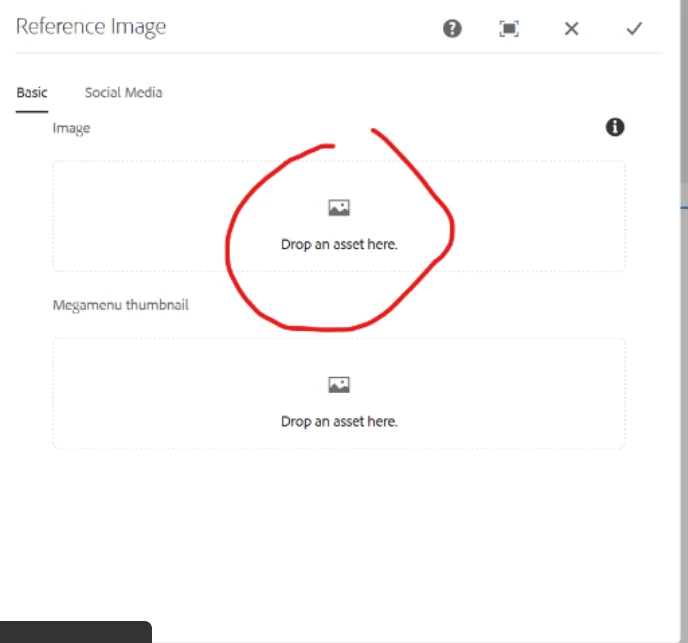
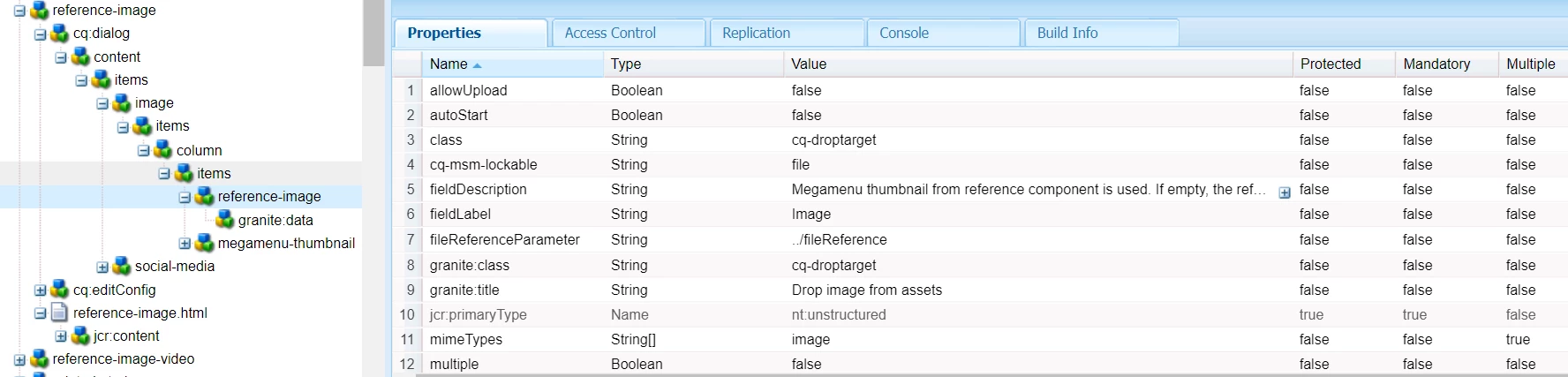
 

I tried reuploading as well but the configured image isnt showing on edit dialog field

Can anyone help me


This post is no longer active and is closed to new replies. Need help? Start a new post to ask your question.

4 replies

MayurSatav
Community Advisor and Adobe Champion
May 3, 2023

hi @vani1012 ,


I am not able to see resource-type in the shared screenshot, could you please share which resource-type you are using ? Or try out below properties. it is working for me.


Vani1012Author
Level 6
May 3, 2023

@mayursatav I attached the image with resourcetype.


Can you tell me why you added ./image in front of cq-msm-locakable, filereference parameter, and name properties
And also I have granite:class property is this causing any issue.

MayurSatav
Community Advisor and Adobe Champion
May 3, 2023

cq-msm-locakable is a key functionality integrated into AEM MSM is the capacity to ascertain which specific attributes of a page are inherited (or "rolled out", using AEM terminology) from the master site to its respective child sites. No your granite property will not cause any issue. 


Vani1012Author
Level 6
May 3, 2023

@mayursatav Can you tell me why you added ./image in front of cq-msm-locakable, filereference parameter, and name properties

Vani1012Author
Level 6
May 3, 2023

@mayursatav can you please reply to the above query

arunpatidar
Community Advisor
arunpatidarCommunity AdvisorAccepted solution
Community Advisor
May 3, 2023