Image not displaying in page | Community
Skip to main content
Level 2
November 27, 2022
Solved

Image not displaying in page

  • November 27, 2022
  • 2 replies
  • 2526 views

Per Adobe, I  used image core component in aem-sdk-2022.10.9398.20221020T071514Z-220900

After drag and drop the image, the image is displayed in the dialog correctly. However, once finish the authoring, I don't see the image is displayed in the page.


Thanks a lot.

This post is no longer active and is closed to new replies. Need help? Start a new post to ask your question.
Best answer by KNan

Hi @hagrid

The same issue discussed in the link .Could you please check this link

https://experienceleaguecommunities.adobe.com/t5/adobe-experience-manager/image-not-rendering-on-a-page-but-it-s-added-on-asset/m-p/454703

Hope this will help.

Thanks

2 replies

SantoshSai
Community Advisor
Community Advisor
November 27, 2022

Hi @hagrid,

Could you check,

  • If bundle is in Active state?
  • If there are error in developer console?
  • If there is any error in error.log

that gives you pointer to fix the issue.

Also, Did you install the core components manually on top? - The SDK and AEMaaCS have the Core Components already installed at /libs. You can't install the Core Components on you own in a different version. This is only necessary for OnPrem Customer which are using AEM 6.5.

Hope that helps!

Regards,
Santosh

Santosh Sai
hagridAuthor
Level 2
November 27, 2022

In error log it shows like this org.apache.sling.engine.impl.SlingRequestProcessorImpl service: Uncaught Throwable... in this case how to resolve it ?

hagridAuthor
Level 2
November 28, 2022

@hagrid Please don't delete any rep:policy (Delete all contents under /var/clientlibs with the exception of rep:policy)

About Sling JSP:

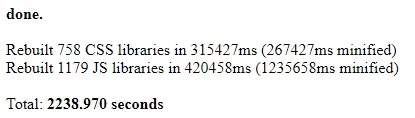
That option was removed in 6.5. Now, Classes and Slightly cache is stored in the Apache Sling Commons FileSystem ClassLoader. Check point 2 at [1] on how to clear classes and sightly cache

[1] How to force a recompilation of all Sling scripts jsps, java, and sightly in AEM 6.4


@SantoshSai 

I followed the steps and reinstalled client libraries & cleared class loader but still the issue not resolved...still the image not showing in the page.

Community Advisor
November 29, 2022

Hi


Could you please check your dam and image path ? is image is available there?

Can you check the policy of image component? 

Can you check the console error.is there any error( 500 any internal server) when load the image in component ?


Thanks 


hagridAuthor
Level 2
December 3, 2022

@knan I checked it.but it shows this error "class com.adobe.cq.wcm.core.components.internal.link.LinkHandler cannot be cast to class com.adobe.cq.wcm.core.components.internal.link.LinkHandler (com.adobe.cq.wcm.core.components.internal.link.LinkHandler is in unnamed module of loader org.apache.felix.framework.BundleWiringImpl$BundleClassLoader @602a8339; com.adobe.cq.wcm.core.components.internal.link.LinkHandler is in unnamed module of loader org.apache.felix.framework.BundleWiringImpl$BundleClassLoader @6849c8df)"

KNanCommunity AdvisorAccepted solution
Community Advisor
December 3, 2022

Hi @hagrid

The same issue discussed in the link .Could you please check this link

https://experienceleaguecommunities.adobe.com/t5/adobe-experience-manager/image-not-rendering-on-a-page-but-it-s-added-on-asset/m-p/454703

Hope this will help.

Thanks