Identify image-based (scanned) pdfs in the DAM? | Community
Skip to main content
Level 2
April 6, 2021
Solved

Identify image-based (scanned) pdfs in the DAM?

  • April 6, 2021
  • 1 reply
  • 1501 views

Hi,

Hoping there might be a way to identify pdfs (we have almost 20,000 in the DAM in a number of folders) that are image-based (scanned)....usually created when the owner could not locate the original digital copy and ended up just scanning a paper copy and creating a pdf. Over the years, we ended up with hundreds of these.


I thought maybe a very simple solution would work - in site admin>aem assets and using the search, with "-the" in fulltext, and file type=pdf (the idea being that since the pdfs are image based, there would not be any text to find and "the" is a pretty common word). This actually does find some but also end up with lots of "false positives".


Would there be a way of doing this via coding/programming (not something I can do but can pass on to our programmer) or even an "advanced search query"?


Jerry
 

This post is no longer active and is closed to new replies. Need help? Start a new post to ask your question.
Best answer by Vijayalakshmi_S

Hi @jerryle,

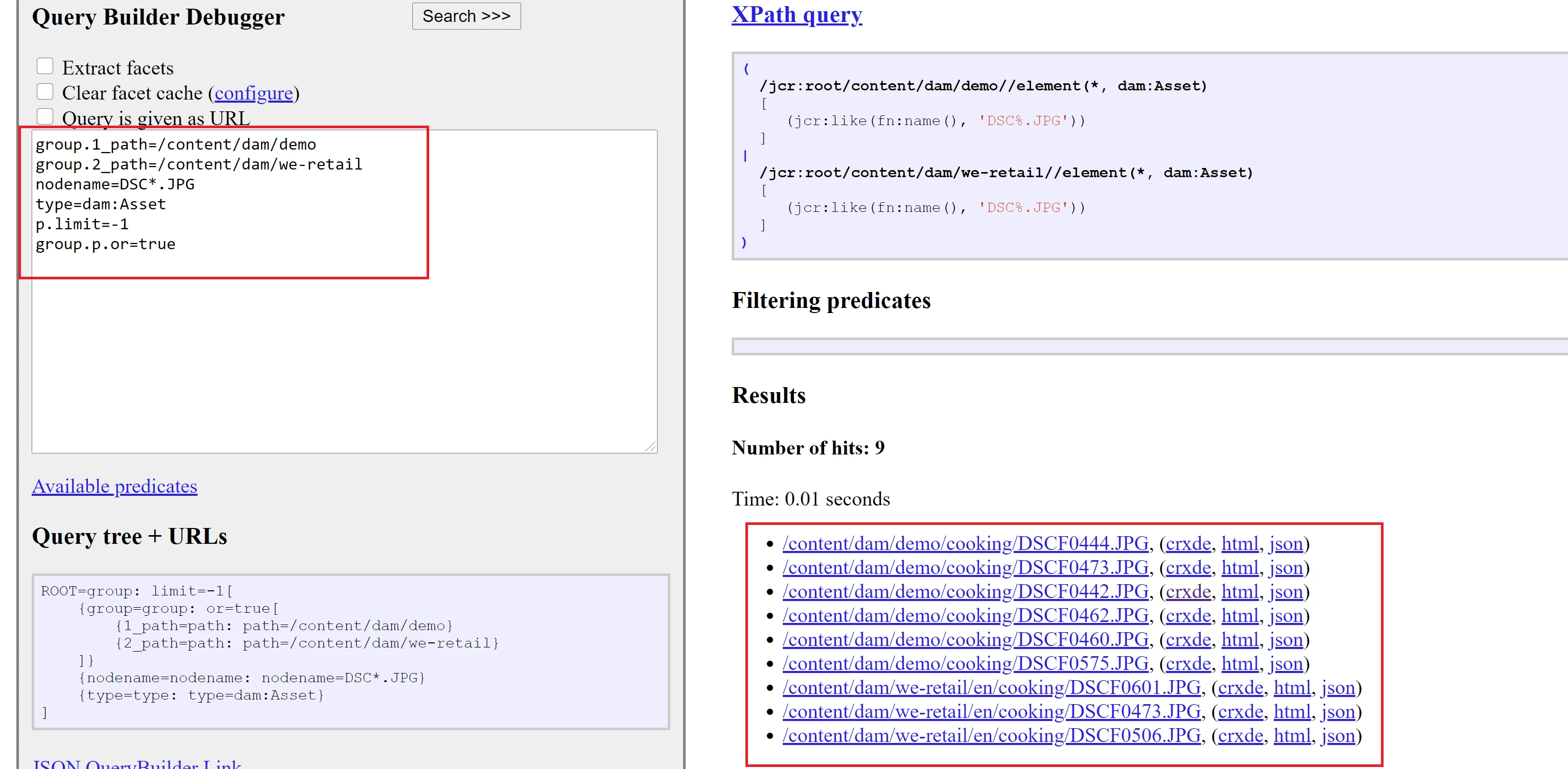
One way is to do search based on PDF filenames if it follows some pattern by framing a regex. Consider below sample which will bring in JPG images that starts with "DSC" from two different locations within DAM. 


Could you please elaborate your use case of identifying PDFs. Exact need of identifying the same - Is it is needed at author level in existing Omnisearch or to be displayed as part of your web application. 

Query/approach decision might differ depending on the need. 

1 reply

Vijayalakshmi_S
Vijayalakshmi_SAccepted solution
Level 10
April 7, 2021

Hi @jerryle,

One way is to do search based on PDF filenames if it follows some pattern by framing a regex. Consider below sample which will bring in JPG images that starts with "DSC" from two different locations within DAM. 


Could you please elaborate your use case of identifying PDFs. Exact need of identifying the same - Is it is needed at author level in existing Omnisearch or to be displayed as part of your web application. 

Query/approach decision might differ depending on the need. 

SNBpatrickv
April 7, 2021

Hello @vijayalakshmi_s,


I work with Jerry. Allow me to elaborate. We have .PDF files in our DAM that are purely image-based, they are a non-OCR scanned copy of a document, which means they are not searchable. This means they do not meet accessibility standards, and potentially impact our SEO.


We are trying to identify which of the 20000+ PDFs in the DAM are as described above so we can try to either re-scan them if we can find the originals, or attempt to OCR the existing file.


Is there a way that we can do this without manually opening every PDF in the DAM?


Thanks!