
Icons on AEM landing page are not loading properly | Adobe Higher Education
Skip to main content
Santhosh_Talepalle
Level 2
August 25, 2023
해결됨

Icons on AEM landing page are not loading properly

  • August 25, 2023
  • 3 답변들
  • 1997 조회

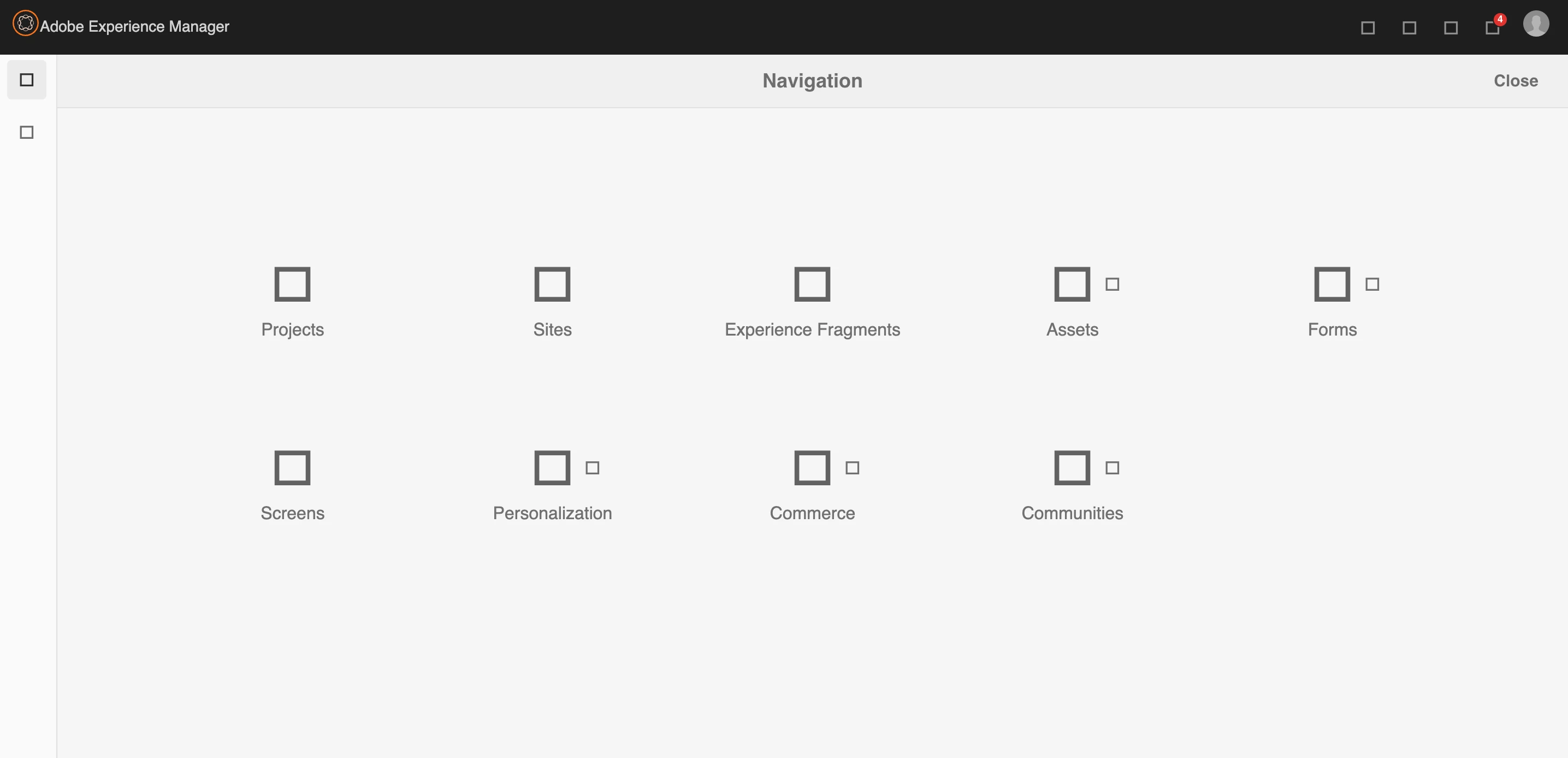
I am currently using AEM 6.5.16 on my machine. Most of the time, I end up getting broken icons through out the AEM.

To fix this, I have tried Rebuilding the client libs, but i end up getting the same error as always. 


Can anyone suggest me a permanent fix for this. Thanks in advance.
이 주제는 답변이 닫혔습니다.
최고의 답변: DPrakashRaj

Log suggest that it’s related to data store consistency issue. If it’s your local you can setup a new instance and if you still want to resolve it then check https://experienceleague.adobe.com/docs/experience-cloud-kcs/kbarticles/KA-17469.html?lang=en#:~:text=This%20error%20means%20that%20you,disk%2C%20or%20network%20share%20instability.

3 답변

varun249715
Adobe Employee
Adobe Employee
August 25, 2023

@santhosh_talepalle Is there any console error you are seeing?


Santhosh_Talepalle
Level 2
August 25, 2023

I could see this


TarunKumar
Community Advisor
Community Advisor
August 25, 2023

HI @santhosh_talepalle ,

Can you check in chrome dev console if you see any error.

Thanks
Tarun

Santhosh_Talepalle
Level 2
August 25, 2023

I could see this error


varun249715
Adobe Employee
Adobe Employee
August 25, 2023

Please access the below URL and click on the "Invalidate Caches" button.

http://localhost:4502/libs/granite/ui/content/dumplibs.rebuild.html?invalidate=true

Then click on the "Rebuild Libraries" and check if the issues are fixed.

DPrakashRaj
Community Advisor
Community Advisor
August 25, 2023

it seems from the screenshot all icons are referring to the AEM OOTB icons/clientlibs. For me it looks like permissioning issue.

Please check below things

  1. on local are you logged in as Admin user?
  2. Check what is getting logged on the AEM log. Log is available inside crx-quickstart/log directory of your AEM
Santhosh_Talepalle
Level 2
August 25, 2023

1. I am admin user

2. I could see couple of errors repeatedly in the error.log file

25.08.2023 01:37:21.188 *ERROR* [[0:0:0:0:0:0:0:1] [1692945441178] GET /etc.clientlibs/clientlibs/granite/coralui3/resources/coralui-component-icon/AdobeSpectrumIcons18.ttf HTTP/1.1] org.apache.sling.engine.impl.SlingMainServlet service: Uncaught Problem handling the request
java.io.IOException: java.io.IOException: org.apache.jackrabbit.core.data.DataStoreException: Record 428aab34f80fc8431654442ac641fd965bb5da39460cff105fd4ca2ad43b4c18 does not exist.


5.08.2023 01:37:21.188 *WARN* [[0:0:0:0:0:0:0:1] [1692945441183] GET /etc.clientlibs/clientlibs/granite/coralui3/resources/coralui-component-icon/AdobeSpectrumIcons18.woff HTTP/1.1] org.apache.jackrabbit.oak.plugins.blob.BlobStoreBlob Error occurred while obtaining InputStream for blobId [c7d1bee099f3685f923eaf340d41e5773d8e4e6e0cef5c0959e94b9bb0d9335a#238616]
java.io.IOException: org.apache.jackrabbit.core.data.DataStoreException: Record c7d1bee099f3685f923eaf340d41e5773d8e4e6e0cef5c0959e94b9bb0d9335a does not exist.

Can you please check this?


DPrakashRaj
Community Advisor
Community Advisor
August 26, 2023

Log suggest that it’s related to data store consistency issue. If it’s your local you can setup a new instance and if you still want to resolve it then check https://experienceleague.adobe.com/docs/experience-cloud-kcs/kbarticles/KA-17469.html?lang=en#:~:text=This%20error%20means%20that%20you,disk%2C%20or%20network%20share%20instability.