I want to terminate the workflow. | Community
Skip to main content
Level 6
September 20, 2021
Solved

I want to terminate the workflow.

  • September 20, 2021
  • 1 reply
  • 2356 views

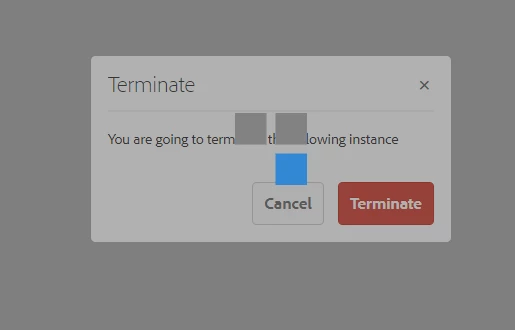
I am trying to terminate the workflow but it keeps loaded as shown in image below for more than 2 hours. I waited long but couldn't find out the solution.
 

This post is no longer active and is closed to new replies. Need help? Start a new post to ask your question.
Best answer by Asutosh_Jena_

Yeah it is from my custom code. By mistake I wrote do{} while(true);


You need to fix the code and redeploy the code. For now navigate to system/console/bundle and stop your project bundle.


Thanks!

1 reply

Asutosh_Jena_
Community Advisor
Community Advisor
September 20, 2021

Hi @ronnie09 


You can navigate to http://localhost:4502/libs/cq/workflow/admin/console/content/instances.html

or from console Tools -> Workflow -> Instances and terminate the workflow.


Thanks!

Ronnie09Author
Level 6
September 20, 2021

Hi @asutosh_jena_ 

From there only I terminated the work flow. The screenshot shared above is for the same  http://localhost:4502/libs/cq/workflow/admin/console/content/instances.html


It didn't worked

Asutosh_Jena_
Community Advisor
Community Advisor
September 20, 2021

do you see any error in the log when you try to terminate?

If there are no error, try to restart the instance and then terminate. Also moniter the log while restarting to see if there are any glitches.


Thanks!