I want to add del tag in RTE | Adobe Higher Education
Skip to main content
Level 6
January 27, 2023
Répondu

I want to add del tag in RTE

I have added DEL tag in RTE paragraph format as shown below
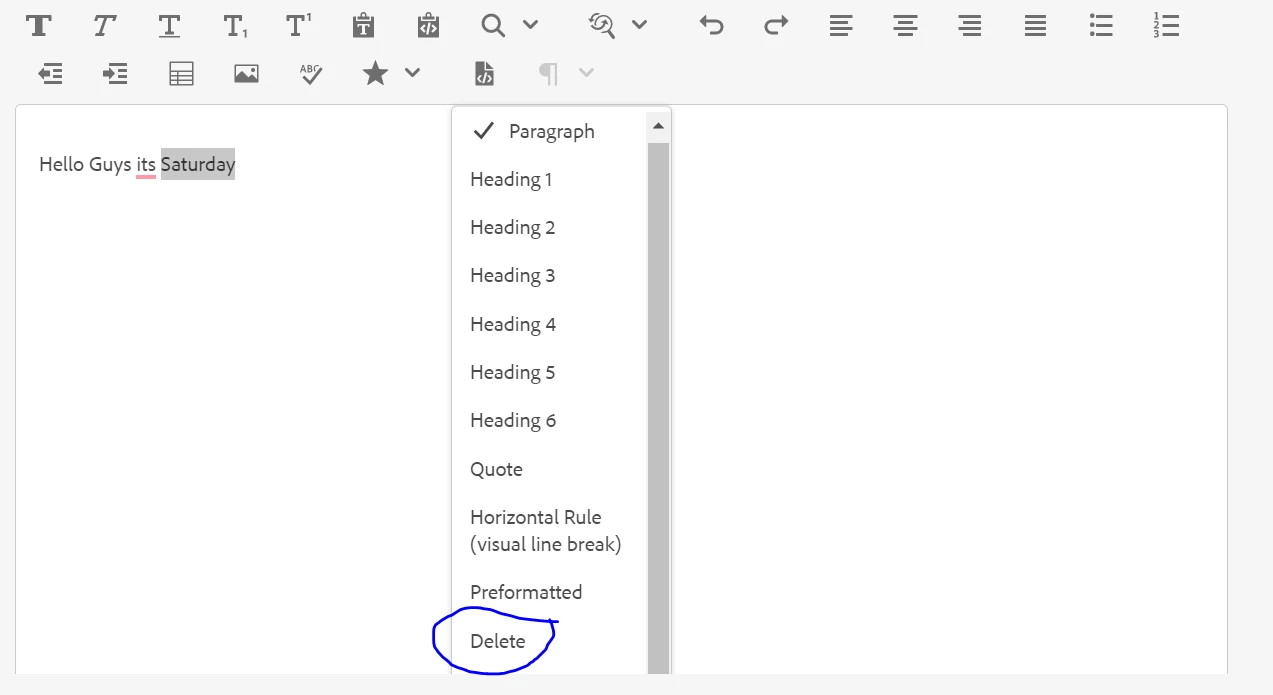

But when I select delete whole text gets appended with the del tag as shown below instead of Just the selected text i.e. "Saturday". Now if I write some text at the end or beginning of those lines then those texts are also encapsulated within the same <del> tag
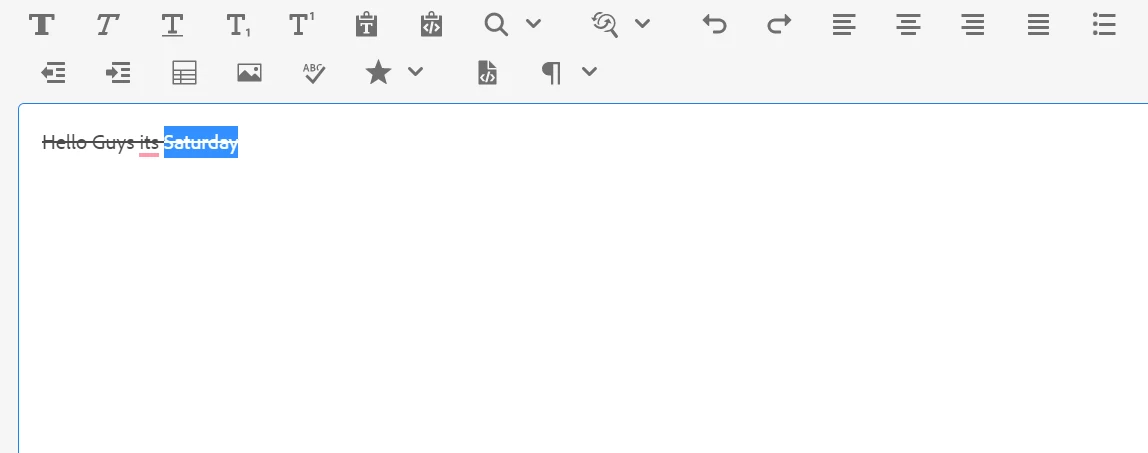
And When I click on Delete again another DEL tag gets appended. 
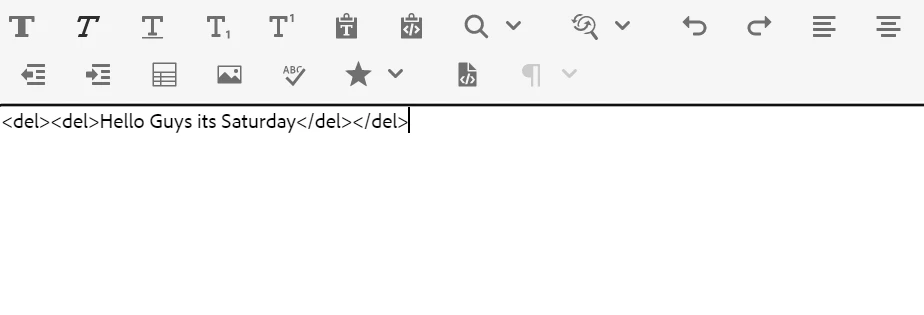

It doesn't remove the del tag.

Is there any other way to get <del></del> in RTE? Which works fine without any issues

Ce sujet a été fermé aux réponses.
Meilleure réponse par Anudeep_Garnepudi

@ronnie09 

All paraformat tags will be applied to entire line the RTE editor, only link and unlink will be applied for selected text. You can only switch the paraformat tags (p to h1, h2 to h3 etc) by default it is paragraph but can't remove tag. Wrapping del tag multiple times seems to be bug.

2 commentaires

Asutosh_Jena_
Community Advisor
Community Advisor
January 28, 2023

Hi @ronnie09 


Which version of AEM you are trying?

Also are you sure you are selecting only the word that you want the style to apply, but it's getting applied to the whole string?


Thanks

Ronnie09Auteur
Level 6
January 28, 2023

Hi @asutosh_jena_ 

I am using AEM 6.5.

Yes I am 100% sure tag is applied to whole string even though I am selecting just one word.

I even can't remove that tag once it is applied until I delete whole string.


I tried by creating new project as well same issue is generated in that, even in wknd project. 

Anudeep_Garnepudi
Community Advisor
Community Advisor
February 2, 2023

@ronnie09 

All paraformat tags will be applied to entire line the RTE editor, only link and unlink will be applied for selected text. You can only switch the paraformat tags (p to h1, h2 to h3 etc) by default it is paragraph but can't remove tag. Wrapping del tag multiple times seems to be bug.

AG