I see that the asset metadata schema change when I navigate to an asset after applying a filter and selecting all assets vs selecting just a single asset. Is that expected behavior? | Community
Skip to main content
Level 2
February 9, 2024

I see that the asset metadata schema change when I navigate to an asset after applying a filter and selecting all assets vs selecting just a single asset. Is that expected behavior?

  • February 9, 2024
  • 1 reply
  • 772 views

Steps to reproduce:

AEM -> Navigation -> files -> assets -> selecting filters from left corner dropdown -> clicking on an asset properties
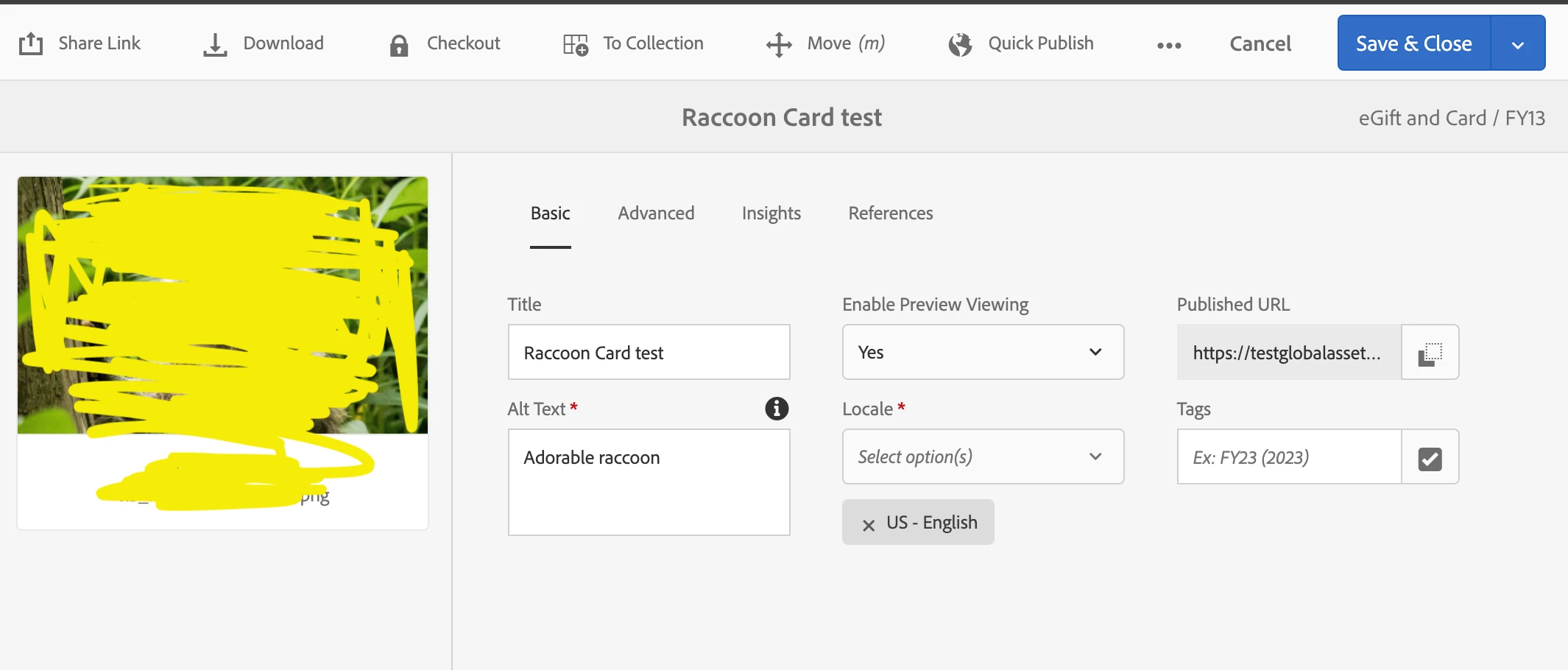
 

AEM -> Navigation -> files -> assets -> selecting filters from left corner dropdown -> clicking on select all -> properties
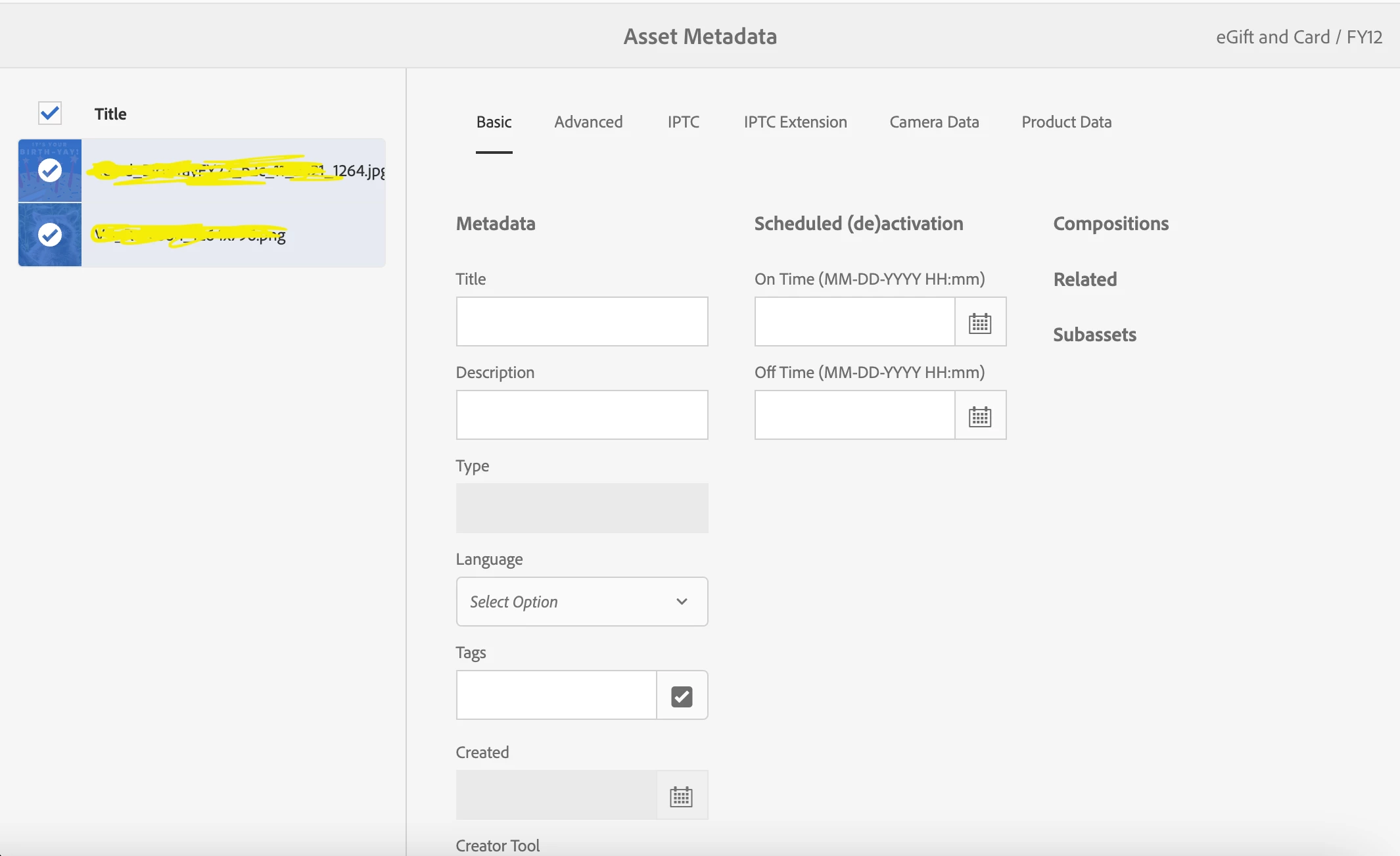


I did check and confirmed that the same metadata schema and metadata profiles has been applied to all the folders

This post is no longer active and is closed to new replies. Need help? Start a new post to ask your question.

1 reply

Kamal_Kishor
Community Advisor
Community Advisor
February 9, 2024

@starpuff : I tried the same and it seems that whatever updates you make gets applied to all the selected Assets.

This is same when you select any number of assets in DAM

AEM -> Navigation -> files -> assets -> go-to-any-folder-with-assets -> clicking on select all/any -> properties

This seems like a default behavior, I am doing this on AEM 6.5 (On-Prem)

thanks.

StarpuffAuthor
Level 2
February 9, 2024

Hi Kamal, 


Thanks for your response and appreciate your time looking into it. But have you tried the same above steps that you mentioned by selecting a filter? My concern is that on selecting a filter (no matter if we explicitly apply a filter or by even just clicking on filter) and selecting all assets (images) is throwing me a different properties page (the second image that I attached in the original post)

StarpuffAuthor
Level 2
February 12, 2024

@starpuff : Yes that seems to be the expected behavior (tried on AEM 6.5). As per my understanding the reason for that could be, you cannot update some properties for multiple assets at a time (If you have noticed, for sites pages, you will not see properties tab at all when you select multiple pages from Sites screen).


Thanks for confirming!