Niveau 1
Niveau 2
Se connecter à la communauté
Connectez-vous pour voir tous les badges
I have just created the project using mvn command
mvn -B archetype:generate -D archetypeGroupId=com.adobe.aem -D archetypeArtifactId=aem-project-archetype -D archetypeVersion=39 -D aemVersion=6.5.0 -D appTitle=”Modern Creator” -D appId=”MC” -D groupId=”com.aem.MC” -D frontendModule=general -D includeExamples=n
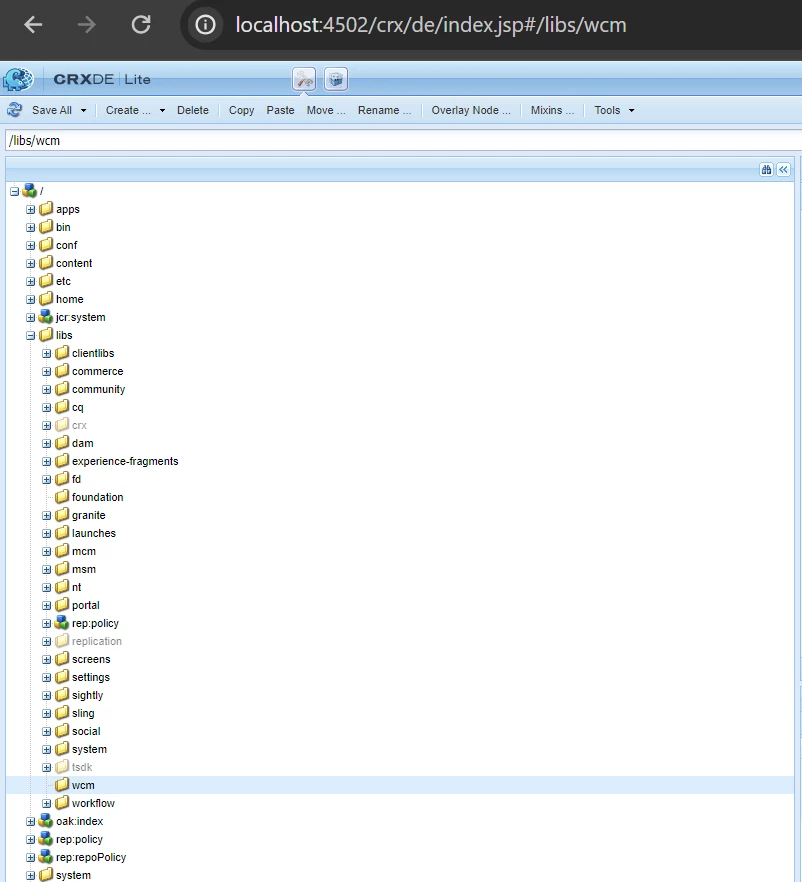
AEM version-6.5.13
Please help me with this issue
Thanks in advance!!
Regards,
Punitha
Résolu ! Accéder à la solution.
Les sujets facilitent la catégorisation du contenu de la Communauté et vous aident à retrouver le contenu le plus pertinent.
Vues
Réponses
Nombre de J’aime
Hi @Punitha77
It seems your session is expired. Kindly login again with admin creds and then reload crx/de and verify.
Regards,
Arpit Varshney
HI @Punitha77 ,
Please try to follow below steps :
1. Setup AEM 6.5 Instance. Once AEM is setup then installed the "aem-service-pkg-6.5.13.zip" service package.
2. Create a new Project structure using the below command:
mvn -B archetype:generate -D archetypeGroupId=com.adobe.aem -D archetypeArtifactId=aem-project-archetype -D archetypeVersion=26 -D appTitle="My Project" -D appId="myproject" -D groupId="com.myproject.aem" -D artifactId="myproject-aem-project" -D version="0.0.1-SNAPSHOT" -D aemVersion="6.5.13" -D includeExamples=n
Thanks
Tarun
Thanks @TarunKumar
@Punitha77 : Did you delete anything on your instance such as packages or anything from CRXDE?
@Punitha77 Did you find the suggestions from users helpful? Please let us know if more information is required. Otherwise, please mark the answer as correct for posterity. If you have found out solution yourself, please share it with the community.
Vues
Réponses
Nombre de J’aime
Hi @Punitha77
It seems your session is expired. Kindly login again with admin creds and then reload crx/de and verify.
Regards,
Arpit Varshney
Thanks @ArpitVarshney I tried to login again with admin credentials and it makes the issue resolved.
Regards,
Punitha
This is a permission issue, as everyone has already suggested. It may occur because your session has expired, or you have not initialized a session with a user who has the proper permissions to read "libs." If the session has expired, you are defaulted to using the "anonymous" user permissions, and therefore, what you are seeing is expected.
Simply go to localhost:4502/login, enter your credentials, and then reopen or refresh the crx/de page.
Please be aware: If you have a user without sufficient access to read "libs," you could still encounter the same result. In that case, please contact an admin to assist you with your permissions.
Hope this helps.
Vues
Like
Réponses
Vues
Like
Réponses