I am getting error when I installing Aem through the command prompt | Community
Skip to main content
November 27, 2024
Solved

I am getting error when I installing Aem through the command prompt

  • November 27, 2024
  • 3 replies
  • 807 views

First I get the doubt about desired admin password after giving the password it is showing some other errors. Could you please through it.

This post is no longer active and is closed to new replies. Need help? Start a new post to ask your question.
Best answer by Fanindra_Surat

Hi @tarun_kumar_reddygo , What you have are only warnings, and shouldn't block installation. Are you sure the installation didn't proceed? First time installations take quite some time.

You would ideally see a /crx-quickstart folder created parallel to your jar.

Did you press Ctrl-C by any chance?


I would also suggest you to follow the below articles and make sure you have the pre-requisites setup properly for local installations.

AEM 6.5.x - https://experienceleague.adobe.com/en/docs/experience-manager-learn/foundation/development/set-up-a-local-aem-development-environment

AEM SDK - https://experienceleague.adobe.com/en/docs/experience-manager-learn/cloud-service/local-development-environment-set-up/aem-runtime


Regards,

3 replies

Fanindra_Surat
Community Advisor
Fanindra_SuratCommunity AdvisorAccepted solution
Community Advisor
November 27, 2024

Hi @tarun_kumar_reddygo , What you have are only warnings, and shouldn't block installation. Are you sure the installation didn't proceed? First time installations take quite some time.

You would ideally see a /crx-quickstart folder created parallel to your jar.

Did you press Ctrl-C by any chance?


I would also suggest you to follow the below articles and make sure you have the pre-requisites setup properly for local installations.

AEM 6.5.x - https://experienceleague.adobe.com/en/docs/experience-manager-learn/foundation/development/set-up-a-local-aem-development-environment

AEM SDK - https://experienceleague.adobe.com/en/docs/experience-manager-learn/cloud-service/local-development-environment-set-up/aem-runtime


Regards,

November 27, 2024

Thank you finally installed it 

Nikhil-Kumar
Community Advisor
Community Advisor
November 27, 2024

@tarun_kumar_reddygo  - I can just see the warnings but not the errors. Also could you please check if crx-quickstart exists in same directory and try re-run the Jar to launch AEM in 4502.

MukeshYadav_
Community Advisor
Community Advisor
November 27, 2024

Hi @tarun_kumar_reddygo ,

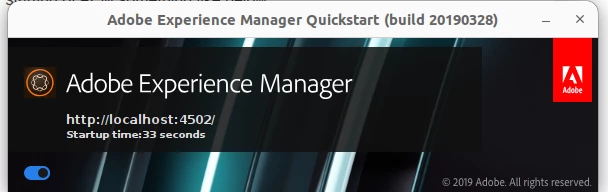
You may pass -gui as argument to get visualisation of starting of AEM something like below


java -jar aem-author-p4502.jar -gui


Thanks