HTTP ERROR 503.AuthenticationSupport service missing. Cannot authenticate request. | Community
Skip to main content
Level 2
June 21, 2022
Solved

HTTP ERROR 503.AuthenticationSupport service missing. Cannot authenticate request.

  • June 21, 2022
  • 6 replies
  • 4365 views

Hii All,


Every time , when i create a new maven project build(Build success), and deploy that to LocalAEM Author instance, it worked for the first time deployment as the instance is currently running.
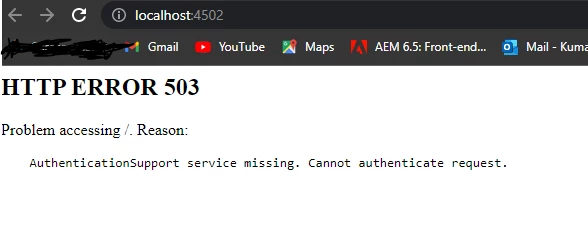
 

But once i close the AEM instance and restart AEM it, it shows HTTP ERROR 503.AuthenticationSupport service missing. Cannot authenticate request.


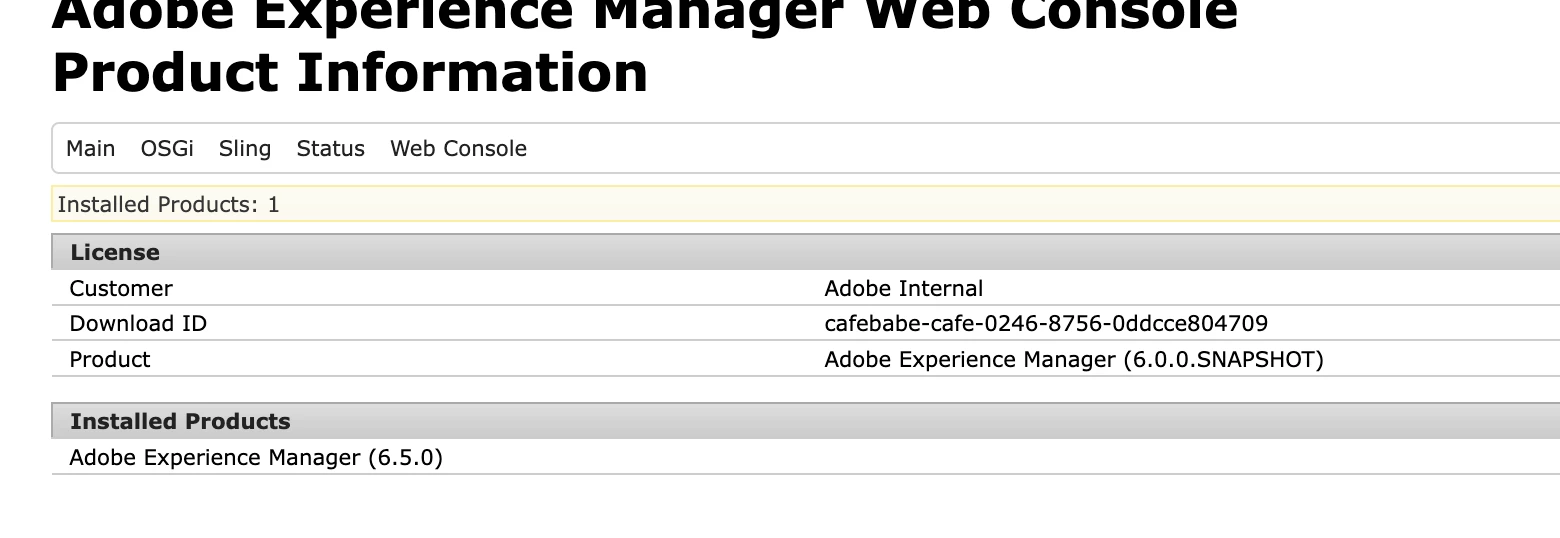
I am using MavenArchetype 35, AEM version 6.5.0.


Please can any one help me in solving this.


Kindly note i have gone through many solutions of this issue like deleting index file and repo files, but it did not worked.

This post is no longer active and is closed to new replies. Need help? Start a new post to ask your question.
Best answer by SantoshSai

@keshri123 

Please verify your steps as below

  1. Building project in batch mode with below command (maven archetype 35)
    mvn -B org.apache.maven.plugins:maven-archetype-plugin:3.2.1:generate -D archetypeGroupId=com.adobe.aem -D archetypeArtifactId=aem-project-archetype -D archetypeVersion=35 -D aemVersion=6.5.0 -D appTitle="My Site" -D appId="mysite" -D groupId="com.mysite
    Please verify above command, you might missed specifying aemVersion=6.5.0 because default is set to cloud

  2. Verified AEM core component is in Active state

  3. Deployed project on AEM 6.5.0
  4.  Deployed project and verified bundle is Active


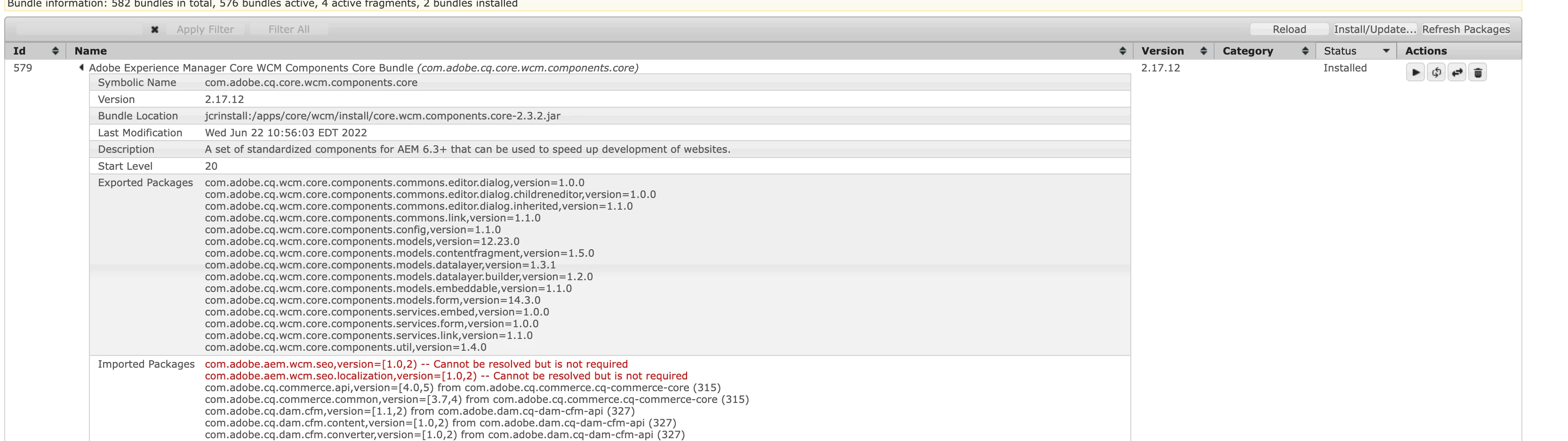
  5. Now verified AEM Core Components Bundle - 2.17.12 is in Installed state.


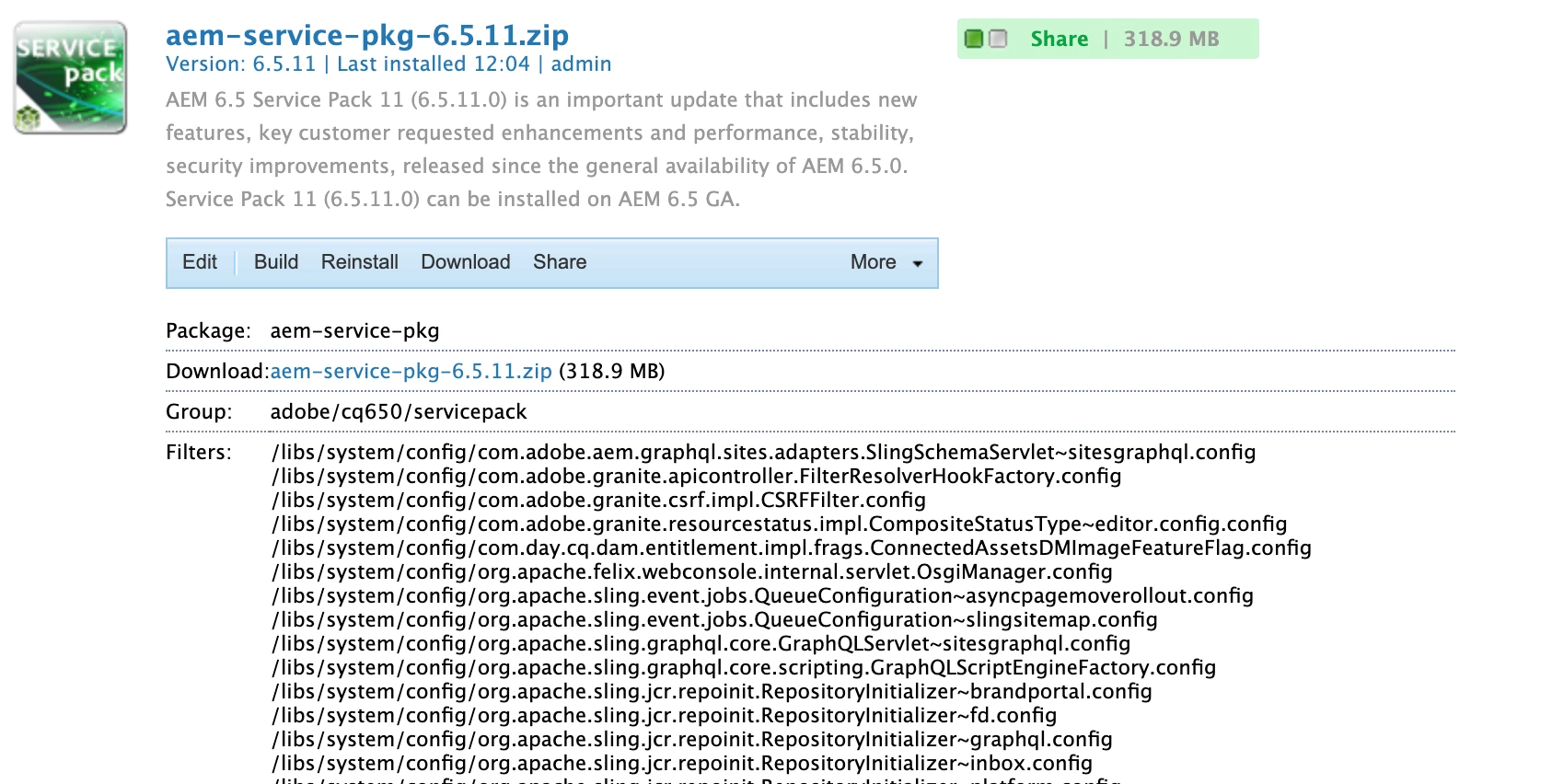
  6. Installed AEM SP 6.5.11 (as the latest versions of Core Components requires at least Service Pack 6.5.6.0+)


  7. Looked back to AEM Core Component Bundle - in Active state.

Absolutely works fine!


Note: If you wish to deploy MavenArchtype 35 by default core component come up with version 2.17.12
Please check it in parents pom.xml 

<core.wcm.components.version>2.17.12</core.wcm.components.version>

You can change version to 2.8.0 which is compatible for AEM 6.5.0, Please check here core component compatible version https://experienceleague.adobe.com/docs/experience-manager-core-components/using/versions.html?lang=en


6 replies

SantoshSai
Community Advisor
Community Advisor
June 21, 2022

Hi @keshri123 ,

Check whether your Apache Sling Authentication Service Bundle is active or not. You can check at http://localhost:4502/system/console/bundles , If it is not active then try to activate it manually.

If the bundle is active and you still get the issue then other solution is to re-index your repository.

You can try below options:

  1. Try to delete below 2 files and restart the instance:
    /author/crx-quickstart/repository/segmentstore/re
    If this also don't work,
  2. Stop the instance, delete the index folder and restart again, which will build your indexes again and might take some time to start.Wait for indexing to be completed.You can enable debug logs and check indexing logs in error.log

Refer to following article for How to re-index AEM Repository: http://www.wemblog.com/2011/12/how-to-rebuild-index-in-cq5-wem.html

Hope that help you!

Regards,

Santosh

Santosh Sai
Keshri123Author
Level 2
June 21, 2022

Hi @santoshsai ,


All bundles are active.

Kiran_Vedantam
Community Advisor
Community Advisor
June 21, 2022

Hi @keshri123,


I have faced this issue multiple times. If the methods mentioned by @santoshsai do not work, try to update your instance to the latest service pack.


Hope this helps!


Thanks,

Kiran Vedantam.

Keshri123Author
Level 2
June 21, 2022

Hi @kiran_vedantam ,


Whenever i have to close the AEM instance, and again create everything from start.

Its very hectic to  run quickstart jar files again and again.

Kiran_Vedantam
Community Advisor
Community Advisor
June 21, 2022

Try to put all the required packages in the install folder when you start your fresh instance. check this helpful blog: https://blogs.perficient.com/2017/07/03/four-tips-for-aem-beginners-overcoming-common-issues/#:~:text=AEM%20provides%20a%20file%2Dbased,in%20Package%20Manager%20as%20well.


Thanks,

Kiran Vedantam.

B_Sravan
Community Advisor
Community Advisor
June 22, 2022

Hi @keshri123 ,


please update your instance to the latest service pack.

you can download one from here : https://experience.adobe.com/#/downloads/content/software-distribution/en/general.html 

Thanks,

Sravan

vanegi
Adobe Employee
Adobe Employee
June 22, 2022

Hi @keshri123,

Looks like Core Components did not get installed correctly. Can you check Package Manager to see if they got uploaded? /crx/packmgr/index.jsp

Can you also confirm if the instance was previously upgraded from 6.4? If so, please try out the following steps and see if that helps:


  1. Stop the instance if it's running already.

  2. Download this commons-io jar (https://repo1.maven.org/maven2/commons-io/commons-io/2.6/commons-io-2.6.jar) to the server and place it under crx-quickstart/install

  3. Restart the instance using the below command

    java -server -Xmx1024m -XX:MaxPermSize=256M -Djava.awt.headless=true -Dsling.run.modes=author,crx3,crx3tar -jar cq-quickstart-6.5.0.jar  -p 4502 -Dsling.properties=conf/sling.properties -Dorg.apache.sling.launchpad.startupmode=UPDATE &

  4. Check /system/console/bundles, once all bundles are in active state and then stop the instance again.

  5. Restart the instance through the below command

    java -server -Xmx1024m -XX:MaxPermSize=256M -Djava.awt.headless=true -Dsling.run.modes=author,crx3,crx3tar -jar cq-quickstart-6.5.0.jar -p 4502 -Dsling.properties=conf/sling.properties &

Thanks!!


Keshri123Author
Level 2
June 22, 2022

Hi @vanegi 


when i deploy the package, it is showing in /crx/packmgr/index.jsp. But when close the AEM and restart it, this issue is coming.


And i have not upgraded from any lower version.


sunil_kumar_
Level 5
June 22, 2022

Hi @keshri123 One possible reasion could be Repository Initialization configuration created by latest Maven Archetype to initialise project specific structure. There are few solution you can try.

1. Update your AEM to at least 6.5.5 as repo init properly supported from this version. Update to latest would be better.

2. While creating project add AEMVerion if you are using non cloud version.
3. Change configuration from .json to .config. ie. 

org.apache.sling.jcr.repoinit.RepositoryInitializer~<your-project>.cfg.json
to 
org.apache.sling.jcr.repoinit.RepositoryInitializer~<your-project>.config

https://github.com/adobe/aem-project-archetype/issues/852

SantoshSai
Community Advisor
SantoshSaiCommunity AdvisorAccepted solution
Community Advisor
June 22, 2022

@keshri123 

Please verify your steps as below

  1. Building project in batch mode with below command (maven archetype 35)
    mvn -B org.apache.maven.plugins:maven-archetype-plugin:3.2.1:generate -D archetypeGroupId=com.adobe.aem -D archetypeArtifactId=aem-project-archetype -D archetypeVersion=35 -D aemVersion=6.5.0 -D appTitle="My Site" -D appId="mysite" -D groupId="com.mysite
    Please verify above command, you might missed specifying aemVersion=6.5.0 because default is set to cloud

  2. Verified AEM core component is in Active state

  3. Deployed project on AEM 6.5.0
  4.  Deployed project and verified bundle is Active


  5. Now verified AEM Core Components Bundle - 2.17.12 is in Installed state.


  6. Installed AEM SP 6.5.11 (as the latest versions of Core Components requires at least Service Pack 6.5.6.0+)


  7. Looked back to AEM Core Component Bundle - in Active state.

Absolutely works fine!


Note: If you wish to deploy MavenArchtype 35 by default core component come up with version 2.17.12
Please check it in parents pom.xml 

<core.wcm.components.version>2.17.12</core.wcm.components.version>

You can change version to 2.8.0 which is compatible for AEM 6.5.0, Please check here core component compatible version https://experienceleague.adobe.com/docs/experience-manager-core-components/using/versions.html?lang=en


Santosh Sai