
HTTP API Asset get metadata | Community
Skip to main content
marcinn
Level 2
April 13, 2021
Solved

HTTP API Asset get metadata

  • April 13, 2021
  • 1 reply
  • 3663 views

Hi


Can the user somehow configure, which metadata fields will be returned via asset API?

I need some additional fields, but unfortunately, I can't see them in returned JSON.


Thank you in advance for any tips. 

This post is no longer active and is closed to new replies. Need help? Start a new post to ask your question.
Best answer by Asutosh_Jena_

Hi @marcinn 


Have you added the additional matadata to assets? If it's added to the assets, it will be fetched by assets API.

Such as if you have an additional field as "something" which is having a value of "Somevalue" in the metadata node of the asset, when you try to fetch the metadata for the perticular asset, it will fetch the additional metadata and will show in the JSON response.
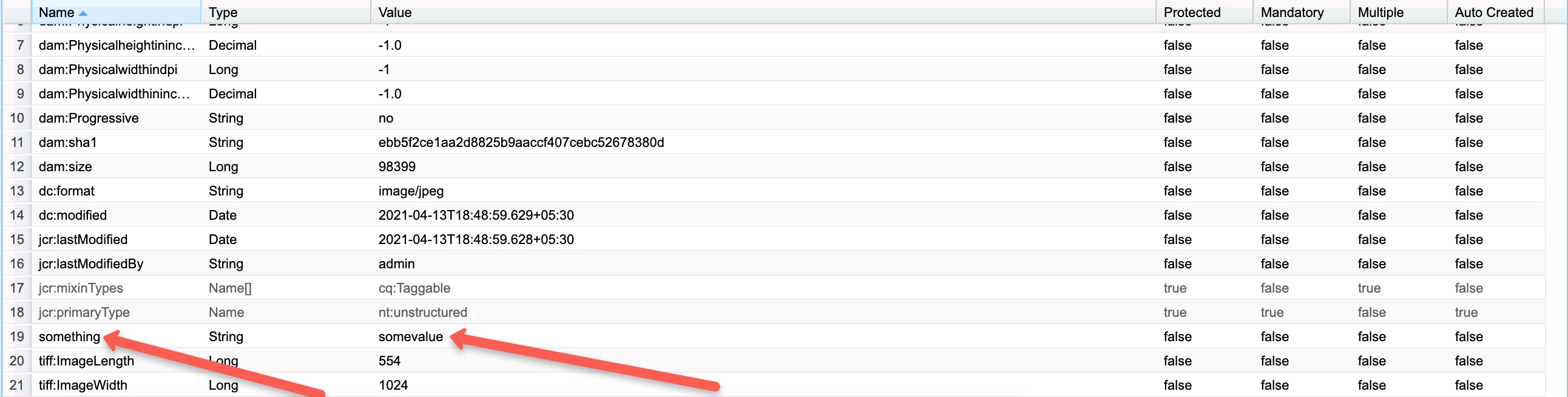
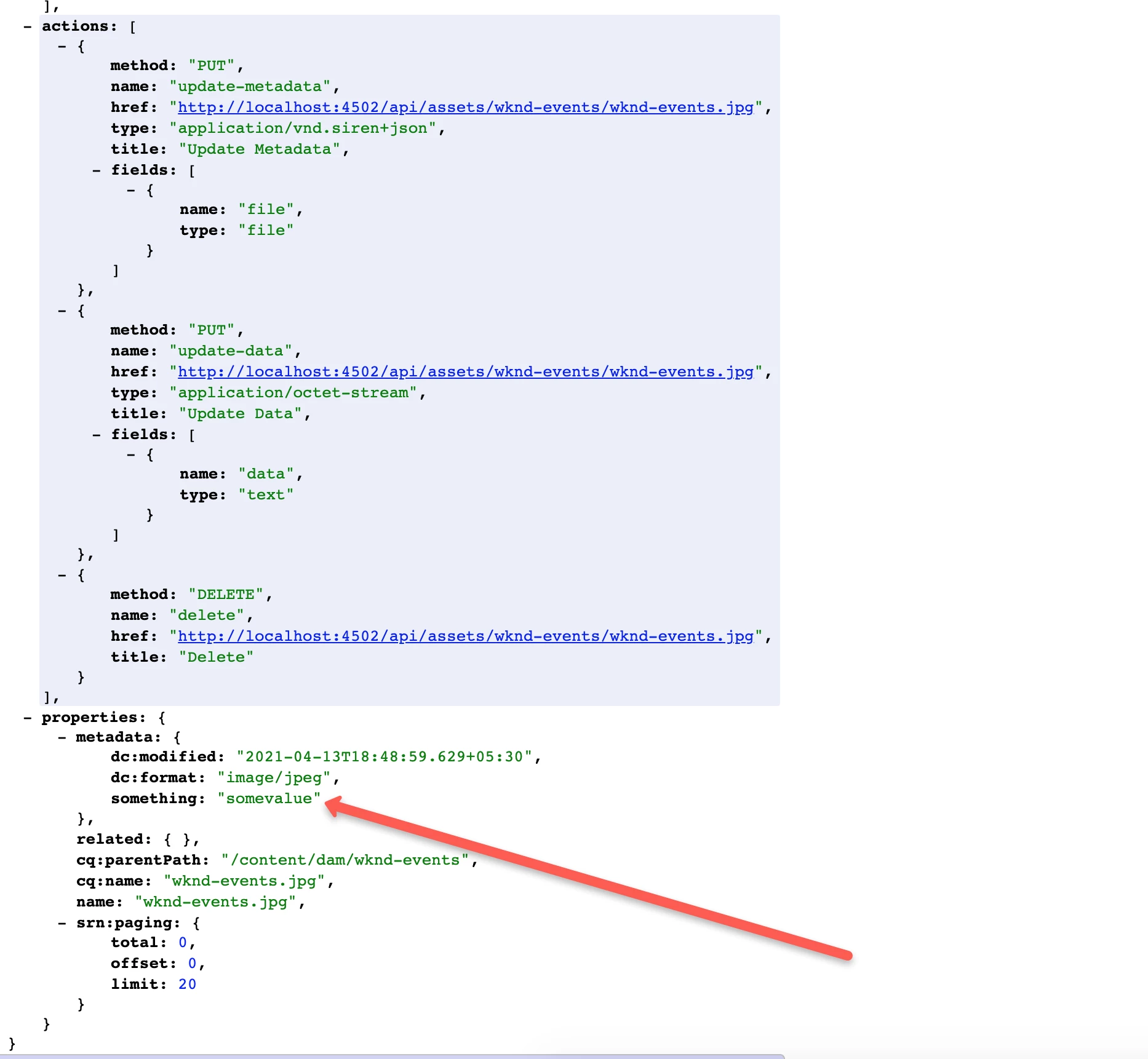
 

http://localhost:4502/api/assets/wknd-events/wknd-events.jpg.json


Thanks!

1 reply

Asutosh_Jena_
Community Advisor
Asutosh_Jena_Community AdvisorAccepted solution
Community Advisor
April 13, 2021

Hi @marcinn 


Have you added the additional matadata to assets? If it's added to the assets, it will be fetched by assets API.

Such as if you have an additional field as "something" which is having a value of "Somevalue" in the metadata node of the asset, when you try to fetch the metadata for the perticular asset, it will fetch the additional metadata and will show in the JSON response.


http://localhost:4502/api/assets/wknd-events/wknd-events.jpg.json


Thanks!

Asutosh_Jena_
Community Advisor
Community Advisor
April 14, 2021

Hi @marcinn 


Unfortunately there is no such config to allow it.

But you can try the sync metadata approach like below:

  1. You can create a workflow and configure Experience Manager to execute the workflow when the dynamic media workflow completes.
  2. Use an ECMA script to sync the required metadata properties from dam:* to some custom Property.
  3. Read the custom property in the JSON response and use it wherever required.
  4. The following sample script synchronizes the title string between dc:title and jcr:title.
var workflowData = workItem.getWorkflowData();
if (workflowData.getPayloadType() == "JCR_PATH")
{
var path = workflowData.getPayload().toString();
var node = workflowSession.getSession().getItem(path);
var metadataNode = node.getNode("jcr:content/metadata");
var jcrcontentNode = node.getNode("jcr:content");
if (jcrcontentNode.hasProperty("jcr:title"))
{
var jcrTitle = jcrcontentNode.getProperty("jcr:title");
metadataNode.setProperty("dc:title", jcrTitle.toString());
metadataNode.save();
}
}

You can try the same steps for your custom property. 


Here is the detailed article:

https://experienceleague.adobe.com/docs/experience-manager-65/assets/extending/mac-api-assets.html?lang=en#sync-metadata-between-namespaces


Hope this helps!

Thanks 🙂


Level 2
November 7, 2023

This thread is confirming the API can't even return AEM's own metadata fields...?


Even the documentation is **bleep** - "To obtain a full representation of the entity, clients should retrieve the contents of the URL pointed to by the link with a rel of self." No mention of only returning custom metadata fields.