How we can populate document URL in AEM ? | Community
Skip to main content
Level 2
September 4, 2024
Solved

How we can populate document URL in AEM ?

  • September 4, 2024
  • 3 replies
  • 1067 views

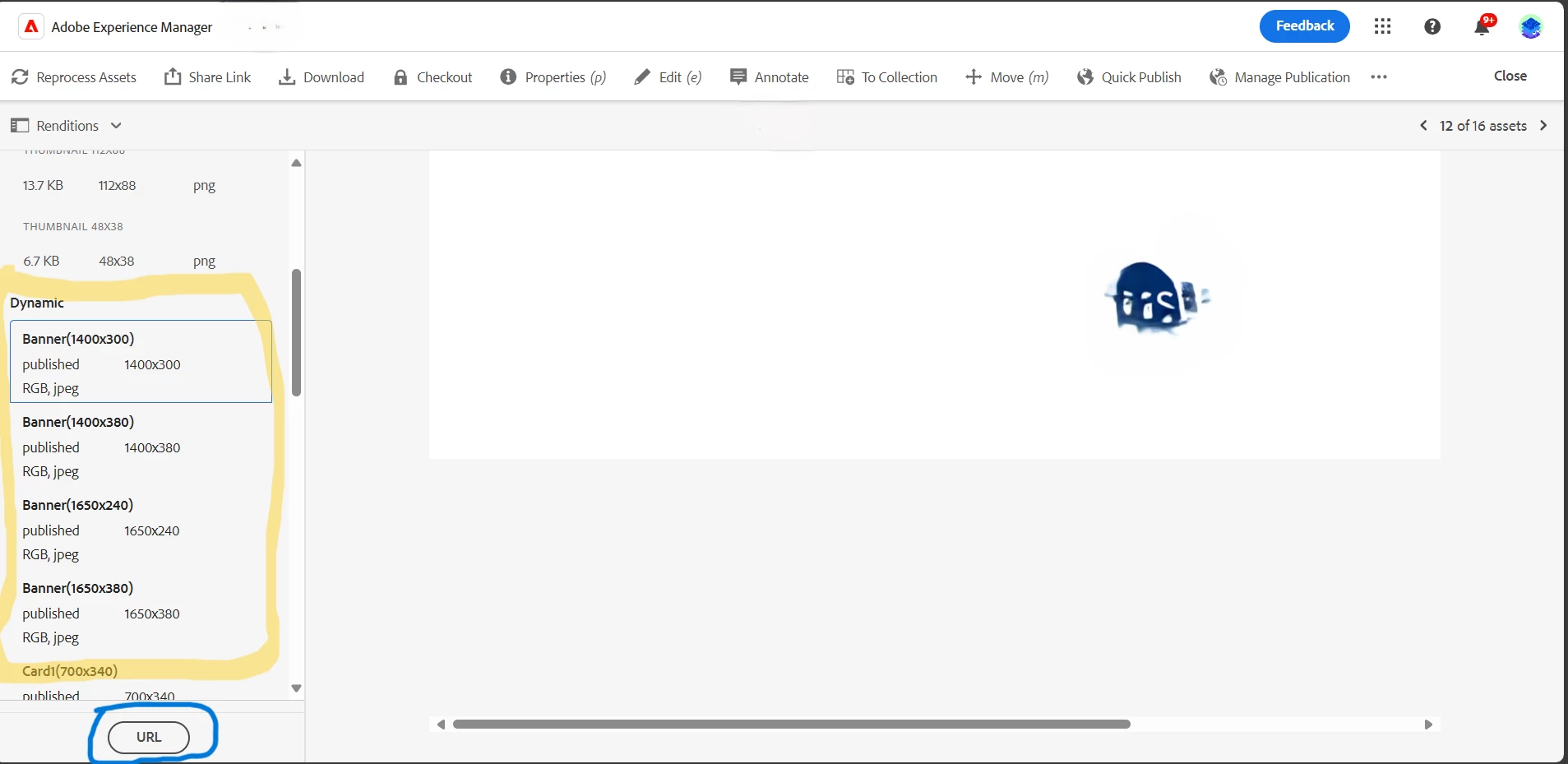
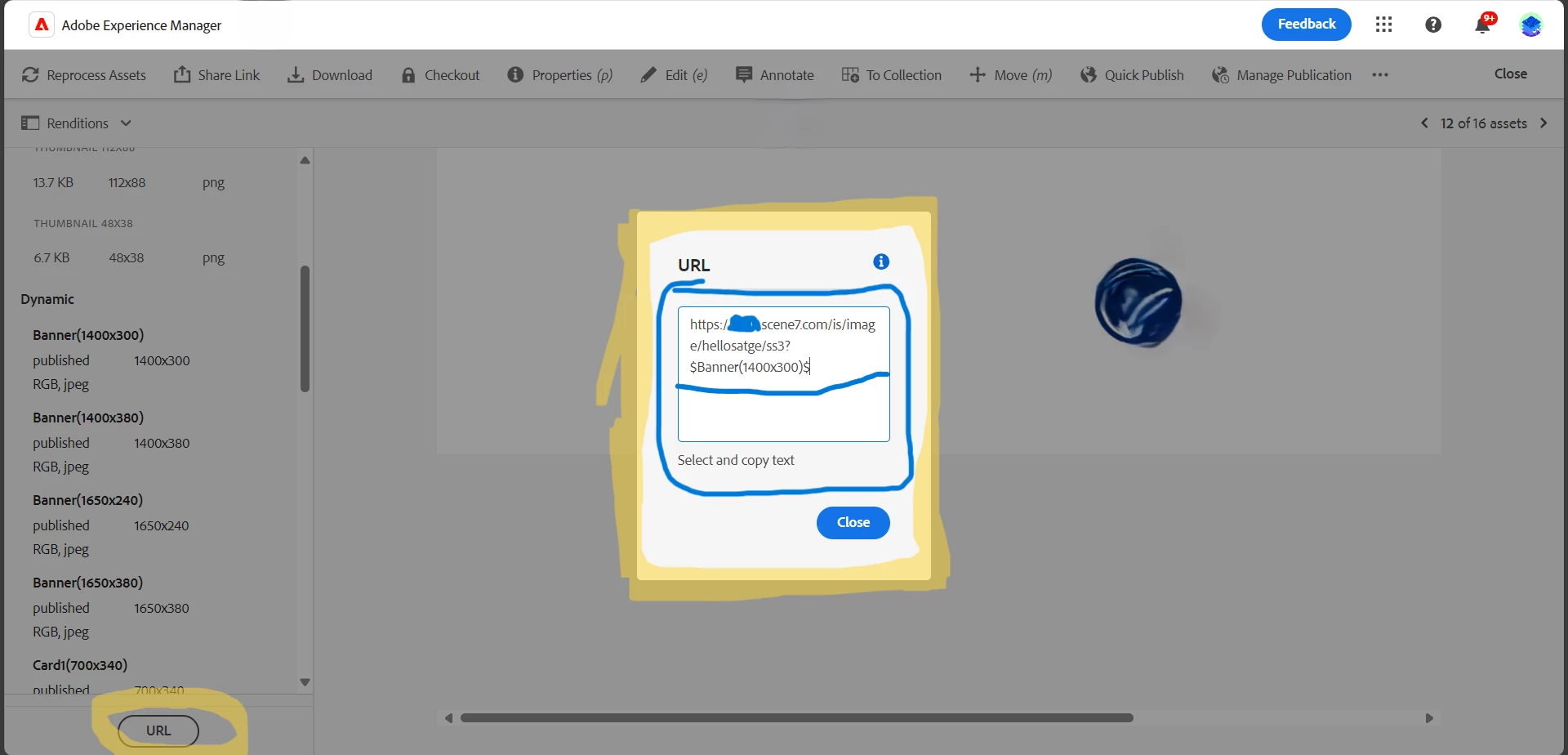
In AEM as Cloud we have a dynamic media configuration in that we are having the URL and RES tabs  for the image renditions dynamic media providing the custom domain URL. but there is no feature for the pdf documents how we can do that URL option for the document renditions ?


Currently dynamic media  providing the renditions URL to images not for the documents below providing the snapshots for reference 


This post is no longer active and is closed to new replies. Need help? Start a new post to ask your question.
Best answer by ramsaipavan

@kautuk_sahni  I was Implemented from my end

--------------------------------------------------------------------------------------
In the specific path /libs/dam/gui/content/assetdetails/jcr:content/actions. we need to overlay node to UI apps and custom action nodes and after that we can also set granite:rendercondition if you want to handle specific scenarios in order to display the button in assets tool bar. and after that dynamically we can implement our custom functionality as per requirement inside our project ClientLibs creating the JS file.

3 replies

arunpatidar
Community Advisor
Community Advisor
September 4, 2024
Level 2
September 4, 2024

@arunpatidar  

How we can customize the URL button in the instance and how we can generate custom domain URL for pdf .How we can implement this is two actions URL and pop box inside custom domain URL ! same like as below 
 

EstebanBustamante
Community Advisor and Adobe Champion
September 4, 2024

Hi, 

If the URL section is missing, it is most likely because the assets are not in Dynamic Media. Check if the folders where the PDFs are located are correctly syncing with Dynamic Media. You can find more information here: Selective Publishing Management. Then, confirm if those assets were successfully processed and uploaded to Dynamic Media.


Hope this helps


Esteban Bustamante
Level 2
September 5, 2024

@estebanbustamante 

It is sync with dynamic media here problem is how we can get the URL option for PDF's also we are having URL option for images renditions not for PDF my question is how we can achieve that? How we can author the URL button in the pdf section in assets ?

kautuk_sahni
Community Manager
Community Manager
September 13, 2024

@ramsaipavan Did you find the suggestions helpful? Please let us know if you require more information. Otherwise, please mark the answer as correct for posterity. If you've discovered a solution yourself, we would appreciate it if you could share it with the community. Thank you!

Kautuk Sahni
ramsaipavanAuthorAccepted solution
Level 2
September 13, 2024

@kautuk_sahni  I was Implemented from my end

--------------------------------------------------------------------------------------
In the specific path /libs/dam/gui/content/assetdetails/jcr:content/actions. we need to overlay node to UI apps and custom action nodes and after that we can also set granite:rendercondition if you want to handle specific scenarios in order to display the button in assets tool bar. and after that dynamically we can implement our custom functionality as per requirement inside our project ClientLibs creating the JS file.