How to use sitemap using OOTB sitemap generator on AEM 6.5.12 | Community
Skip to main content
Level 2
April 27, 2022
Solved

How to use sitemap using OOTB sitemap generator on AEM 6.5.12

  • April 27, 2022
  • 2 replies
  • 5189 views

I'm trying to generate on demand sitemap generation on AEM 6.5.12. I tried going through the video that is provided by Adobe 


https://experienceleague.adobe.com/docs/experience-manager-learn/sites/seo/sitemaps.html?lang=en

Over there they have showed that after doing certain simple configurations like checking the checkbox with on demand and then going to the page under which we want sitemap to be generated we can again use checkbox to select in page properties. 
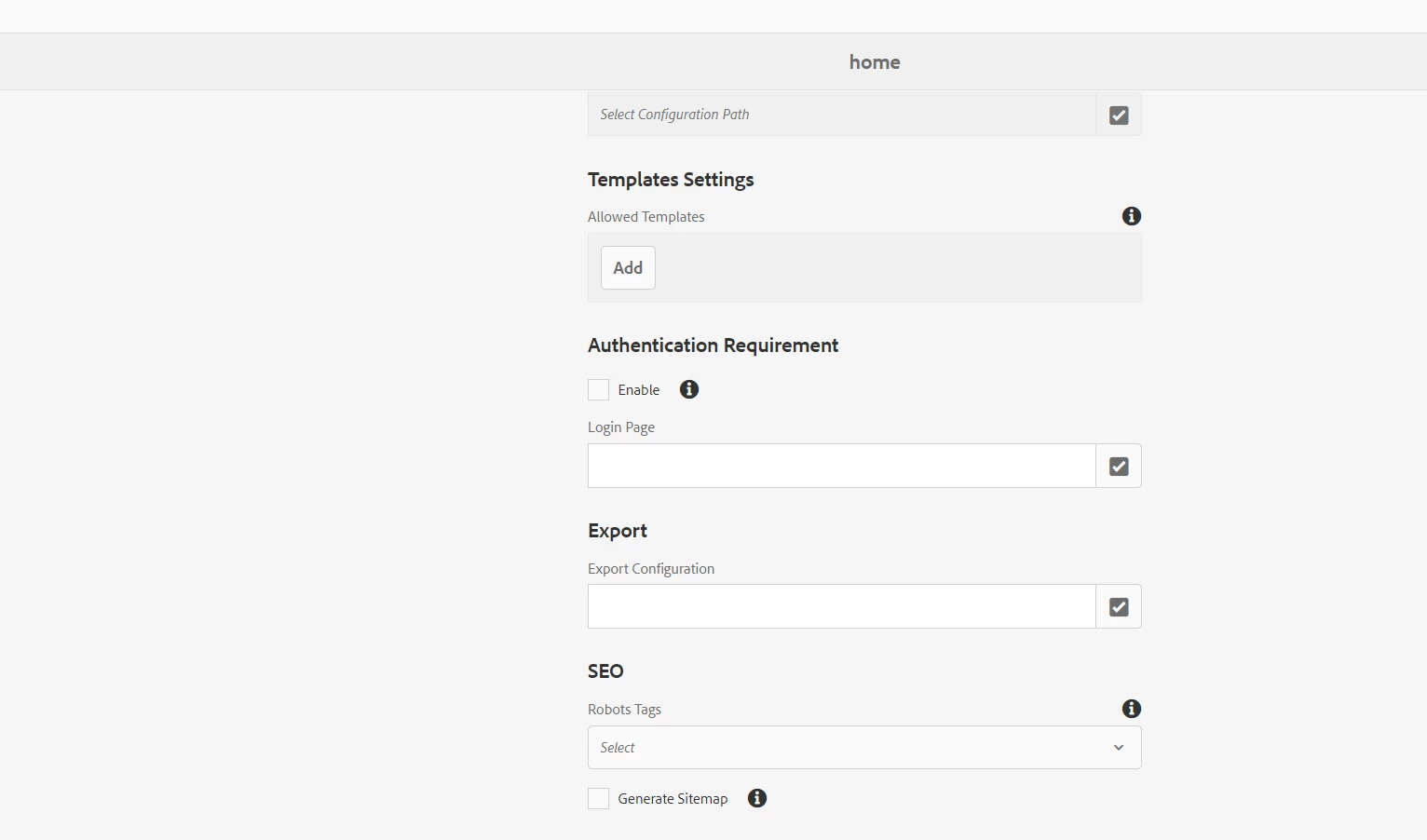
 

and then if we enter the page url with .sitemap.xml it should show the sitemap for that specific page hierarchy in xml format 


After trying those steps I'm getting all the paths but not in xml 


I followed https://www.theaemmaven.com/post/aem-apache-sling-sitemap

which talks about sling bundle that is ootb open source sling project that is getting used to achieve the functionality and when I ran the bundle in debug mode. I found that it is also just sending back traversed path. I'm looking out if I'm doing something wrong because I don't want to depend on custom solution to generate xml out of those path unless we don't have OOTB way to achieve it.


Do let me know if someone has implemented it


@kautuk_sahni 

This post is no longer active and is closed to new replies. Need help? Start a new post to ask your question.
Best answer by Sudharsanan-BAiCi

Hi @divanshug96 I have also tried and seeing the page listing all the paths but not in xml format.


But when I tried view source of the page then I can see it in the expected format of sitemap XML. Please check once.

Need to find is there any fix needed or the behavior we see is fine. If any one of us find it let we share please.

2 replies

Anish-Sinha
Adobe Employee
Adobe Employee
April 27, 2022
Level 2
April 28, 2022

Hi @anish-sinha 


I tried it using that way also which is same way actually what is mentioned in linked url in my post but it is still generating only the urls as plain text not inn xml format

Sudharsanan-BAiCiAccepted solution
New Member
April 28, 2022

Hi @divanshug96 I have also tried and seeing the page listing all the paths but not in xml format.


But when I tried view source of the page then I can see it in the expected format of sitemap XML. Please check once.

Need to find is there any fix needed or the behavior we see is fine. If any one of us find it let we share please.