How to split the string from the item table in adobe live cycle designer? | Community
Skip to main content
JainSa
Level 2
December 28, 2022
Solved

How to split the string from the item table in adobe live cycle designer?

  • December 28, 2022
  • 1 reply
  • 900 views

Hi All,


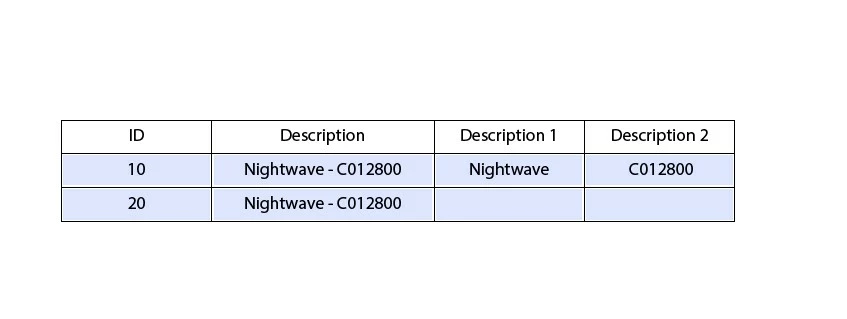
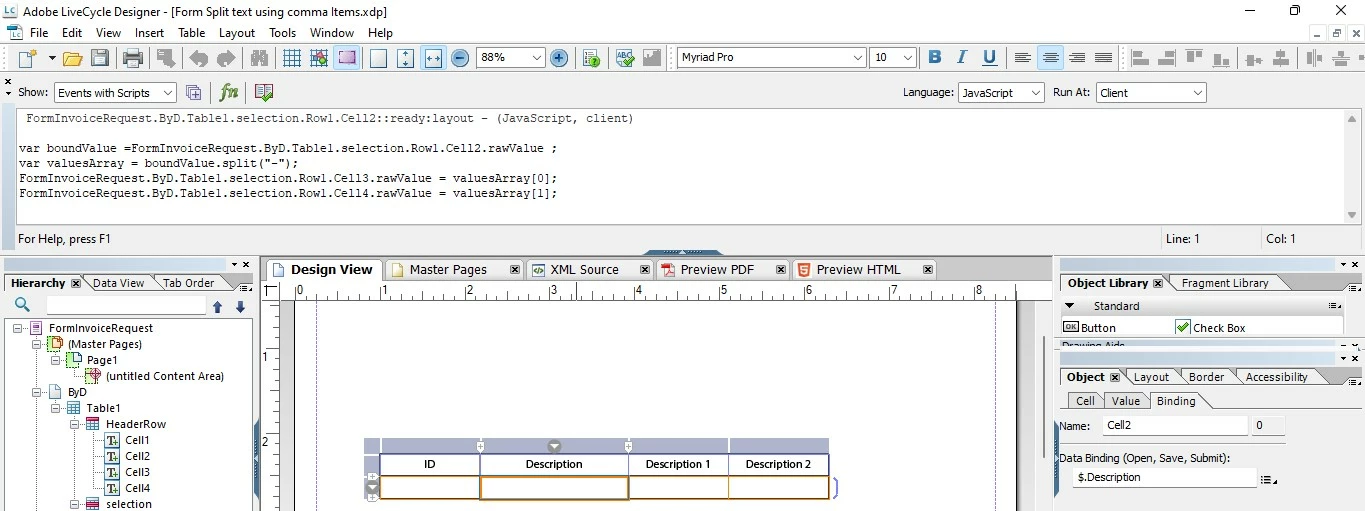
I'd like to split the "TEXT" value from the "Description" value in the line item table so that the split value passes through the description 1 and description 2 columns.


I tried, but the desired output in form preview is not being obtained. I get the first line value, but the second line value does not appear.


Please assist me with this.
 

This post is no longer active and is closed to new replies. Need help? Start a new post to ask your question.
Best answer by Kishore_Kumar_

Hi @jainsa ,


Please raise this question in forms community to get an expert advise, thanks.


https://experienceleaguecommunities.adobe.com/t5/adobe-experience-manager-forms/ct-p/adobe-experience-manager-forms-community 

1 reply

Kishore_Kumar_
Kishore_Kumar_Accepted solution
Level 9
January 26, 2023

Hi @jainsa ,


Please raise this question in forms community to get an expert advise, thanks.


https://experienceleaguecommunities.adobe.com/t5/adobe-experience-manager-forms/ct-p/adobe-experience-manager-forms-community