How to send notification email to users who are inactive for 90 days and deactivate them in AEM 6.5. | Adobe Higher Education
Skip to main content
August 4, 2020
Resuelto

How to send notification email to users who are inactive for 90 days and deactivate them in AEM 6.5.

  • August 4, 2020
  • 3 respuestas
  • 1717 visualizaciones

Hi


We have created certain non SAML users and groups. In AEM 6.5 is there out of box ability to deactivate users/groups that are inactive for more than 90days. Also to send reminder emails prior to deactivating them.

Este tema ha sido cerrado para respuestas.
Mejor respuesta de vanegi

Hi @movovijay05,

You can get the list of all active tokens (logged in users) and expired tokens from [0]. This will list out the time when the token would be expired for a particular user.


[0]: http://<host:port>/system/console/tokenmgr


Sling creates a new session for every request, and closes it when the request is done. There is no jcr Session associated with a user session as such. 


When user request the site, sling back-end will instantiate a new session for it or using previously opened (Of cause this is a common case for application server). But a lot of opened sessions can impact performance therefore not active sessions must be closed. For close user session after inactivity we should:


1. Open configuration path:

/system/console/configMgr/org.apache.jackrabbit.oak.security.authentication.token.TokenConfigurationImpl

2. Set appropriate value for Token Expiration property (Expiration time of login tokens in ms.):
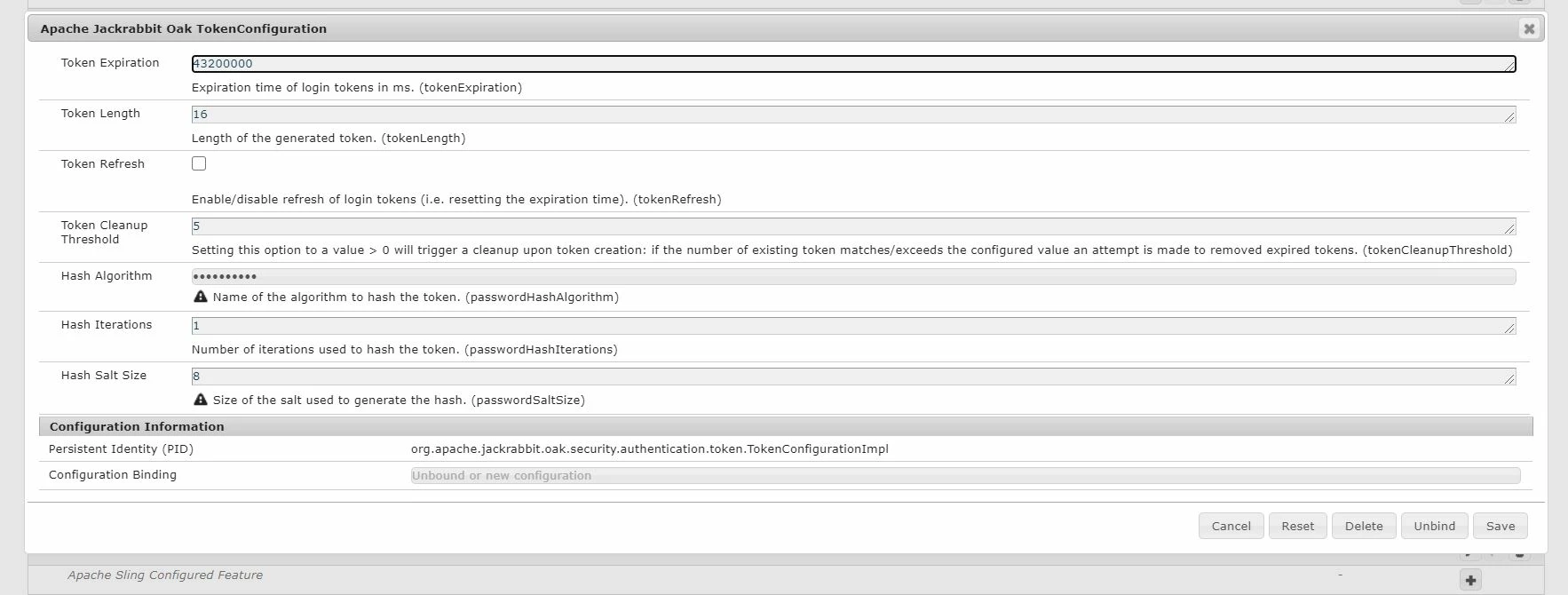


And to send reminders prior expiring the user, you can leverage Day CQ Mail Service for that. See https://helpx.adobe.com/in/experience-manager/6-3/sites/administering/using/notification.html.


Thanks!!


3 respuestas

vanegi
Adobe Employee
vanegiAdobe EmployeeRespuesta
Adobe Employee
August 4, 2020

Hi @movovijay05,

You can get the list of all active tokens (logged in users) and expired tokens from [0]. This will list out the time when the token would be expired for a particular user.


[0]: http://<host:port>/system/console/tokenmgr


Sling creates a new session for every request, and closes it when the request is done. There is no jcr Session associated with a user session as such. 


When user request the site, sling back-end will instantiate a new session for it or using previously opened (Of cause this is a common case for application server). But a lot of opened sessions can impact performance therefore not active sessions must be closed. For close user session after inactivity we should:


1. Open configuration path:

/system/console/configMgr/org.apache.jackrabbit.oak.security.authentication.token.TokenConfigurationImpl

2. Set appropriate value for Token Expiration property (Expiration time of login tokens in ms.):


And to send reminders prior expiring the user, you can leverage Day CQ Mail Service for that. See https://helpx.adobe.com/in/experience-manager/6-3/sites/administering/using/notification.html.


Thanks!!


Shashi_Mulugu
Community Advisor
Community Advisor
August 4, 2020

@movovijay05 The main challenge here is to find the list of inactive users. As far i know, there is no direct way we can do this. Please follow the below community post for finding the users, then you can write a scheduler which runs every week to check the inactive users and sends email before week of expiration (also enable SMTP configuration), and mark it with some flag, and write another/within same scheduler to delete inactive users after expiration date reached.


https://experienceleaguecommunities.adobe.com/t5/adobe-experience-manager/aem-active-user-in-aem-6-3/qaq-p/282980

arunpatidar
Community Advisor
Community Advisor
August 4, 2020

There is no out of the box utility available but you can achieve this by creating custom utility.

But you can utilize reporting feature https://docs.adobe.com/content/help/en/experience-manager-65/administering/operations/reporting.html


Arun Patidar