Solved
How to select only image/video from pathbrowser in touch UI
HI All,
I have a requirement to show only image/video files when I open a asset picker from pathbrowser in touch UI. Please guide me on this.
Thanks in advance
HI All,
I have a requirement to show only image/video files when I open a asset picker from pathbrowser in touch UI. Please guide me on this.
Thanks in advance
@anudeep_garnepudi -- Still same, I am able to select all types of docs other than image and video even with AbstractNodePredicate
As Anudeep has mentioned, even I have tried with AbstractNodePredicate and it's working for me.
Please refer below sample class -
/**
*
*/
package com.aem.demo.core.services.impl;
import com.day.cq.commons.predicate.AbstractNodePredicate;
import org.apache.commons.collections.Predicate;
import org.apache.commons.lang3.StringUtils;
import org.apache.sling.api.resource.Resource;
import org.apache.sling.api.resource.SyntheticResource;
import org.apache.sling.api.resource.ValueMap;
import org.osgi.service.component.annotations.Component;
import org.slf4j.Logger;
import org.slf4j.LoggerFactory;
import javax.jcr.Node;
import javax.jcr.RepositoryException;
@Component(
service = Predicate.class,
property = {
"predicate.name=my-imagevideopredicat"
}
)
public class ImageVideoAssetPredicate extends AbstractNodePredicate {
private final static Logger log = LoggerFactory.getLogger(ImageVideoAssetPredicate.class);
// Overriding evaluate(Object object) is optional. If this is not overridden AbstractNodePredicate
// provides the following logic;
//
// * If the parameter "object" is a JCR Node OR Sling Resource that can be adapted to a JCR Node
// * Then return evaluate(Node node)
// * Else return false
//
// -----------------------------------------------------------------------------------------------------
//
// In the case where the object is not a Node or adaptable to a Node, for example: A synthetic resource
// returned by a Sling Resource Provider, evaluate(Object object) can implement any custom logic as needed.
/*
* @Override public final boolean evaluate(final Object object) { if (object
* instanceof SyntheticResource) { // If the object is a Synthetic Resource
* final Resource resource = (Resource) object; final ValueMap properties =
* resource.getValueMap();
*
* // Check the Synthetic Resource as needed to figure out if it should be
* filtered in or out. return StringUtils.equals(properties.get("cat",
* String.class), "meow"); } else { // If not a SyntheticResource then use
* AbstractNodePredicate's "default" evaluation rules, which will // in turn
* call this.evaluate(Node node) defined below if the object is a/adaptable to a
* JCR Node. return super.evaluate(object); } }
*/
@Override
public final boolean evaluate(final Node node) throws RepositoryException {
// Anything can be checked here to file the Node in or out
String nodeName = node.getName();
if (node.isNodeType("dam:Asset") && nodeName.indexOf(".") >= 0) {
String extension = nodeName.substring(nodeName.lastIndexOf("."), nodeName.length());
if (extension.equalsIgnoreCase(".png") || extension.equalsIgnoreCase(".jpg") || extension.equalsIgnoreCase(".jpeg") || extension.equalsIgnoreCase(".mp4"))
{
return true;
}
}
return false;
}
}
Please refer the following link associated with sample predicate class : acs-aem-samples/SamplePredicate.java at master · Adobe-Consulting-Services/acs-aem-samples · GitHub
I have modified this sample predicate class in my workspace.
Here is my DAM folder with different types of assets -
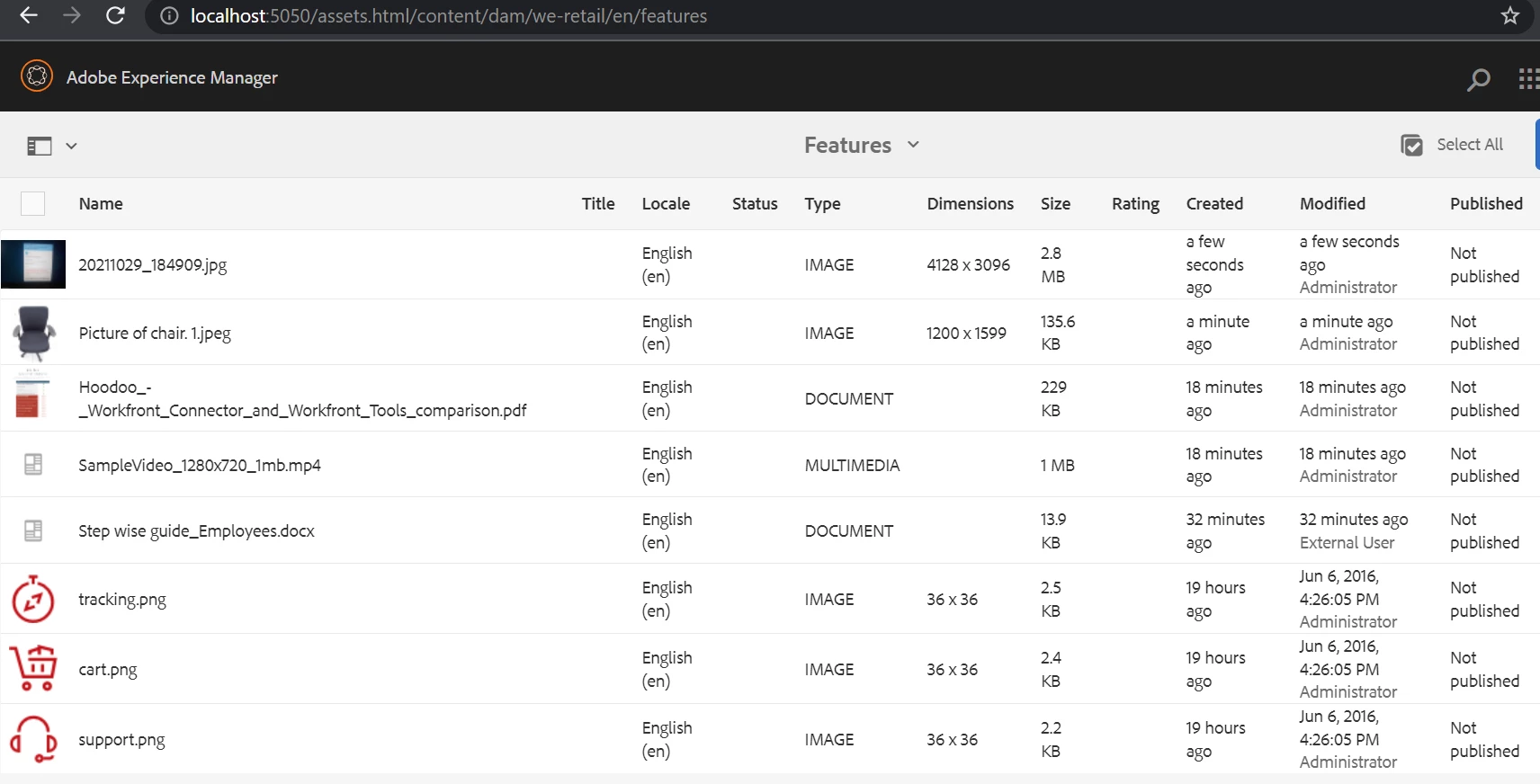
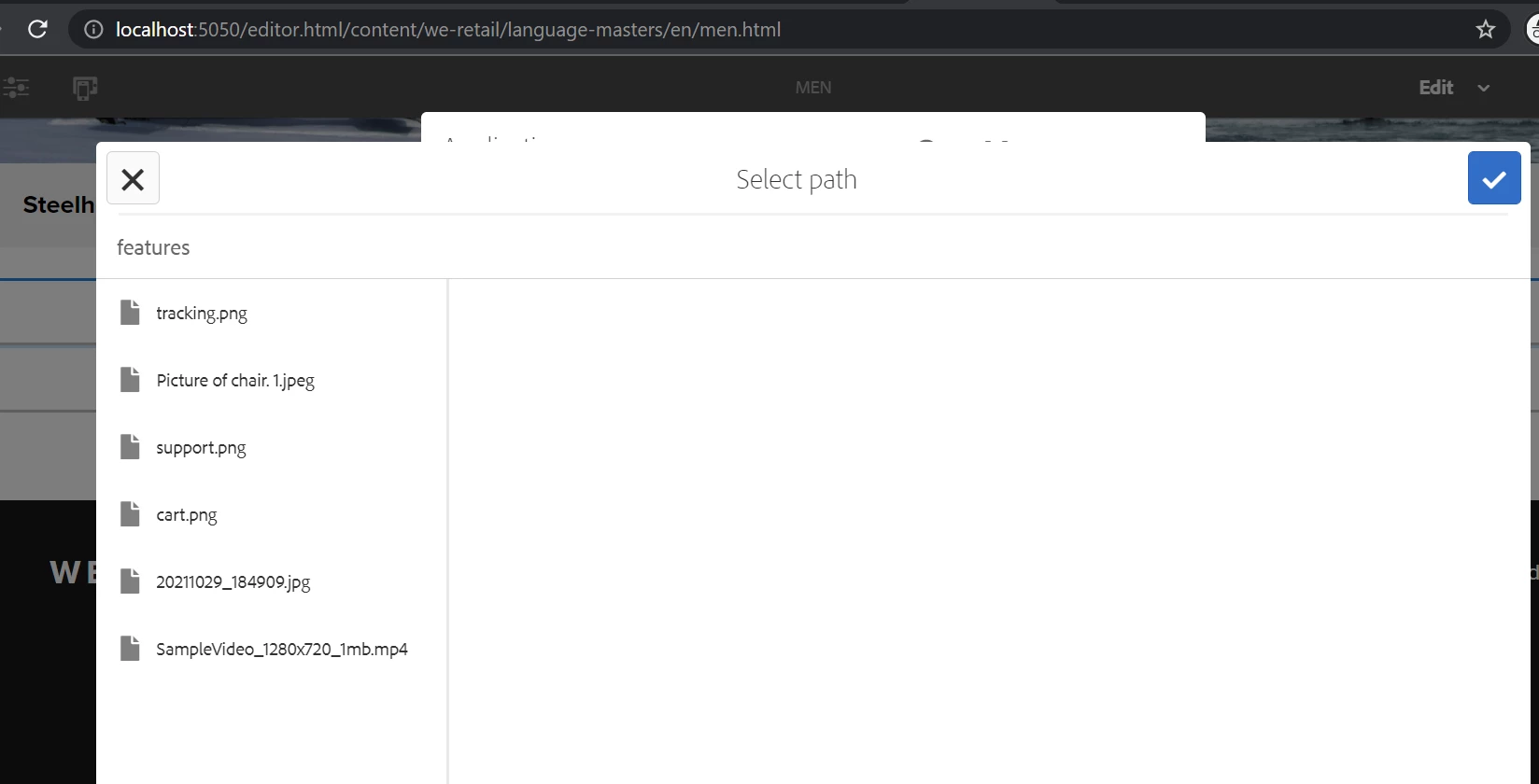
But .png , .jpg , .jpeg and .mp4 are available while selection as shown below -
cq:dialog's content.xml -
<?xml version="1.0" encoding="UTF-8"?>
-<jcr:root jcr:title="Application" sling:resourceType="cq/gui/components/authoring/dialog" jcr:primaryType="nt:unstructured" xmlns:nt="http://www.jcp.org/jcr/nt/1.0" xmlns:jcr="http://www.jcp.org/jcr/1.0" xmlns:cq="http://www.day.com/jcr/cq/1.0" xmlns:sling="http://sling.apache.org/jcr/sling/1.0">
-<content sling:resourceType="granite/ui/components/coral/foundation/fixedcolumns" jcr:primaryType="nt:unstructured">
-<items jcr:primaryType="nt:unstructured">
-<column sling:resourceType="granite/ui/components/coral/foundation/container" jcr:primaryType="nt:unstructured">
-<items jcr:primaryType="nt:unstructured">
<app-path sling:resourceType="granite/ui/components/coral/foundation/form/pathbrowser" jcr:primaryType="nt:unstructured" rootPath="/content/dam/we-retail/en/features" predicate="my-imagevideopredicat" name="./appPath" fieldLabel="Application Path"/>
</items>
</column>
</items>
</content>
</jcr:root>
Just sharing one more information here I am using AEM 6.5.9.0.
If you execute below SQL2 query, it will give you list of nodes with predicate property and coral3 pathbrowser -
SELECT * FROM [nt:base] AS s WHERE ISDESCENDANTNODE([/libs]) and predicate is not null and [sling:resourceType] = 'granite/ui/components/coral/foundation/form/pathbrowser'
one of the result is /libs/screens/core/components/content/app/cq:dialog/content/items/column/items/app-path and it has also predicate property(allows of aem pages).
component and bundle details -
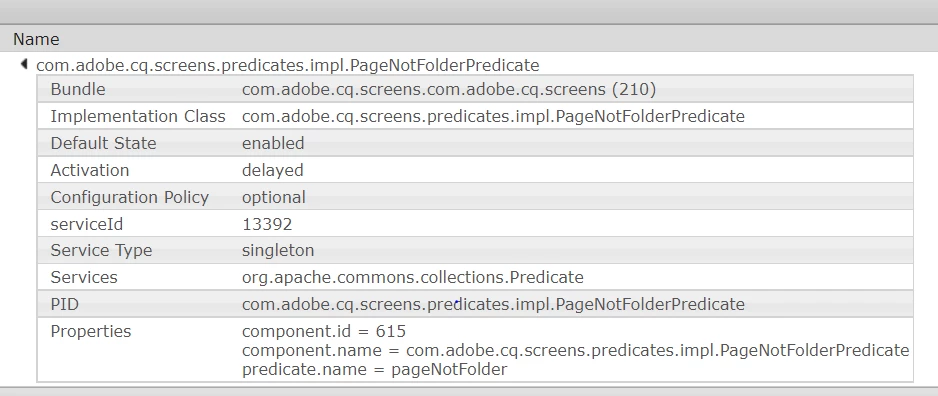
Hope this will help.
Enter your E-mail address. We'll send you an e-mail with instructions to reset your password.