How to remove the unwanted scrolling space in Tab of dialog | Community
Skip to main content
Level 2
August 2, 2018
Question

How to remove the unwanted scrolling space in Tab of dialog

  • August 2, 2018
  • 3 replies
  • 2611 views

Hello,

I have scenario where my dialog in touch UI has one tab and that tab has 5 fields under it. I have successfully created the cq:dialog and its functioning as expected.

However when i open the dialog, under the 5 fields, there is lots of blank space. Please refer to below snapshot.
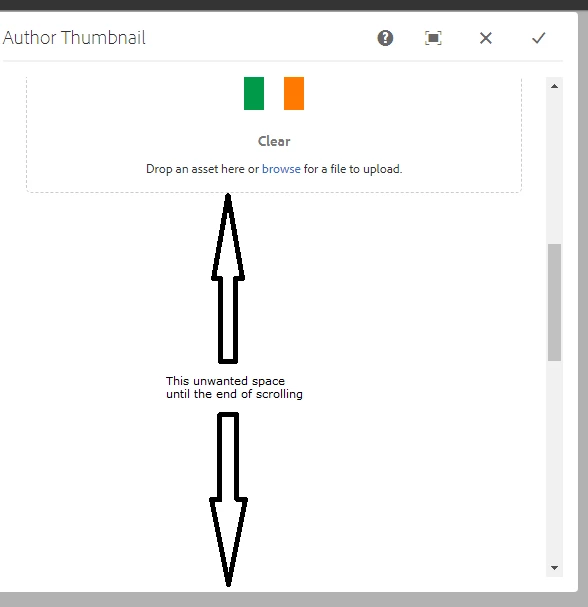
Can you please advise how we can remove this unwanted blank space to end my scrolling right after the 5th field?

Thanks!

-Nilesh

This post is no longer active and is closed to new replies. Need help? Start a new post to ask your question.

3 replies

arunpatidar
Community Advisor
Community Advisor
August 2, 2018

Hi,

few question

  1. Is this happening for all the dialogs or dialogs within app?
  2. OOTB dialog has same behaviour?
  3. can you do inspect element and check the bank space height css?

If not, could you please check your dialog or share dialog xml here ?

Thanks
Arun

Arun Patidar
smacdonald2008
Level 10
August 2, 2018

This is not normal behaviour. If you setup the dialog properly - there should never be a lot of white space under a field. 

Look at the follow video - which represents normal behavior when a touch ui dialog is setup.

Article - https://helpx.adobe.com/experience-manager/using/aem63_htl_movie_component.html

Ravi_Pampana
Community Advisor
Community Advisor
August 2, 2018

Hi,

Also, check if there are any css from your code added to cq.authoring.editor.hook/cq.authoring.dialog which might be effecting the dialog html. Inspect the white space and see the styles to identify if any of the local css effecting the dialog.