how to put horizontal line after each multifield for seperation and how can I group two or more elements eg(text field, select field ) under one title | Community
Skip to main content
Level 4
April 1, 2022
Solved

how to put horizontal line after each multifield for seperation and how can I group two or more elements eg(text field, select field ) under one title

  • April 1, 2022
  • 1 reply
  • 2883 views

hi , I want to know the procedure to group two or more elements of AEM component like(textfield,selectfield) to come under one title.....is it possible?.

also is there any way to put separation among two fields of multifield , if so how can I achieve it?


Thank you

Rahul
This post is no longer active and is closed to new replies. Need help? Start a new post to ask your question.
Best answer by DEBAL_DAS

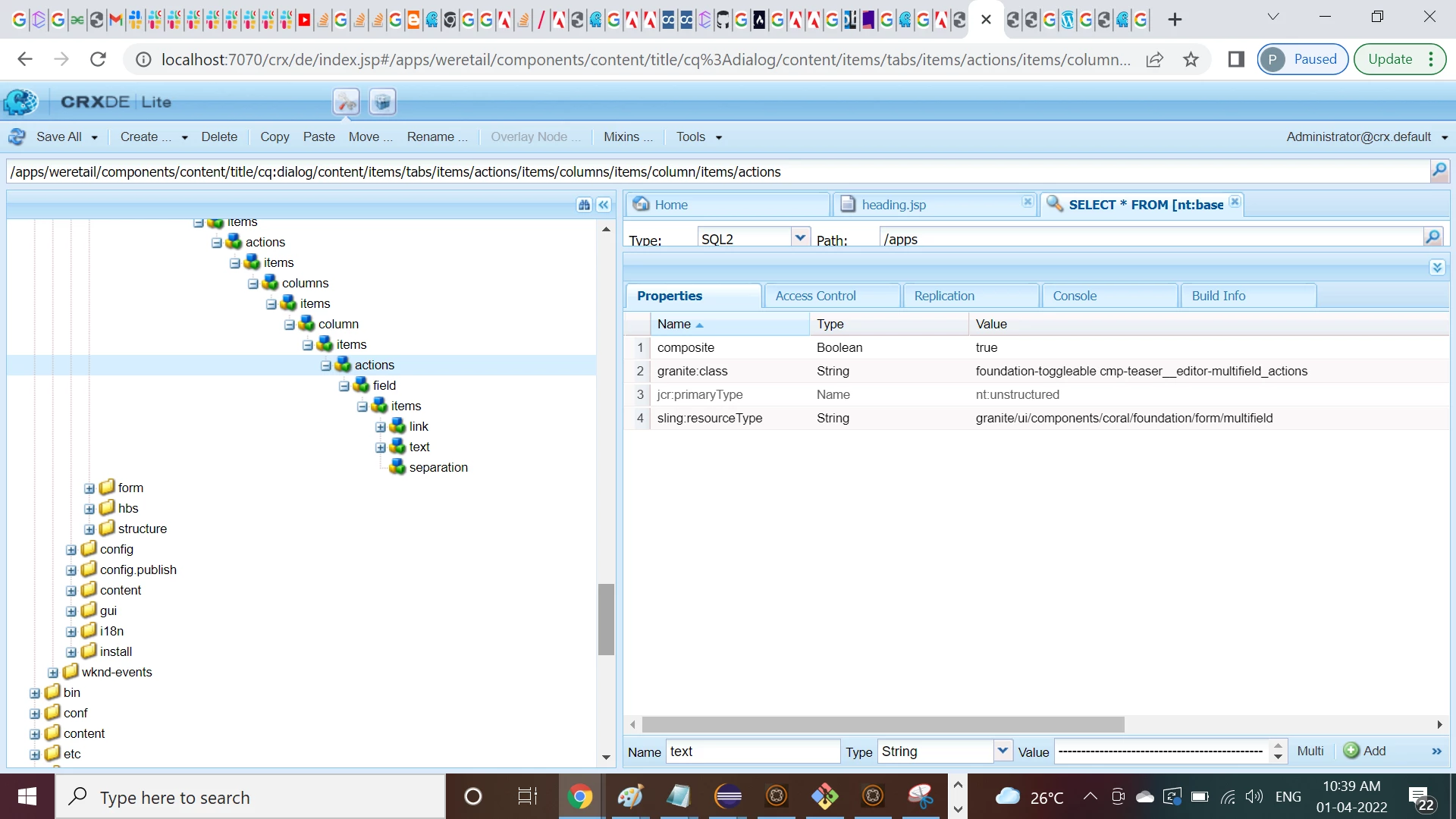
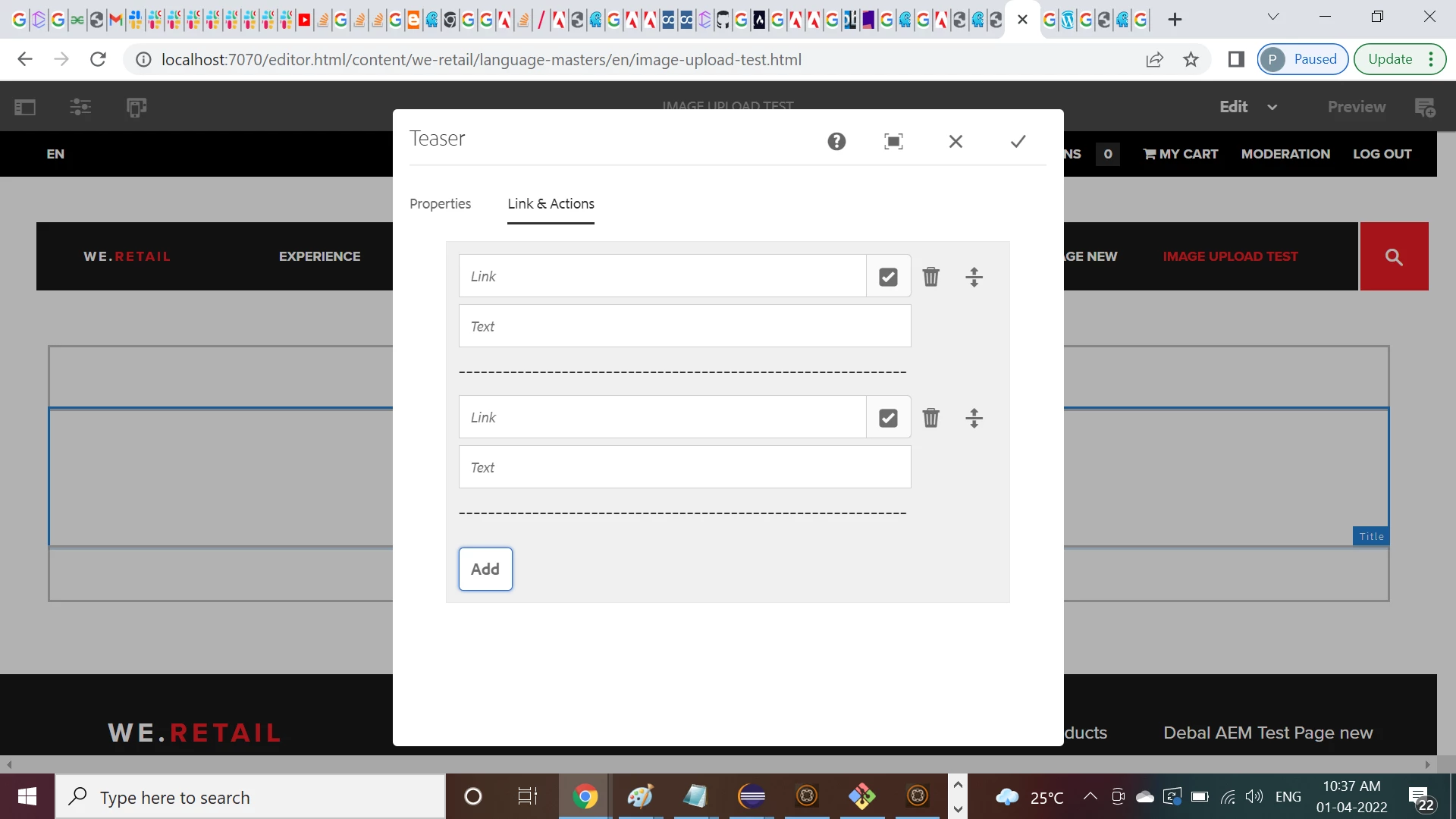
Here you could see I have added horizontal line as a separator -


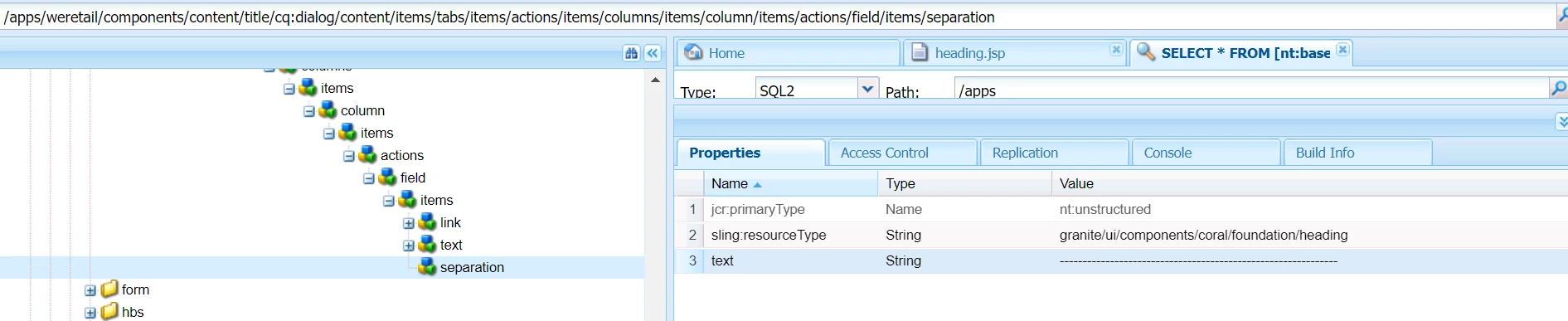
Earlier also I have implemented this using 'granite/ui/components/coral/foundation/heading' as shown below -


Hope this will help.

1 reply

DEBAL_DAS
DEBAL_DASAccepted solution
New Member
April 1, 2022

Here you could see I have added horizontal line as a separator -


Earlier also I have implemented this using 'granite/ui/components/coral/foundation/heading' as shown below -


Hope this will help.

Debal Das, Senior AEM Consultant
Level 4
April 2, 2022

Hi, @debal_das  thank you so much for the reply it really helped

DEBAL_DAS
New Member
April 2, 2022

Regarding "how can I group two or more elements eg(text field, select field ) under one title" if you are looking for below one -

Then you can use -

a. 

b. 


persisted author's entries -


Debal Das, Senior AEM Consultant