How to make href for content fragment | Community
Skip to main content
Level 2
September 13, 2023
Solved

How to make href for content fragment

  • September 13, 2023
  • 4 replies
  • 1471 views

Hi All,


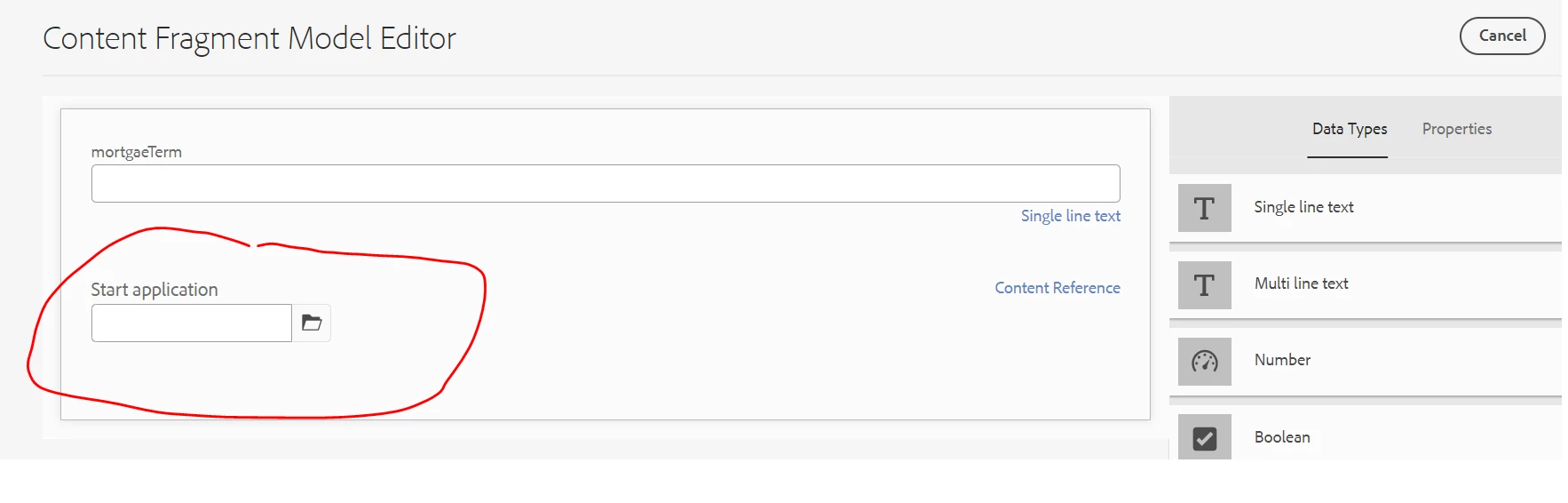
I have created one Content Fragment Model where I have included Start application path browser as shown below.


Now I am using outbox Content Fragment List and Start application is coming like below.
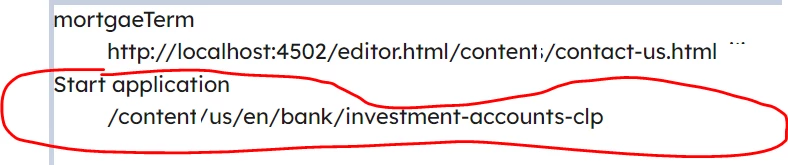
 

Here my requirement is that Start application should be hyperlink and open in new tab like below

But I am not able to achieve it. Can somebody please let me know hoe can I achieve this ?


Thanks & Regards,

Sonu

This post is no longer active and is closed to new replies. Need help? Start a new post to ask your question.
Best answer by krati_garg

@sunitach You must be consuming this Content Fragment on a page via Content Fragment List Component. Please add rendering logic onto component markup as html using Sightly. HTML for reference:
https://github.com/adobe/aem-core-wcm-components/blob/main/content/src/content/jcr_root/apps/core/wcm/components/contentfragmentlist/v1/contentfragmentlist/contentfragmentlist.html

4 replies

A_H_M_Imrul
Community Advisor
Community Advisor
September 13, 2023
SunitaChAuthor
Level 2
September 14, 2023

@a_h_m_imrul 


This one is I think used for shortening URL , correct ?

krati_garg
Adobe Employee
krati_gargAdobe EmployeeAccepted solution
Adobe Employee
September 13, 2023

@sunitach You must be consuming this Content Fragment on a page via Content Fragment List Component. Please add rendering logic onto component markup as html using Sightly. HTML for reference:
https://github.com/adobe/aem-core-wcm-components/blob/main/content/src/content/jcr_root/apps/core/wcm/components/contentfragmentlist/v1/contentfragmentlist/contentfragmentlist.html

aanchal-sikka
Community Advisor
Community Advisor
September 14, 2023

Hello @sunitach 


The mark-up of Content Fragment component is raw. It only adds value and titles to HTML. I doubt you would use it in the same format.


To use the capabilities of Content Fragment:

- Extend the CF component

- Update HTL as per the need

- To render adaptive images, use image delegation. Example: Teaser component https://github.com/adobe/aem-core-wcm-components/blob/main/content/src/content/jcr_root/apps/core/wcm/components/teaser/v2/teaser/.content.xml

Aanchal Sikka
kautuk_sahni
Community Manager
Community Manager
September 18, 2023

@sunitach Did you find the suggestions from users helpful? Please let us know if more information is required. Otherwise, please mark the answer as correct for posterity. If you have found out solution yourself, please share it with the community.

Kautuk Sahni
SunitaChAuthor
Level 2
September 25, 2023

Yes , I have called this path inside the slingmodel and then call in HTL/sightly and making it link like below.


<a x-cq-linkchecker="skip" href="${table.startApplication}.html" target="_blank">Start application</a>