how to make custom template name using copy from previous template? | Community
Skip to main content
Level 3
May 3, 2024
Solved

how to make custom template name using copy from previous template?

  • May 3, 2024
  • 1 reply
  • 853 views

Hello,


I'm trying to create a new editable template.
I have already created one template from scratch and am planning to create another using this template.
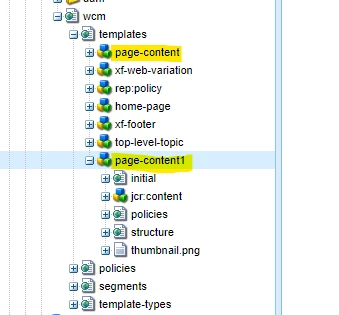
When I copied and created this, this template had a 1 added to the end of the existing name.

My question is, how can I safely change the name of this copied template to the name I want?


Regards,


This post is no longer active and is closed to new replies. Need help? Start a new post to ask your question.
Best answer by Jineet_Vora

@keehwan1


It is NOT recommended to change the template name once pages are created against this template. AEM OOTB doesn't provide a mechanism to update the name from Templates console (it only provides a way to update the template title).


If the pages are not created with this template name then you can update:

  1. The template name from CRX/DE on non-prod env (on prod there is limited access to crx/de)
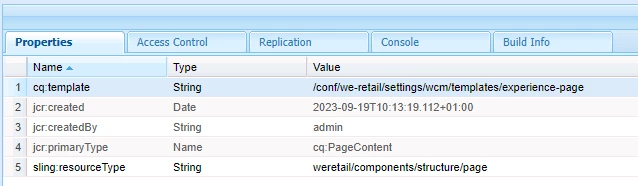
  2. cq:template property from initial/jcr:content (ref [1])
  3. cq:template property from structure/jcr:content (ref [1])

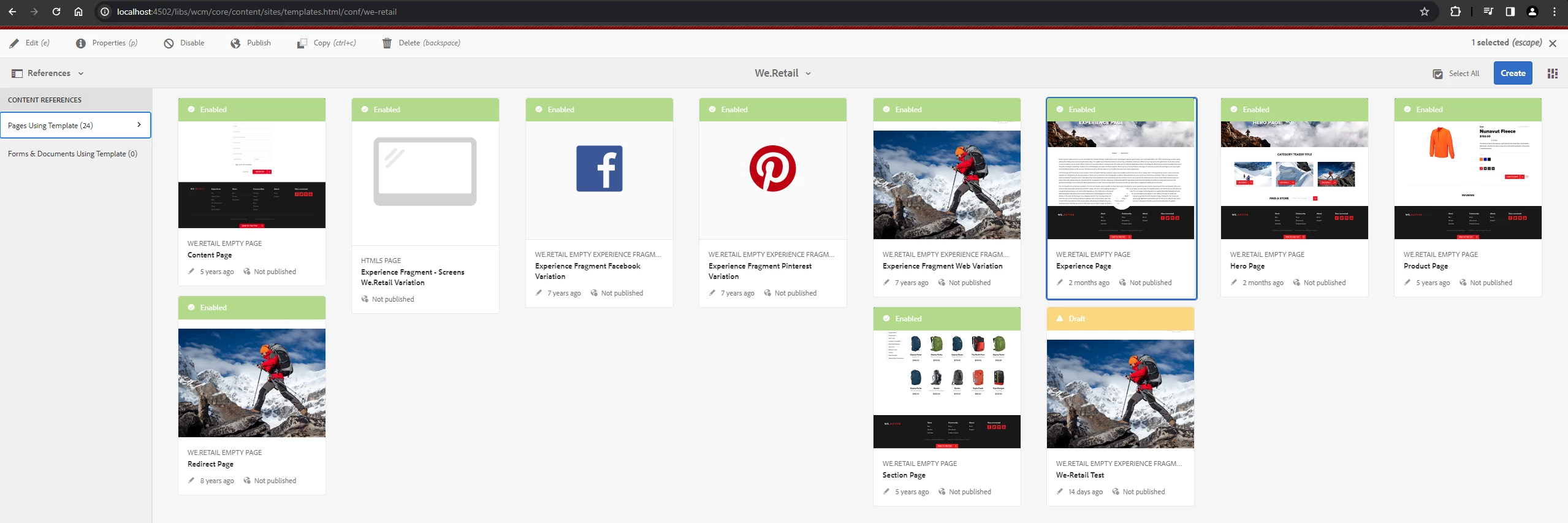
If there a pages which are referring to the older template then you can view references using 'References' in left rail by selecting that template (ref [2]). All those pages would need to point to the new template name.


You can write a custom Groovy script to update the references to the new name but again this is not recommended in production environment as updating the pages / templates can be risky (you live pages can break). So always test in lower environment and take back up before performing this operation.


[1]:
[2]


1 reply

Jineet_Vora
Community Advisor and Adobe Champion
Jineet_VoraCommunity Advisor and Adobe ChampionAccepted solution
Community Advisor and Adobe Champion
May 3, 2024

@keehwan1


It is NOT recommended to change the template name once pages are created against this template. AEM OOTB doesn't provide a mechanism to update the name from Templates console (it only provides a way to update the template title).


If the pages are not created with this template name then you can update:

  1. The template name from CRX/DE on non-prod env (on prod there is limited access to crx/de)
  2. cq:template property from initial/jcr:content (ref [1])
  3. cq:template property from structure/jcr:content (ref [1])

If there a pages which are referring to the older template then you can view references using 'References' in left rail by selecting that template (ref [2]). All those pages would need to point to the new template name.


You can write a custom Groovy script to update the references to the new name but again this is not recommended in production environment as updating the pages / templates can be risky (you live pages can break). So always test in lower environment and take back up before performing this operation.


[1]:

[2]


keehwan1Author
Level 3
May 3, 2024

@jineet_vora 

Thank you so much.