How to make coral 3 UI select box to open downward in cqLdialog? | Community
Skip to main content
Level 3
June 10, 2020
Solved

How to make coral 3 UI select box to open downward in cqLdialog?

  • June 10, 2020
  • 1 reply
  • 1383 views

Hi,

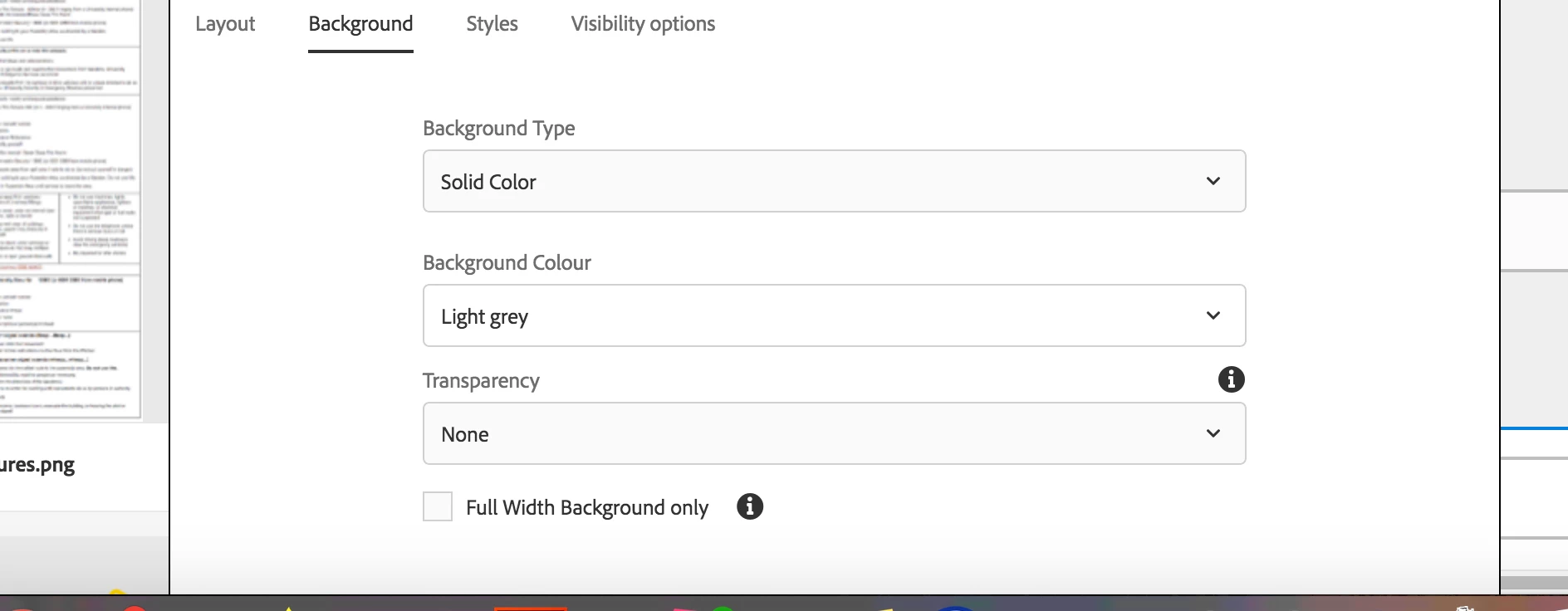
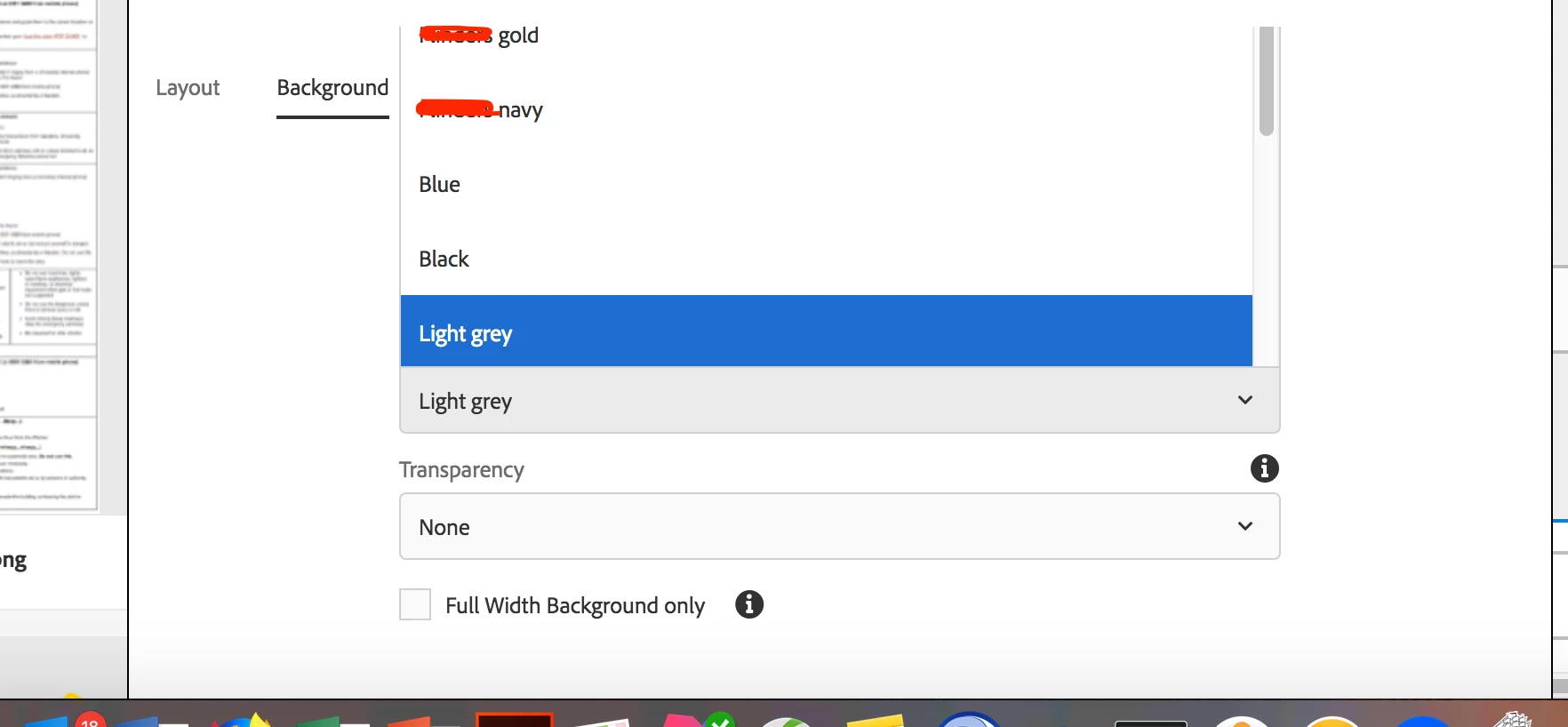
I am using AEM 6.4. I have coral 3 UI select box and when click, it opens upward and does not show all the option. User has to scroll down the dialog box and then click the select box, it opens downward. See the screenshots. when click background color, it opens upward.

How to make select box to open downward always?


Thanks

Harpreet
This post is no longer active and is closed to new replies. Need help? Start a new post to ask your question.
Best answer by Nupur_Jain

Hi @hptarora 


The way selection works is that when you open selection, JS works and calculates the visible area you have upwards and downwards and if the area upwards is more, it sets the top style according to the selection dropdown making it open upwards.


There is no OOTB option to stop this functionality to work. You can write your own js to overwrite the style set by selection JS or overlay selection JS but I think you should not change it otherwise you will have to handle many other things by yourself.


Thanks,

Nupur

1 reply

Nupur_Jain
Adobe Employee
Nupur_JainAdobe EmployeeAccepted solution
Adobe Employee
June 10, 2020

Hi @hptarora 


The way selection works is that when you open selection, JS works and calculates the visible area you have upwards and downwards and if the area upwards is more, it sets the top style according to the selection dropdown making it open upwards.


There is no OOTB option to stop this functionality to work. You can write your own js to overwrite the style set by selection JS or overlay selection JS but I think you should not change it otherwise you will have to handle many other things by yourself.


Thanks,

Nupur