Solved
How to make components fit or wrap within a dialog?
Components within a dialog are extending beyond the vertical scroll bar, and when we choose full-screen, a horizontal scroll bar appears allowing to view the edges of the components. How can we reduce the width of components or make them wrap within dialog box?
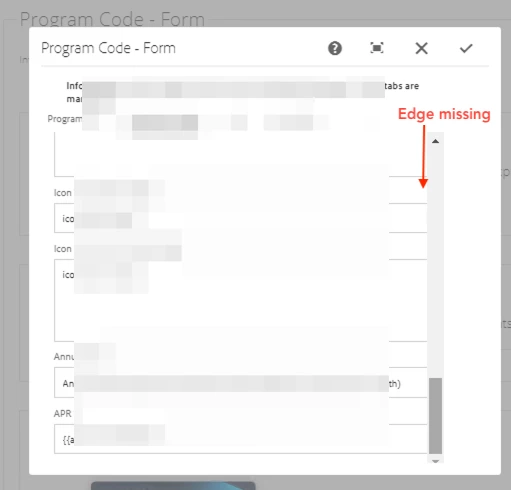
When chosen full-screen on the dialog.

Code in components > _cq_dialog > .content.xml
<?xml version="1.0" encoding="UTF-8"?>
<jcr:root xmlns:sling="http://sling.apache.org/jcr/sling/1.0"
          xmlns:cq="http://www.day.com/jcr/cq/1.0"
          xmlns:jcr="http://www.jcp.org/jcr/1.0"
          xmlns:nt="http://www.jcp.org/jcr/nt/1.0"
          jcr:primaryType="nt:unstructured"
          jcr:title="Program Form"
          sling:resourceType="cq/gui/components/authoring/dialog">
    <content
        jcr:primaryType="nt:unstructured"
        sling:resourceType="granite/ui/components/coral/foundation/fixedcolumns">
    <items jcr:primaryType="nt:unstructured">
    ...