How to know which user runned the workflow | Community
Skip to main content
Level 6
February 28, 2023
Solved

How to know which user runned the workflow

  • February 28, 2023
  • 5 replies
  • 2407 views

Hi,

I have a page and it got published through publish to all sites workflow one month back, I need to identify which user initiated that workflow on that page

Can anyone help

This post is no longer active and is closed to new replies. Need help? Start a new post to ask your question.
Best answer by DPrakashRaj

1) simplest way is to look for published by value from aem sites. navigate to particular page via localhost:4502/sites.html/content/ , select the page for which you want to see who has published, the detail will be available on right panel.

2) if you have access to crx/de check for cq:lastReplicatedBy inside jcr:content node.

3) for the workflow, check on the workflow console. if its published the workflow should be inside the archive section if you are not purging the completed workflow


5 replies

Raja-Karuppsamy
Community Advisor
Community Advisor
February 28, 2023

@vani1012 Navigate to Workflow console (<ip>:libs/cq/workflow/content/console.html)


  1. Check the Instance tab to see if the workflow is still active.
  2. Check the Archive tab to see if the workflow has been completed.

You will be able to determine who started the workflow for the specific page, as well as the timestamp.


Regards,

Raja

Vani1012Author
Level 6
February 28, 2023

I checked actually workflow triggered one month back so I dont see the workflow under archieve as well on instance tab.

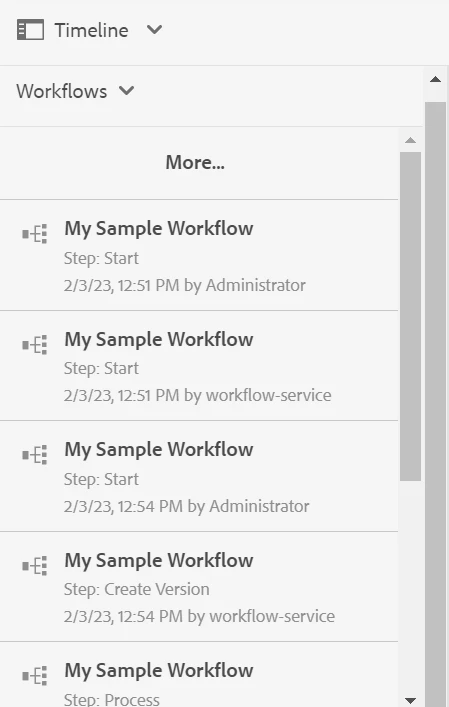
I checked under the timeline of page I didnt see the page version of one month back.

Is there any other way to check.


Manu_Mathew_
Community Advisor
Community Advisor
February 28, 2023

@vani1012 Have you tried the more option and filter option on timelines?


SivakumarKanoori
Community Advisor
Community Advisor
February 28, 2023

@vani1012 

You can navigate to below path and check the running workflows under Instances tab, if its completed it will be under archive.

http://localhost:4502/libs/cq/workflow/content/console.html


Thanks,Siva
Adobe Employee
February 28, 2023

There are many ways to do that but simplest way I think should be to check page timeline. Other ways could be checking workflow console/ history/ logs.

aanchal-sikka
Community Advisor
Community Advisor
March 1, 2023

hello @vani1012 


Option-1: Replication metadata should be available on Page itself


Option-2: Info might be available in audit logs under /var/audit/com.day.cq.wcm.core.page for replication related events?


Many customers do not purge audit logs, but purge workflows more frequently.


Option-3: As others have also suggested is Workflow Archive.

Aanchal Sikka
DPrakashRaj
Community Advisor
DPrakashRajCommunity AdvisorAccepted solution
Community Advisor
March 1, 2023

1) simplest way is to look for published by value from aem sites. navigate to particular page via localhost:4502/sites.html/content/ , select the page for which you want to see who has published, the detail will be available on right panel.

2) if you have access to crx/de check for cq:lastReplicatedBy inside jcr:content node.

3) for the workflow, check on the workflow console. if its published the workflow should be inside the archive section if you are not purging the completed workflow