how to find particular sentence only using AEM site search? | Community
Skip to main content
August 18, 2020
Solved

how to find particular sentence only using AEM site search?

  • August 18, 2020
  • 4 replies
  • 1483 views

How can an aem author use the search function to bring up a particular sentence? so that the words are in the same order on the page as they are in the search field?


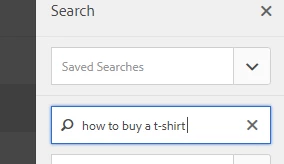
eg how to buy a t-shirt


If aem author puts this in search function they want it to bring up all pages with that particular sentence. 


This post is no longer active and is closed to new replies. Need help? Start a new post to ask your question.
Best answer by Nikhil-Kumar

@keeleyjo 

Go to http://localhost:4502/aem/search.html and search for the string in the search bar in top right corner. 


Also you can export this data in the form of CSV.

4 replies

Nikhil-Kumar
Community Advisor
Community Advisor
August 18, 2020


Vijayalakshmi_S
Level 10
August 18, 2020

Hi @keeleyjo,

Search icon in top tool bar is used for search function within AEM instance.

In this case, as the requirement is to bring the pages of matching search sentence, you can be in "Sites" console and then search using the same top toolbar, you will be able to see the page card coming up in the search results provided you have similar sentence in the page content or in the page description field.

Using Filter in the left section, you can narrow down the search further. 

Since the question is tagged with AEM 6.1, below is the respective documentation for further detailed information. 

https://docs.adobe.com/content/docs/en/aem/6-1/author/author-environment/search.html

Behind the scene:

This is executed as a full text search query, you can enable logger in your local instance -> perform search -> observe the logs.

Sample screenshot for reference from 6.5.0 : (Have authored similar sentence in both description field and in page content, it is able to bring up the result)


Nikhil-Kumar
Community Advisor
Nikhil-KumarCommunity AdvisorAccepted solution
Community Advisor
August 18, 2020

@keeleyjo 

Go to http://localhost:4502/aem/search.html and search for the string in the search bar in top right corner. 


Also you can export this data in the form of CSV.

vanegi
Adobe Employee
Adobe Employee
August 18, 2020

This can be achieved through omni search functionality https://docs.adobe.com/content/help/en/experience-manager-learn/sites/developing/search-tutorial-develop.html.


You can do a full text search in AEM sites console like "how to buy a t-shirt" enclosed in a double quotes. See https://helpx.adobe.com/in/experience-manager/6-3/assets/using/gql-search.html for more details.
