Solved
How to Fetch the Page Properties in Model Class of AEM (Which i added custom)
.context.xml
<?xml version="1.0" encoding="UTF-8"?>
<jcr:root xmlns:jcr="http://www.jcp.org/jcr/1.0" xmlns:nt="http://www.jcp.org/jcr/nt/1.0" xmlns:granite="http://www.adobe.com/jcr/granite/1.0" xmlns:cq="http://www.day.com/jcr/cq/1.0" xmlns:sling="http://sling.apache.org/jcr/sling/1.0"
    jcr:primaryType="nt:unstructured"
    jcr:title="Page"
    sling:resourceType="cq/gui/components/authoring/dialog"
    extraClientlibs="[cq.common.wcm,core.wcm.components.page.v3.editor,cq.wcm.msm.properties,granite.contexthub.configuration,cq.siteadmin.admin.properties,core.wcm.components.image.v3.editor]"
    helpPath="https://www.adobe.com/go/aem_cmp_page_v3"
    mode="edit"
    trackingFeature="core-components:page:v3">
    <content
        granite:class="cq-dialog-content-page"
        jcr:primaryType="nt:unstructured"
        sling:resourceType="granite/ui/components/coral/foundation/container">
        <items jcr:primaryType="nt:unstructured">
            <tabs
                granite:class="cq-siteadmin-admin-properties-tabs"
                jcr:primaryType="nt:unstructured"
                sling:resourceType="granite/ui/components/coral/foundation/tabs"
                size="L">
                <items jcr:primaryType="nt:unstructured">
                    <newtab
                            cq:showOnCreate="{Boolean}true"
                            jcr:primaryType="nt:unstructured"
                            jcr:title="New Tab"
                            sling:resourceType="granite/ui/components/coral/foundation/fixedcolumns">
                        <items jcr:primaryType="nt:unstructured">
                            <column
                                    jcr:primaryType="nt:unstructured"
                                    sling:resourceType="granite/ui/components/coral/foundation/container">
                                <items jcr:primaryType="nt:unstructured">
                                    <section
                                            jcr:primaryType="nt:unstructured"
                                            jcr:title="New Custom tab"
                                            sling:resourceType="granite/ui/components/coral/foundation/form/fieldset">
                                        <items jcr:primaryType="nt:unstructured">
                                            <textfield
                                                    jcr:primaryType="nt:unstructured"
                                                    sling:resourceType="granite/ui/components/coral/foundation/form/textfield"
                                                    name="./testfield"/>
                                        </items>
                                    </section>
                                </items>
                            </column>
                        </items>
                    </newtab>
                </items>
            </tabs>
        </items>
    </content>
</jcr:root>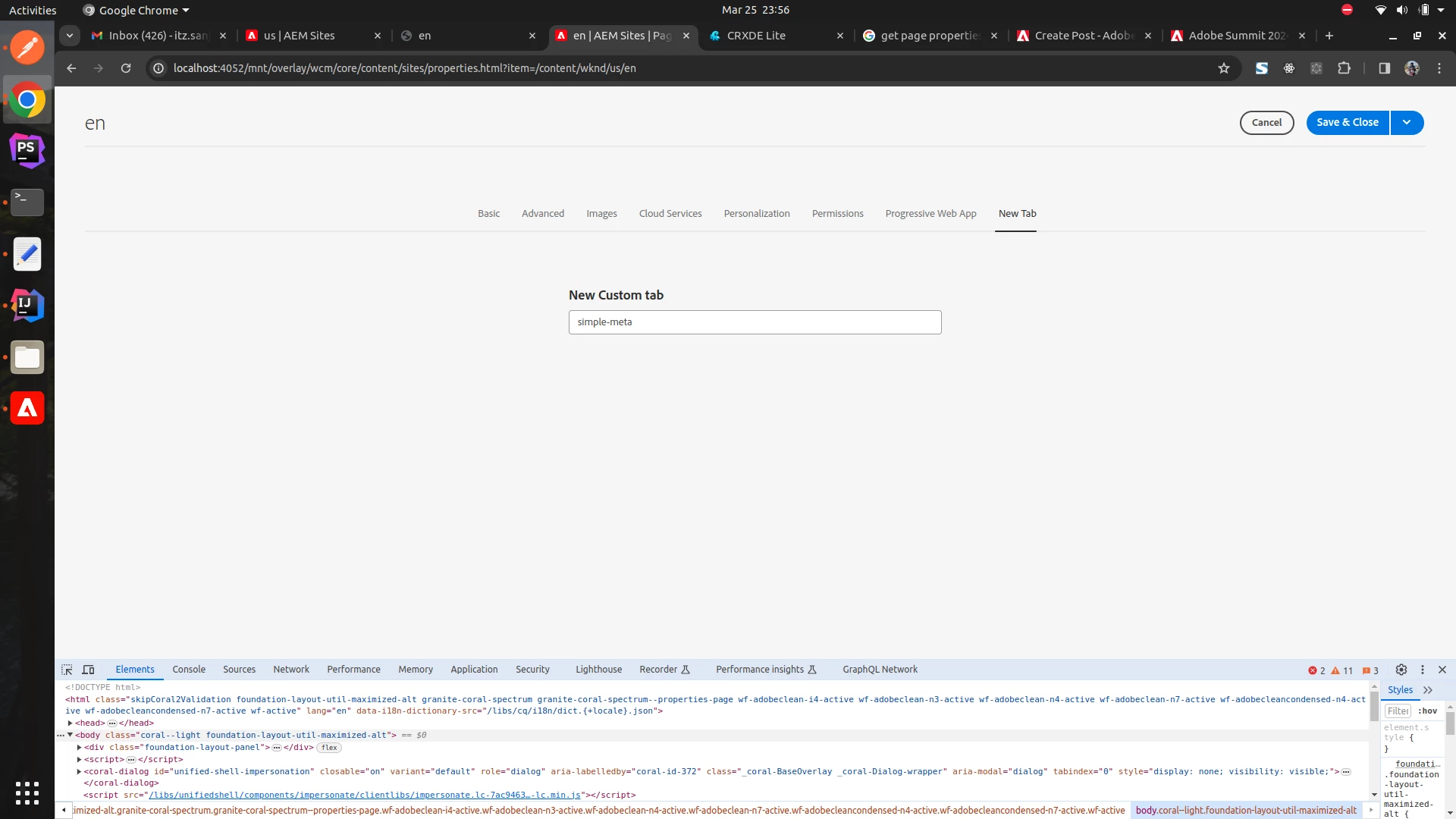
here you can see i added the custom text field to my page properties but not able to fetch this value in models class