How to edit "Asset Processing on SDK" workflow for local instance | Community
Skip to main content
Level 2
August 21, 2025
Question

How to edit "Asset Processing on SDK" workflow for local instance

  • August 21, 2025
  • 3 replies
  • 1942 views

Hello community,

with at least the latest version of SDK "2025.8.21994.20250818T175115Z-250700" (maybe earlier), we are not longer able to edit the "Asset Processing on SDK" workflow.
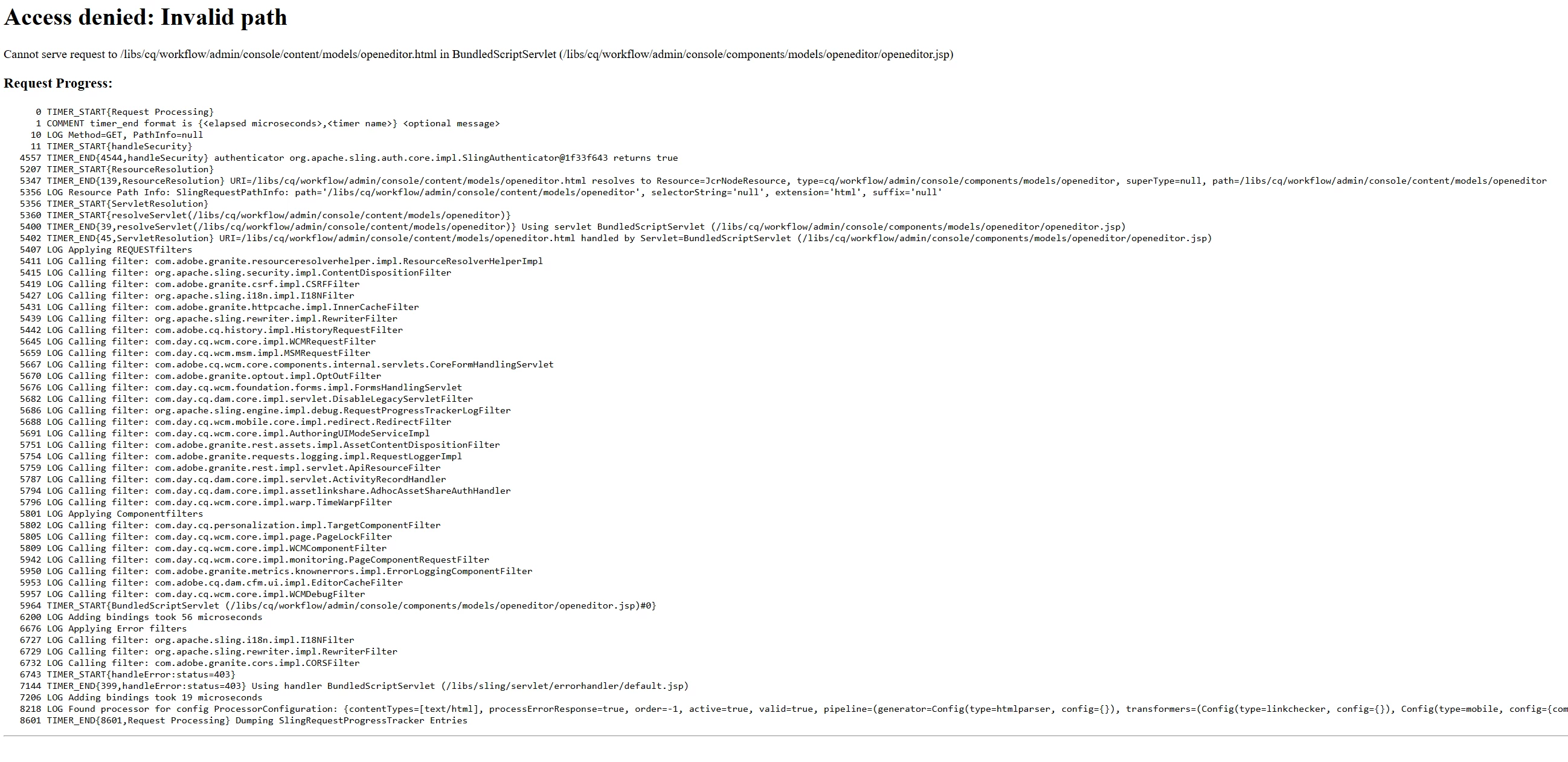
What has changed? The access is executed with the admin user. Any help is appreciated

3 replies

Level 2
August 21, 2025

in fact, this behavior applies to all workflows. None can be edited.

giuseppebaglio
Level 10
August 21, 2025

The inability to edit the "Asset Processing on SDK" is a known behavior related to changes in AEM Assets processing architecture.

In AEM as a Cloud Service and with recent SDK versions, Adobe has moved asset processing (like rendition generation, metadata extraction, etc.) out of the traditional AEM workflows and into a cloud-native microservices architecture called Asset Compute Service.

Due to this shift, the classic DAM Update Asset workflow or other asset processing workflows editable in older AEM on-prem versions are no longer directly editable or used in the same way in SDK and AEMaaCS environments.

The SDK and cloud service now rely on Asset Compute workflows and configurations external to AEM workflows for processing assets. This means that when you try to edit the old workflow model for asset processing, the UI may prevent it or the workflow may not behave as before.

If you need to customize asset processing steps, you would typically:

  • Implement or configure custom asset processor services using the Asset Compute Framework.

  • Adjust processing profiles or add cloud service configurations rather than editing workflows directly.

  • Use custom workflow models only for additional steps that cannot be handled by Asset Compute.

For local development with SDKs, asset processing behavior mimics the cloud service limitations, so the classic workflow editing and in-AEM rendition generation are restricted.


References:

Level 2
August 21, 2025

I am sry, this is not true. The Workflow model in question is explicitly made for local devs.

We were able to edit this until at least version 2025.1

giuseppebaglio
Level 10
August 21, 2025

I didn't realize it was a custom workflow. Have you checked the error log for any errors when opening the editing page?

 
kautuk_sahni
Community Manager
Community Manager
September 1, 2025

@michael_heil just checking in! Were you able to get this resolved? If one of the replies above helped—whether it completely solved the issue or simply pointed you in the right direction—marking it as accepted can make it much easier for others with the same question to find a solution. And if you found a different way to fix it, sharing your approach would be a great contribution to the community. Your follow-up not only helps close the loop but also ensures others benefit from your experience. Thanks so much for being part of the conversation!

Kautuk Sahni
Level 2
September 1, 2025

Hello,


no, the problem was not resolved.