How to disable autocomplete in AEM pathfield | Community
Skip to main content
December 13, 2018
Solved

How to disable autocomplete in AEM pathfield

  • December 13, 2018
  • 5 replies
  • 2518 views

I would like to disable "autocomplete" feature in AEM pathfield. Anyone knows how to do that, Thanks

https://helpx.adobe.com/experience-manager/6-3/sites/developing/using/reference-materials/granite-ui/api/jcr_root/libs/granite/ui/components/coral/foundation/form/pathfield/index.html

<link
  jcr:primaryType="nt:unstructured"
  sling:resourceType="granite/ui/components/coral/foundation/form/pathfield"
  fieldLabel="Link"
  fieldDescription="Please add a link"
  rootPath="/content/"
  name="./link"
  validation="data-valid-internal-external"
  autocomplete="false"
  required="{Boolean}true"/>
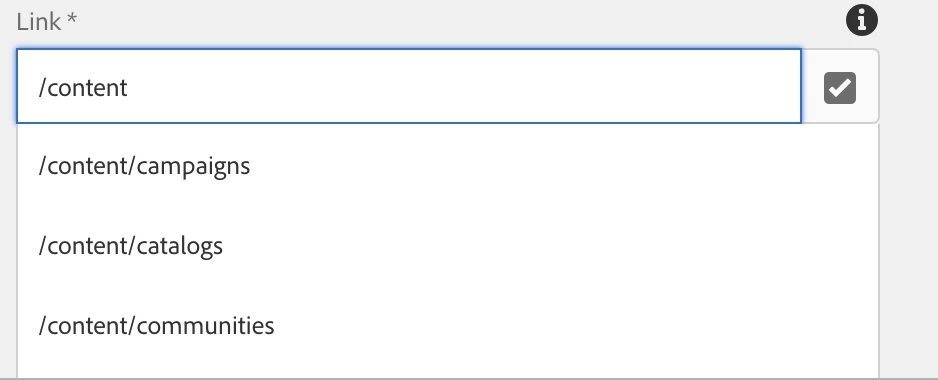
This post is no longer active and is closed to new replies. Need help? Start a new post to ask your question.
Best answer by Ravi_Pampana

Check below file which has the code for auto suggestion and see how can you overwrite it to achieve your requirement

/libs/granite/ui/components/coral/foundation/form/pathfield/render.jsp

5 replies

arunpatidar
Community Advisor
Community Advisor
December 13, 2018

Hi,

If you don't want to use autocompleted you can use textfield instead of path field.

Pathfield internally uses autocompleted to create list if you want to make changes in OOTB functionality, overlay is the solution.

There is no property called autocomplete="false".

PathField — Granite UI 1.0 documentation

Arun Patidar
December 14, 2018

Hi Arun Patidar,

I know. But based on the requirement, that field's using to put an internal or an external link. So, cannot change to textfield.

Can you give me more detail (the syntax function) on the overlay solution?  it's rendering by coralui3 js. Thanks

arunpatidar
Community Advisor
Community Advisor
December 14, 2018

Yes, you can put internal/external links in text field also if you don't want selection and autocompleted list.

Arun Patidar
smacdonald2008
Level 10
December 14, 2018

Agree with Arun - In that reference doc - i am not seeing an auto complete field. Therefore - looks like there is no way using props in the dialog that you can turn this off.

You cannot use props on granite types that do not exist.

Ravi_Pampana
Community Advisor
Ravi_PampanaCommunity AdvisorAccepted solution
Community Advisor
December 14, 2018

Check below file which has the code for auto suggestion and see how can you overwrite it to achieve your requirement

/libs/granite/ui/components/coral/foundation/form/pathfield/render.jsp