The integration which you are talking here is in between AEM-Target Classic. Target Classic would be decommissioned very soon. So, I would recommend you to go with AEM-Target Standard way via DTM [1]. Here everything is very manageable and can be easily deleted from Target's interface.
Please find answer inline:
1.How to unpublish the integration from all site pages?
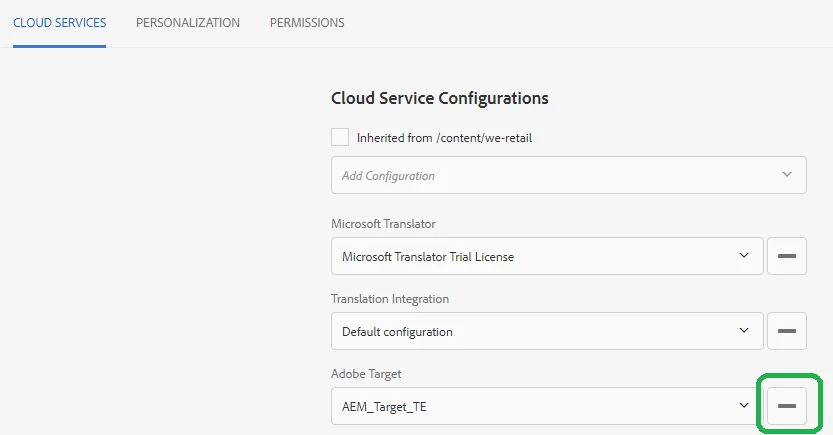
KS: Go to the PageProperty of the Site/Page -> Cloud services -> Remove Adobe Target config
2.How to deactivate and delete all activities? Is there a bulk approach for that?
KS: You can easily do it by going to http://localhost:4502/libs/cq/personalization/touch-ui/content/activities.html -> select your folder -> select the activity -> on top there you can see the delete button
3.How to delete all audiences?
KS:- Delete it from Target side is using Target Classic [2] (Segments -> Segments List -> deleting that Segment).
4.How to delete the integration?
KS: Go to http://localhost:4502/miscadmin#/etc/cloudservices/testandtarget here you will be able to see all the Adobe Target Connector created. Go ahead and delete it.
I hope this would help. Recommended and best way would be to go with AEM-Target Standard way via DTM.
[1]Integrating Experience Manager with Adobe Target
[2] ADOBE - Test&Target Login
~kautuk
