How to customize OOTB Experience Fragment component | Community
Skip to main content
Level 2
February 29, 2024
Solved

How to customize OOTB Experience Fragment component

  • February 29, 2024
  • 2 replies
  • 2099 views

Hi,

I got a requirement to modify OOTB Experience Fragment component (not core component) to open it's picker on custom path. It means, by default this component opens picker box with /content/experience-fragments path, however I want to open this picker from /content/experience-fragments/brands path, so content author can select XF from this location only.
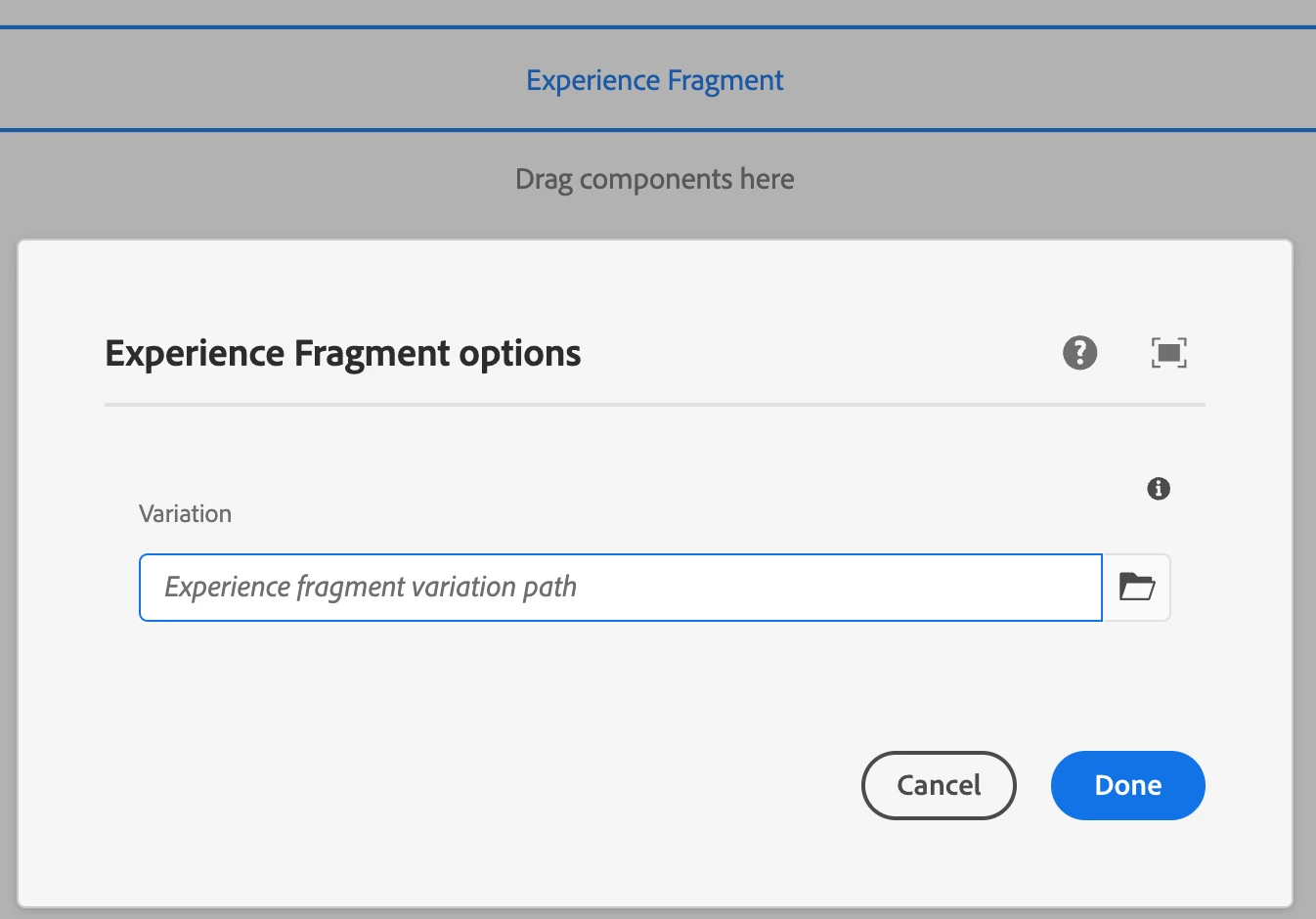
 

Basically, I'm looking for a way to initialize this root parameter with custom path but I'm not able to figure out which library to extends or overlay. 

 

Thanks.

This post is no longer active and is closed to new replies. Need help? Start a new post to ask your question.
Best answer by arunpatidar

Actually OOTB component is already used in many pages. So, I have to implement this feature in already used component as well. 

Thanks.


Hi @prithwi 
One way is to write a clientlibs with category cq.dialog.authoring and based on your path(site), you can update the rootPath using javascript. 

Example of dialog ready event : https://experienceleaguecommunities.adobe.com/t5/adobe-experience-manager/foundation-contentloaded-and-dialog-ready-event-listers-fired/m-p/417063 

2 replies

Imran__Khan
Community Advisor
Community Advisor
February 29, 2024

@prithwi 

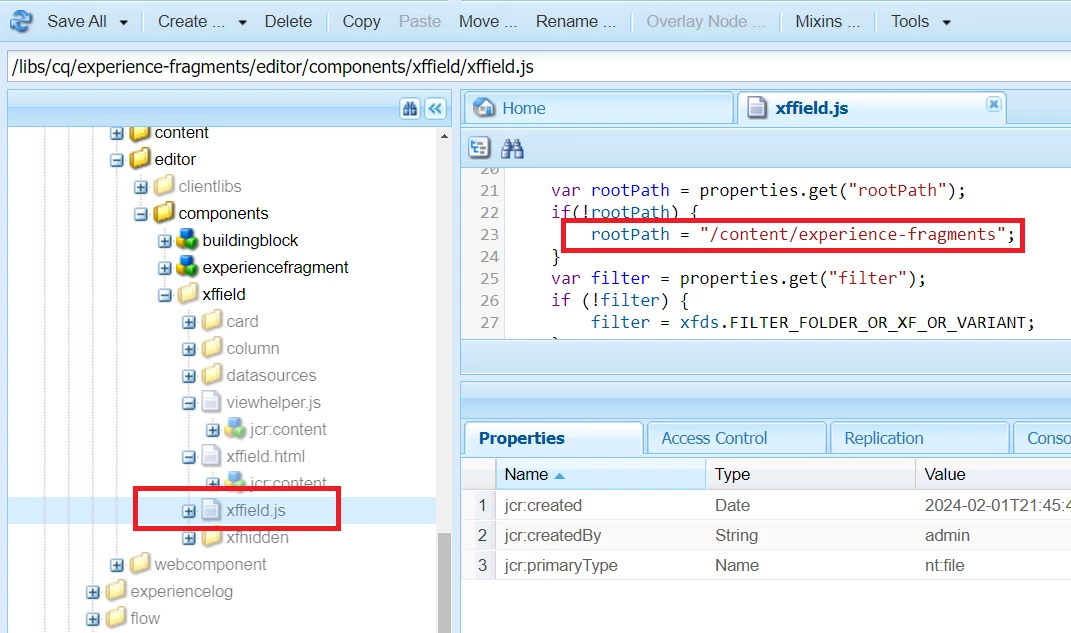
The root path is defined under below file 

/libs/cq/experience-fragments/editor/components/xffield/xffield.js --> Line 23

xffield folder is in blur color which means it is not allow to overlay this file


After making manual change in libs file 


prithwiAuthor
Level 2
March 1, 2024

Thanks @imran__khan for looking into this. As you said this libs path is protected so we can't overlay it. Is there a way to hook granite foundation registry to achieve this? I was looking into below documentation but not sure if this can be used to achieve my requirement.

https://developer.adobe.com/experience-manager/reference-materials/6-5/granite-ui/api/jcr_root/libs/granite/ui/components/coral/foundation/clientlibs/foundation/js/autocomplete/index.html

Any suggestion would be appreciated. 


Thanks.

Imran__Khan
Community Advisor
Community Advisor
March 1, 2024

I don't know it will help as you don't want to overlay core component. But, overlay dialog is the only way and the recommended process and add rootPath property to /content or whichever path we wish.
Note: I looked into the OOTB library and it is not going to work to update path and it will create various issues while performing operations like copy, move, etc. Expeience fragment is tightly coupled to /content/experience-fragments folder.


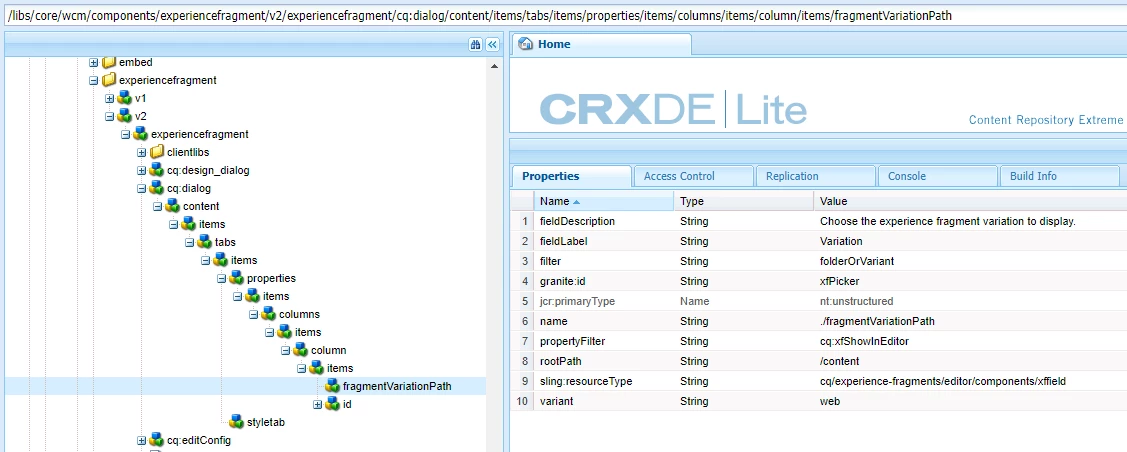
/libs/core/wcm/components/experiencefragment/v2/experiencefragment 
Node: /libs/core/wcm/components/experiencefragment/v2/experiencefragment/cq:dialog/content/items/tabs/items/properties/items/columns/items/column/items/fragmentVariationPath


Mahedi_Sabuj
Community Advisor
Community Advisor
March 1, 2024

You need to overlay the experiencefragment _cq_dialog in your project and include the rootPath="/content/experience-fragments/brands" property within the fragmentVariationPath node.

<fragmentVariationPath jcr:primaryType="nt:unstructured" sling:resourceType="cq/experience-fragments/editor/components/xffield" granite:id="xfPicker" name="./fragmentVariationPath" fieldLabel="Variation" filter="folderOrVariant" propertyFilter="cq:xfShowInEditor" variant="web" rootPath="/content/experience-fragments/brands" fieldDescription="Choose the experience fragment variation to display."/>


Mahedi Sabuj
Imran__Khan
Community Advisor
Community Advisor
March 1, 2024

@mahedi_sabuj As mentioned by @prithwi, he don't want to overlay anything from core components. 

arunpatidar
Community Advisor
arunpatidarCommunity AdvisorAccepted solution
Community Advisor
March 1, 2024

Actually OOTB component is already used in many pages. So, I have to implement this feature in already used component as well. 

Thanks.


Hi @prithwi 
One way is to write a clientlibs with category cq.dialog.authoring and based on your path(site), you can update the rootPath using javascript. 

Example of dialog ready event : https://experienceleaguecommunities.adobe.com/t5/adobe-experience-manager/foundation-contentloaded-and-dialog-ready-event-listers-fired/m-p/417063 

Arun Patidar