
How to create Experience Fragments Template? | Community
Skip to main content
chirran414
Level 4
November 8, 2018
Solved

How to create Experience Fragments Template?

  • November 8, 2018
  • 10 replies
  • 25509 views

Hello Everyone,

Is there any tutorial or any documentation on how to create an Experience Fragments template as in the following screenshot. (Those are given Templates to use in order to create an experience fragments). If we want to create our own project specific templates how to create it? Can anyone point me in right direction to achieve this?

Like Editable templates, can we create a multiple Experience Fragments Templates or just we use only one?
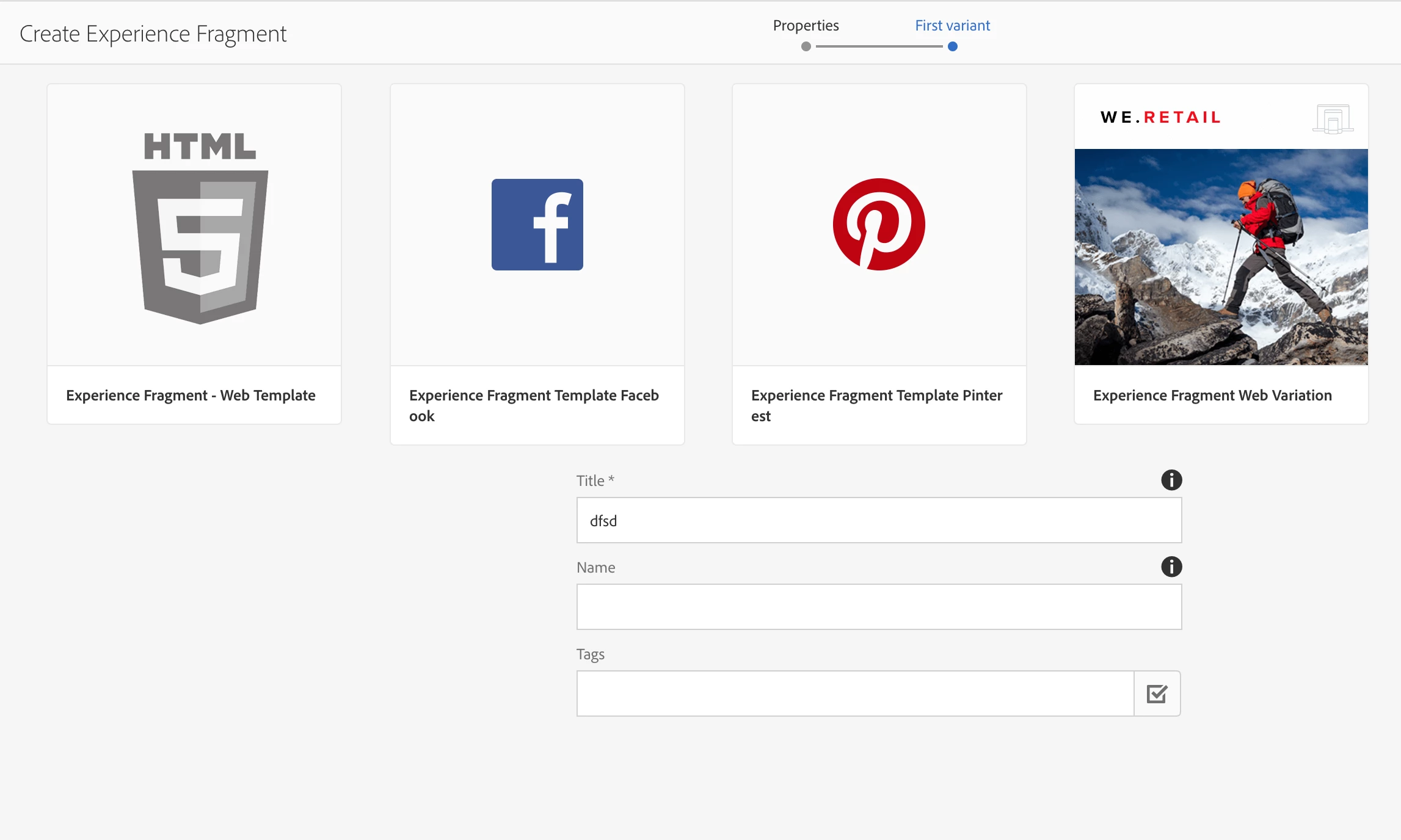
Thanks,

Narayana

This post is no longer active and is closed to new replies. Need help? Start a new post to ask your question.
Best answer by arunpatidar

You can create XF template similar to page template and add new template in cq:allowedTemplates property at /content/experience-fragments

10 replies

smacdonald2008
Level 10
November 8, 2018

It it is the cq:allowedTemplates property on /content/experience-fragments node that drives the availability of XF variations:

smacdonald2008
Level 10
November 8, 2018

But there really is no benefit to creating custom ones. I recommend choosing a default one.

arunpatidar
Community Advisor
arunpatidarCommunity AdvisorAccepted solution
Community Advisor
November 9, 2018

You can create XF template similar to page template and add new template in cq:allowedTemplates property at /content/experience-fragments

Arun Patidar
chirran414
Level 4
November 12, 2018

Hi Arun,

If we do like that we would see our newly created template under Experience Fragments from the Global Navigation and it would act as a normal editable template. But when we look at the We-Retail project it has following changes as well. 1. xfPage page component and they did changed the sling:resourceType pointing to xfPage page component.

Then only we would see this Variation icon.

Add to your point, I think after creating the normal editable template using empty-page template type, then allowing this path under /content/experience-fragments allowedTeplate property we also need to do these 2 changes as well I think. If you have any idea about this?.

arunpatidar
Community Advisor
Community Advisor
November 13, 2018

Actually page component for XF should have cq/experience-fragments/components/xfpage super type to enabled XF editor features similar like wcm page component.

Arun Patidar
chirran414
Level 4
November 13, 2018

yeah, I am also trying to say here is the same. we have to consider these things also for XF in addition to just adding cq:allowedTemplates property at /content/experience-fragments

sushmaa61672298
February 27, 2019

Hi Chirran,

Can you please let me know what are the 2 additional changes you are referring to here.

One is adding superType as cq/experience-fragments/components/xfpage to the page component of my editable component.

What is the second change?

chirran414
Level 4
February 27, 2019

Step1: We need to create a separate template for Experience fragments under "conf" folder and adding superType as cq/experience-fragments/components/xfpage do necessary changes ... (in our case we overlay xfpage component did some changes as per our requirement). like how we-retail project did as shown in the bellow screenshot.

Step2:

  1. Browse to /content/experience-fragments
  2. Add your project Experience Fragment template path (/conf/example-project/settings/wcm/templates/experience-fragment(.*)?) to cq:allowedTemplates property under /content/experience-fragments as shown in the screenshot below:

These 2 changes would be enough

After that you can browse here and you can create experience fragment by selecting experience fragment template.

http://localhost:4502/aem/experience-fragments.html/content/experience-fragments

pablom63973339
Level 2
July 29, 2019

Thanks chirran414, this worked for me.

A small addition, it may be obvious for some but took me a while to realise. Is important that said template status is enabled and not in draft

Rajalakshmi
Level 2
November 6, 2020

Hi @arunpatidar  can we able to create Experience Fragements using a static template and add that Xf to a page created using static template?.


Thanks.

arunpatidar
Community Advisor
Community Advisor
November 7, 2020
yes you can do that
Arun Patidar
Level 2
June 23, 2022

Hi Arun,
We have a component that calls a web service to get some data.  It is working fine if added directly on a page but needs a hard refresh to appear in author mode if added on the page via XF.  I contacted daycare, they gave me the below link saying that XF is supported only with editable templates and not static ones.  We had our upgrade done by ACS but no one mentioned it and we have been using XF with static templates without any issues for a long time until I discovered this issue.


https://experienceleague.adobe.com/docs/experience-manager-65/developing/extending-aem/experience-fragments.html?lang=en

"Only editable templates are supported for Experience Fragments."


Does it mean XF should be based on an editable template or XF should be used on pages built based on an editable template?  Any advice/comment from anyone else.