How to create condition for metadata node in AEM workflow launchers | Community
Skip to main content
Mario248
March 20, 2024
Solved

How to create condition for metadata node in AEM workflow launchers

  • March 20, 2024
  • 1 reply
  • 2173 views
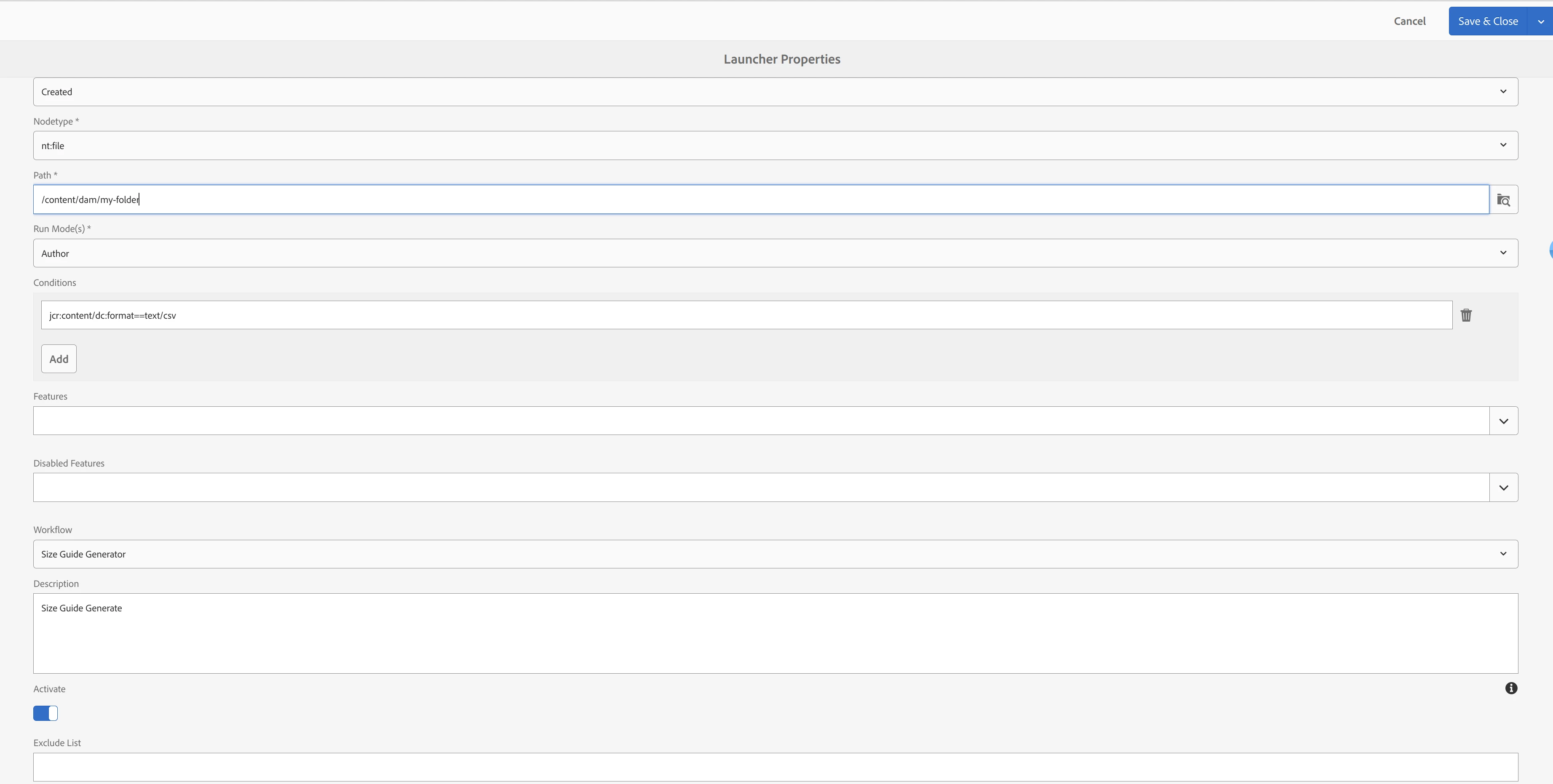
I need to create AEM workflow launchers which will trigger a workflow model. The launch works fine as expected. But I want to add some conditions like it should trigger only for CSV files. 
 
When I upload a new csv in DAM, I see dc:format property with value "text/csv" is set at /content/dam/my-folder/test.csv/jcr:content/metadata. I am planning to use this property to write a condition. 



This is condition I am trying "jcr:content/metadata/dc:format==text/csv" but this is not working. Is there any problem in constructing this property path?

 
This post is no longer active and is closed to new replies. Need help? Start a new post to ask your question.
Best answer by somen-sarkar

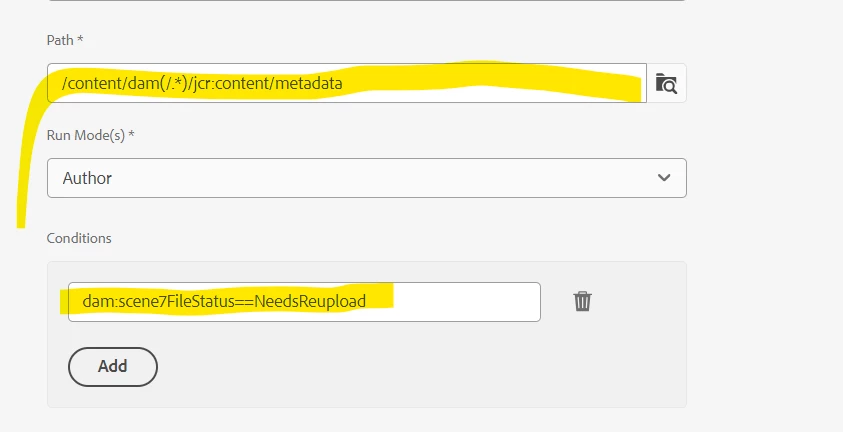
Here 'Glob' means the path or location to call the launcher. Below is a screenshot from OOTB launcher config. Hope this will help.


Thanks,

Somen

1 reply

Jineet_Vora
Community Advisor and Adobe Champion
March 20, 2024

@mario248 - Can you try as below:

Specify 'path' as glob pattern using 

/content/dam(/.*)/jcr:content/metadata


And then in 'condition' specify

dc:format==text/csv


Refer screenshot below:


Mario248
Mario248Author
March 21, 2024

Thanks for your input. Sorry, I could not get what do you mean "Glob" Did you mean the path ?


Here is the launch properties. can you please tell which property do you mean ?

somen-sarkar
Community Advisor
somen-sarkarCommunity AdvisorAccepted solution
Community Advisor
March 21, 2024

Here 'Glob' means the path or location to call the launcher. Below is a screenshot from OOTB launcher config. Hope this will help.


Thanks,

Somen