
how to create a slider field using Coral.slider in cloud service touch UI component | Community
Skip to main content
keshava219
Level 3
April 19, 2022
Solved

how to create a slider field using Coral.slider in cloud service touch UI component

  • April 19, 2022
  • 1 reply
  • 883 views

Need to create a field with Slider using coral.slider touch coral3 just like in image
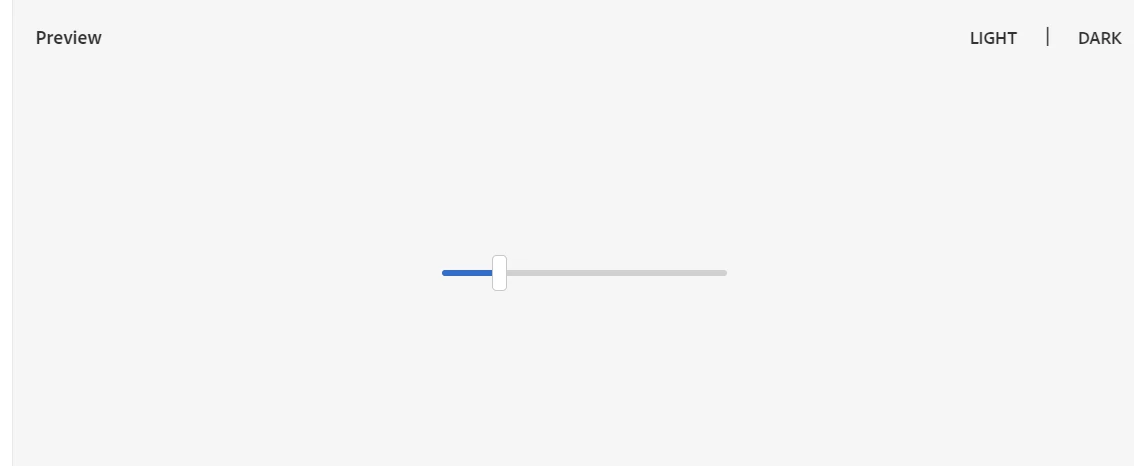
 

https://developer.adobe.com/experience-manager/reference-materials/6-5/coral-ui/coralui3/Coral.Slider.html


But I confused  how to start with node structure in dialog level please let me know if you have any idea or reference
This post is no longer active and is closed to new replies. Need help? Start a new post to ask your question.
Best answer by arunpatidar

Hi,

Which version of AEM are you using, I checked in 6.4


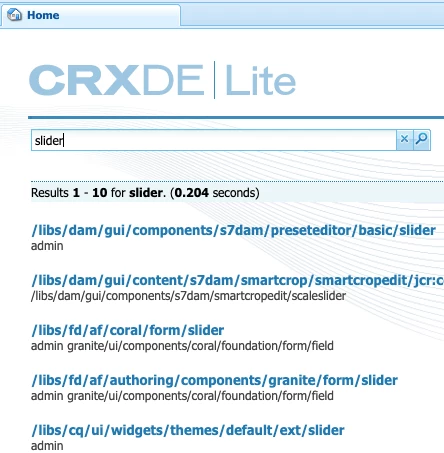
but you can simple crxde search to check location, I hope this is not decommission in the latest releases

1 reply

arunpatidar
Community Advisor
Community Advisor
April 19, 2022

Hi,

Try to check /libs/fd/af/authoring/components/granite/form/slider


Arun Patidar
keshava219
Level 3
April 20, 2022

Hi @arunpatidar, thanks for your reply Regarding slider i cant find on above path as you mention


can you give any reference code of custom component please


arunpatidar
Community Advisor
arunpatidarCommunity AdvisorAccepted solution
Community Advisor
April 20, 2022

Hi,

Which version of AEM are you using, I checked in 6.4


but you can simple crxde search to check location, I hope this is not decommission in the latest releases

Arun Patidar