
How to create a file upload field with validation along with error message on AEM cloud for audio files only | Community
Skip to main content
keshava219
Level 3
May 15, 2022
Solved

How to create a file upload field with validation along with error message on AEM cloud for audio files only

  • May 15, 2022
  • 1 reply
  • 1352 views

In a dialog i need to upload file only audio(.mp3 , .wav) along with error message if author selected other files like (.jpg,png , mp4 etc) 

for example on below image blue colour circle need an error message with validation for audio files only.
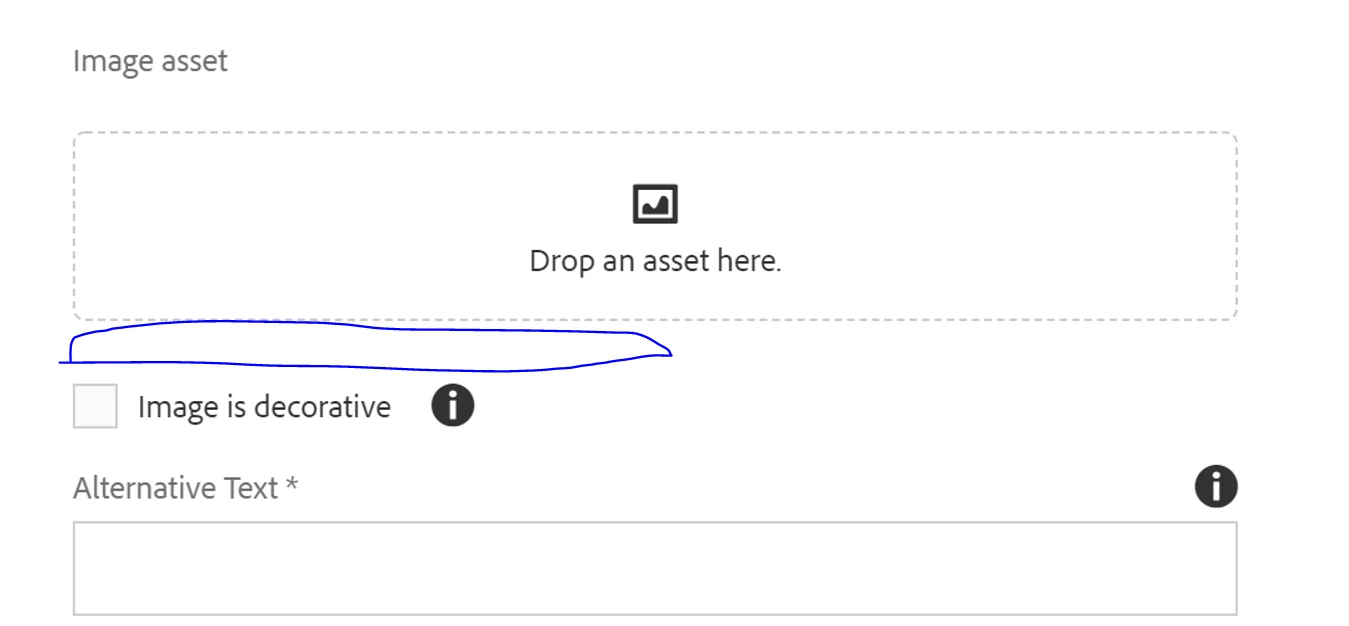
 give me any reference to get.


This post is no longer active and is closed to new replies. Need help? Start a new post to ask your question.
Best answer by raushan123

You have to write custom js for that.

Please find the reference

http://experience-aem.blogspot.com/2021/01/aem-cloud-service-validate-asset-file-extensions-upload.html 


1 reply

raushan123Accepted solution
Level 4
May 16, 2022
keshava219
Level 3
May 17, 2022

Hi @raushan123 ,


              Thanks for your reply ,got the validation message on audio but can you tell me how to get title of the file on dialog