


How to configure Navigation Facet in Adobe Search and Promote? | AEM Community Blog Seeding
How to configure Navigation Facet in Adobe Search and Promote? by TechForum
Abstract
The Facets can be used to customize your presentation layer and provide your users with a Guided Search that lets them drill down into their search results.

This tutorial explains the approach to configure the facets in Adobe Search & Promote.

The website users can narrow down their search results with enabled facets, there are two types of facets in Search and Promote — Static and Dynamic, we are going to use Static facets for this tutorial.

Facet Configuration
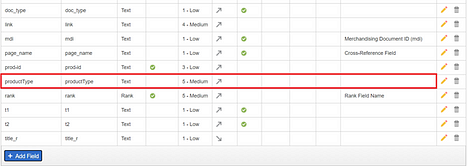
The facet is defined based on the metadata, as a first step, define a metadata e.g productType
The meta data’s can be managed from Settings →Metadata →Definitions
Read Full Blog
How to configure Navigation Facet in Adobe Search and Promote?
Q&A
Please use this thread to ask the related questions.