How to cancel inheritance individual property in single livecopy in Touch UI | Community
Skip to main content
Level 3
May 13, 2022
Solved

How to cancel inheritance individual property in single livecopy in Touch UI

  • May 13, 2022
  • 2 replies
  • 2658 views

Hi All,

I created a live copy from the master copy, need to cancel the inheritance of individual property in single live copy, the remaining live copies will work as per the master copy.


I added the below property in the master copy it's working as expected, the remaining live copy also cancels inheritance

cq:propertyInheritanceCancelled

String[]

propertyName


Is there any other solution?


@arunpatidar  @debal_das @anish-


Thanks

Kotireddy
This post is no longer active and is closed to new replies. Need help? Start a new post to ask your question.
Best answer by MayurSatav

@naruk89179065 

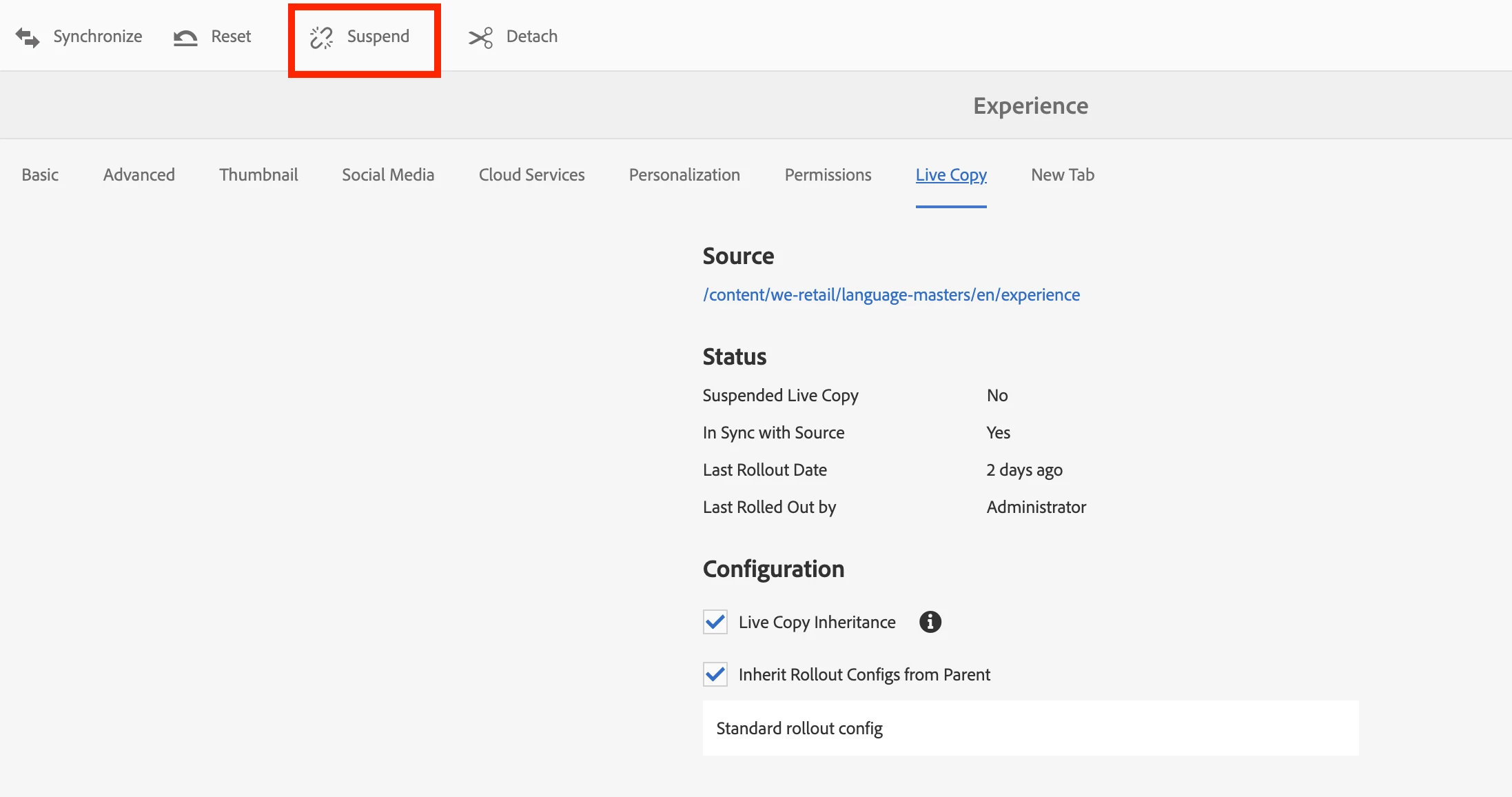
Check at the top of the tabs options. You will find suspend option there.


2 replies

MayurSatav
Community Advisor and Adobe Champion
May 13, 2022

Hi @naruk89179065 ,


If you cq:propertyInheritanceCancelled in the master copy it will surely suspend the inheritance for all the live copies. Because you are creating live copies of master pages. Instead of doing this, you can simply suspend Inheritance from Page Properties.

  1. Go to that particular page property.
  2. Select live copy
  3. Then select suspend option which you will find at top.
  4. It will show you two options. Select as per your requirement.
    1. Suspend: current page only
    2. Suspend with children: current page together with any child pages.

Check this blog for a clear understanding.

arunpatidar
Community Advisor
Community Advisor
May 15, 2022

Hi,

You can go to live copy and cancel the property inheritance from page property dialog.

Arun Patidar
Level 3
May 15, 2022

thanks @arunpatidar @mayursatav 
I am not able to see the cancel the inheritance option in page properties in livecopy


Thanks

Kotireddy


MayurSatav
Community Advisor and Adobe Champion
MayurSatavCommunity Advisor and Adobe ChampionAccepted solution
Community Advisor and Adobe Champion
May 16, 2022

@naruk89179065 

Check at the top of the tabs options. You will find suspend option there.