How to Assign Dialog Participant Step to the Initiator | Adobe Higher Education
Skip to main content
Level 3
November 27, 2024

How to Assign Dialog Participant Step to the Initiator

  • November 27, 2024
  • 1 respuesta
  • 1220 visualizaciones

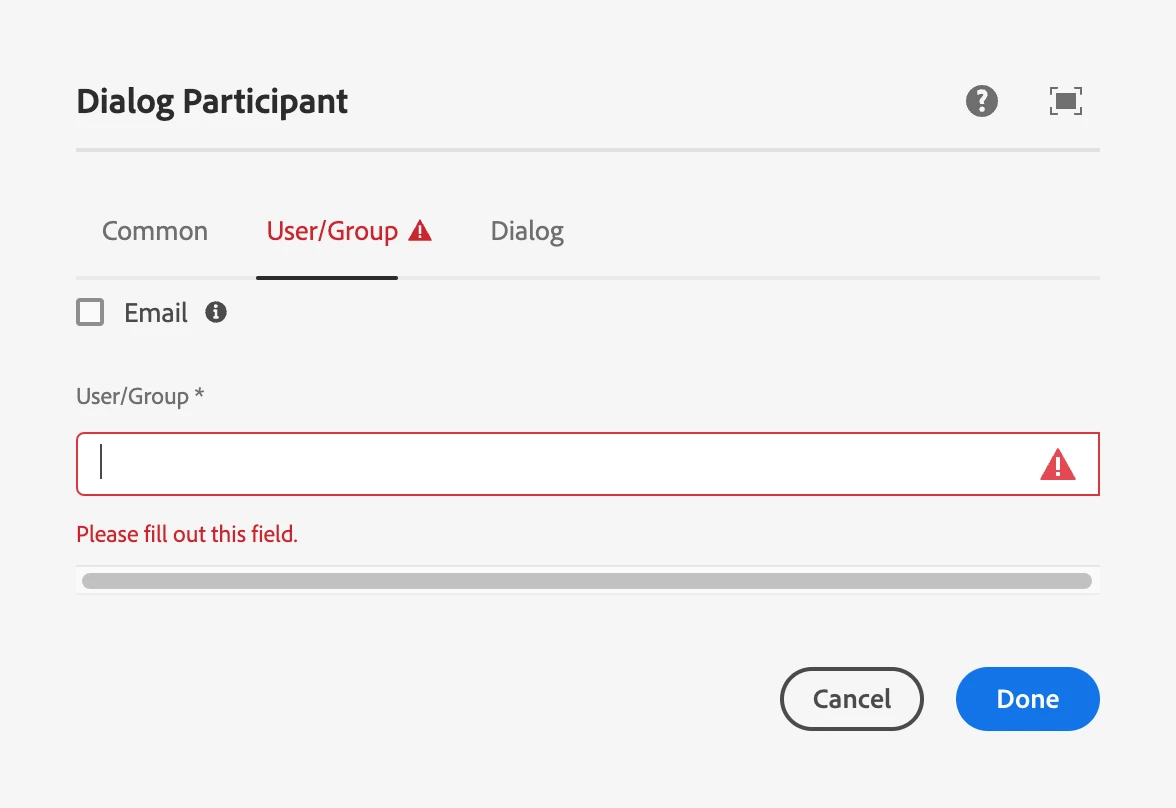
in AEM workflow, how do I assign Dialog Participant Step to the initiator?  it seems like I need to select a particular user or group when I configure this step. 


For context, I am trying to collect additional user inputs at run time, and this seems like the only way for user to add additional info required for the rest of the workflow.
 

Este tema ha sido cerrado para respuestas.

1 respuesta

konstantyn_diachenko
Community Advisor
Community Advisor
November 27, 2024

Hi @nelsonatensemble,


Replace Dialog Participant Step with Dynamic Participant Step with Participant Chooser: Workflow Initiator Participant Chooser (Script). It will automatically assign workflow to the initiator. 


Best regards,

Kostiantyn Diachenko.

Kostiantyn Diachenko, Community Advisor, Certified Senior AEM Developer, creator of free AEM VLT Tool, maintainer of AEM Tools plugin.
Level 3
November 27, 2024

Thanks for the reply.


But, if I replace Dialog Participant Step with Dynamic Participant Step, I won't be able to capture additional user inputs (via dialog) needed for the rest of the workflow.


Cheers,

Nelson

konstantyn_diachenko
Community Advisor
Community Advisor
November 27, 2024

Hi @nelsonatensemble,

No, in the 3rd tab (Dialog) of the  Dynamic Participant Step you are able to configure a path to a dialog.

Example: /apps/myproject/components/test-wf-dialog/cq:dialog
Dialog:


It will look like:


Best regards,

Kostiantyn Diachenko.


Kostiantyn Diachenko, Community Advisor, Certified Senior AEM Developer, creator of free AEM VLT Tool, maintainer of AEM Tools plugin.