Solved
How to add dialog options (page properties) to AEM 6.3 page template?
Hi All,
How do I add dialog options (page properties) to an AEM 6.3 page template?
Thank you for any advise.
Hi All,
How do I add dialog options (page properties) to an AEM 6.3 page template?
Thank you for any advise.
I assume you are talking about an editable template. You do not add page props to an editable template. You can add page props to a page based on an editable template,
The procedure should be similar to this:
How to add custom page properties in CQ5
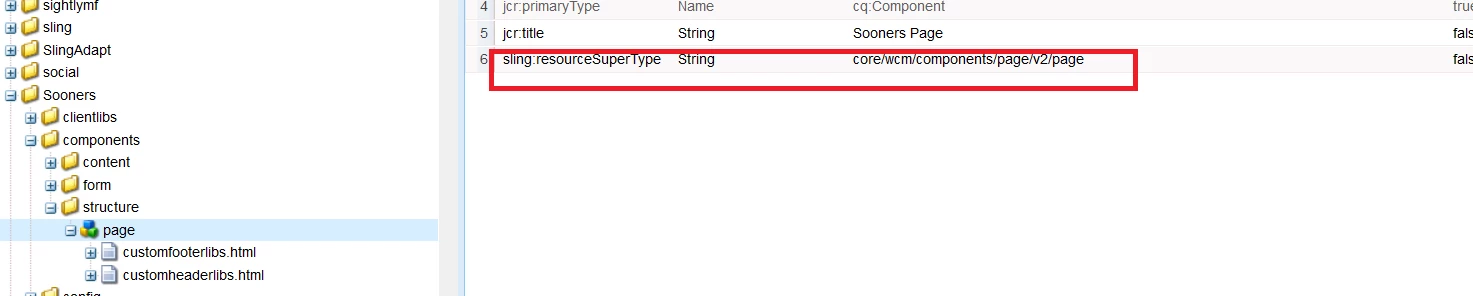
Except you would modify the core page component (/apps/core/wcm/components/page/v2/page -- not libs page component). Consider this example. Here is a page component whose super resource type is the CORE PAGE Component.
This specific page component is a super resource type to a page built via an editable template -- see here:
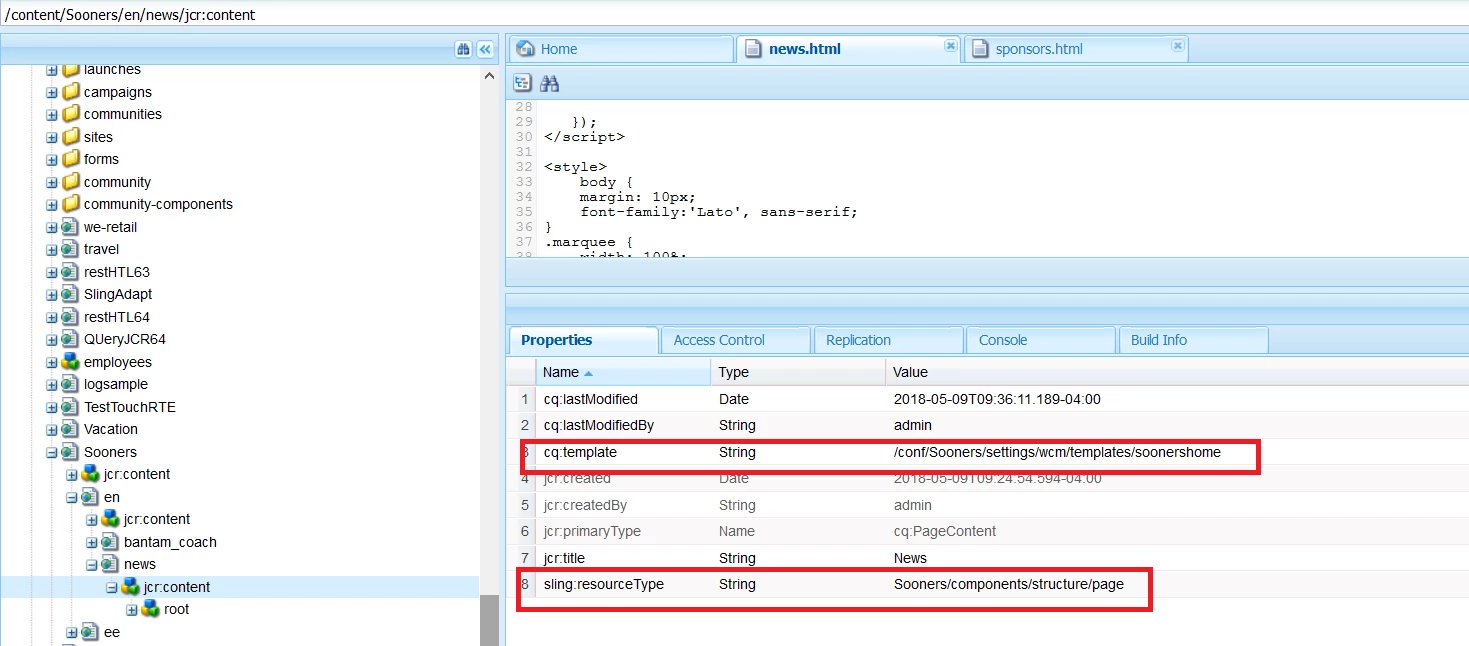
If your page props are common to all pages - then make the change to the core page component - the super resource type shown in the 1st pic.
Enter your E-mail address. We'll send you an e-mail with instructions to reset your password.