How to add a user to AEM Author and Publisher in AMS? | Community
Skip to main content
Mario248
Level 7
July 22, 2022
Solved

How to add a user to AEM Author and Publisher in AMS?

  • July 22, 2022
  • 1 reply
  • 1411 views

In AEM Admin Console, we can manage adobe products like, we can add a user (example, Tom) into AEM Managed Service products and we can add other adobe products like adobe target etc. At this point I will add Tom as a user and mapped him to AEM Managed Service but where do I configure author and publish access.  I don’t see any option to add author and publisher in admin console.


I see only below profile, developer role, program manager role etc..
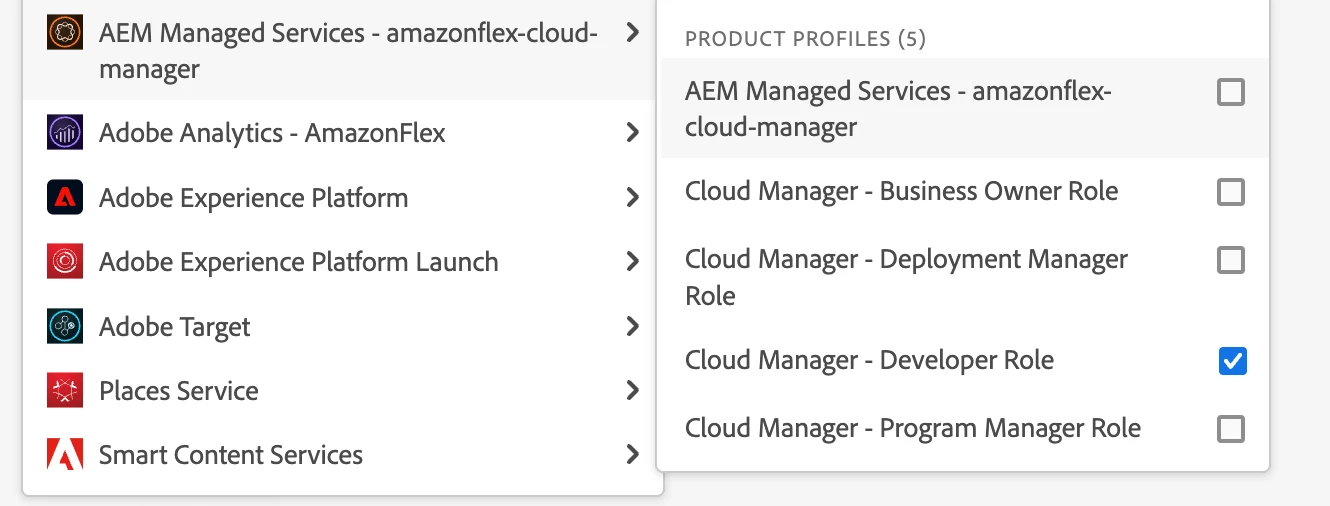
 

AEM internal permission can be managed in AEM instance like who can do what in /content and /content/dam etc. How do I configure who can access author and who can access publish instance in Adobe Admin Console ? Can anyone help ?


This post is no longer active and is closed to new replies. Need help? Start a new post to ask your question.
Best answer by Shashi_Mulugu

@mario248 It is still at instance level. You can try https://adobe-consulting-services.github.io/acs-aem-commons/features/ensure-service-users/index.html if it fixed groups and add users manually at instance level and to enable them in publisher just replicate the groups and users.

1 reply

Shashi_Mulugu
Community Advisor
Shashi_MuluguCommunity AdvisorAccepted solution
Community Advisor
July 26, 2022

@mario248 It is still at instance level. You can try https://adobe-consulting-services.github.io/acs-aem-commons/features/ensure-service-users/index.html if it fixed groups and add users manually at instance level and to enable them in publisher just replicate the groups and users.