
how the js and css files are mapped to a component from ui.frontend? | Community
Skip to main content
This post is no longer active and is closed to new replies. Need help? Start a new post to ask your question.
Best answer by MRashidRaza

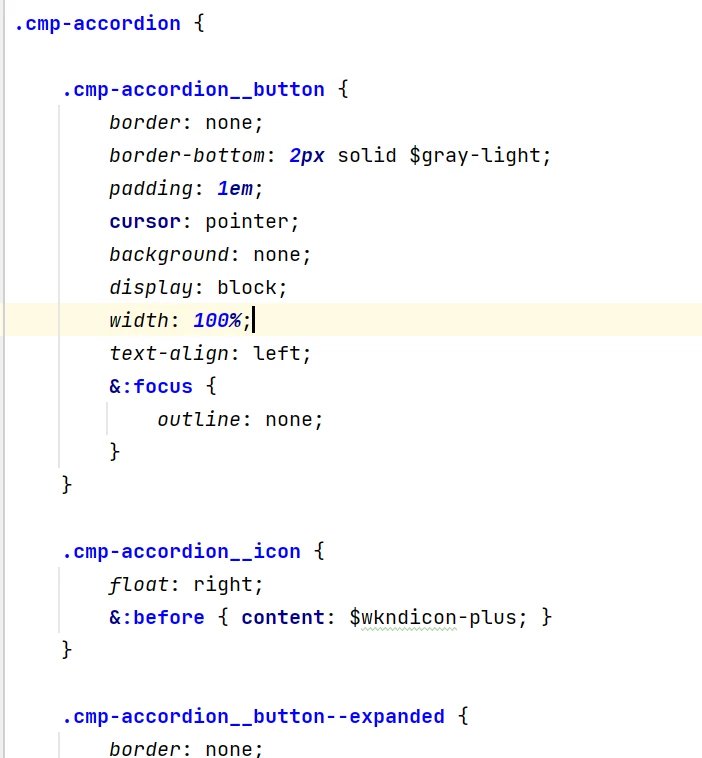
There is no mapping is required. Using ClientLibs categories adding the JS and CSS under /apps/<project>/cleintlibs. And then while writing the css use a parent class name like cmp-<component_name> that work as prefix with all css and JS(ref screenshot 1 below). 

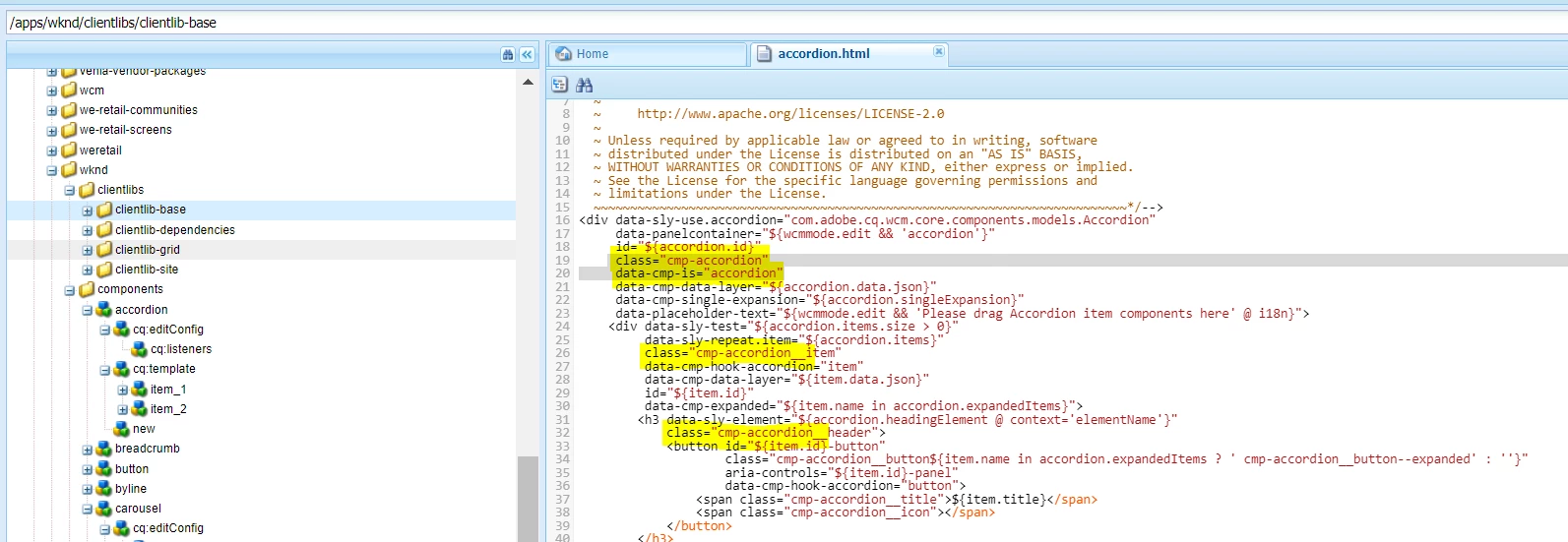
Then in component html use the same prefix classname with all your classes. Like below screenshot 2.

screenshot 1:
 

screenshot 2:


2 replies

Saravanan_Dharmaraj
Community Advisor
Community Advisor
May 9, 2023
Keerthi0555
Level 5
May 10, 2023

Hi Sravanan,


I went through the documentation it's there about adding clientlibs to the template but for a specific component how to add css / js from ui.frontend.


Is it based on the name of the css and js files with component's name?

MRashidRazaAdobe EmployeeAccepted solution
Adobe Employee
May 10, 2023

There is no mapping is required. Using ClientLibs categories adding the JS and CSS under /apps/<project>/cleintlibs. And then while writing the css use a parent class name like cmp-<component_name> that work as prefix with all css and JS(ref screenshot 1 below). 

Then in component html use the same prefix classname with all your classes. Like below screenshot 2.

screenshot 1:


screenshot 2:


Keerthi0555
Level 5
May 10, 2023

no from ui.frontend not from ui.apps.

Adobe Employee
May 10, 2023

I answered from ui.frontend only. Read carefully and browse the project.