how do I hide the page delete button from a group of users? | Community
Skip to main content
jayv25585659
Level 8
January 21, 2022
Solved

how do I hide the page delete button from a group of users?

  • January 21, 2022
  • 1 reply
  • 778 views

might be best explained with an example:


- I have a user called called "no-page-delete"

- this group has full access to manage content inside /content/my-site

- But I want to remove their ability to delete pages.

- I tried doing removing their delete page ability via ACL but removing one of the write permissions also disables create page and edit content permissions.


How can I do it?


Thanks!
 

This post is no longer active and is closed to new replies. Need help? Start a new post to ask your question.
Best answer by BrianKasingli


1. visit the useradmin portal, http://localhost:4502/useradmin

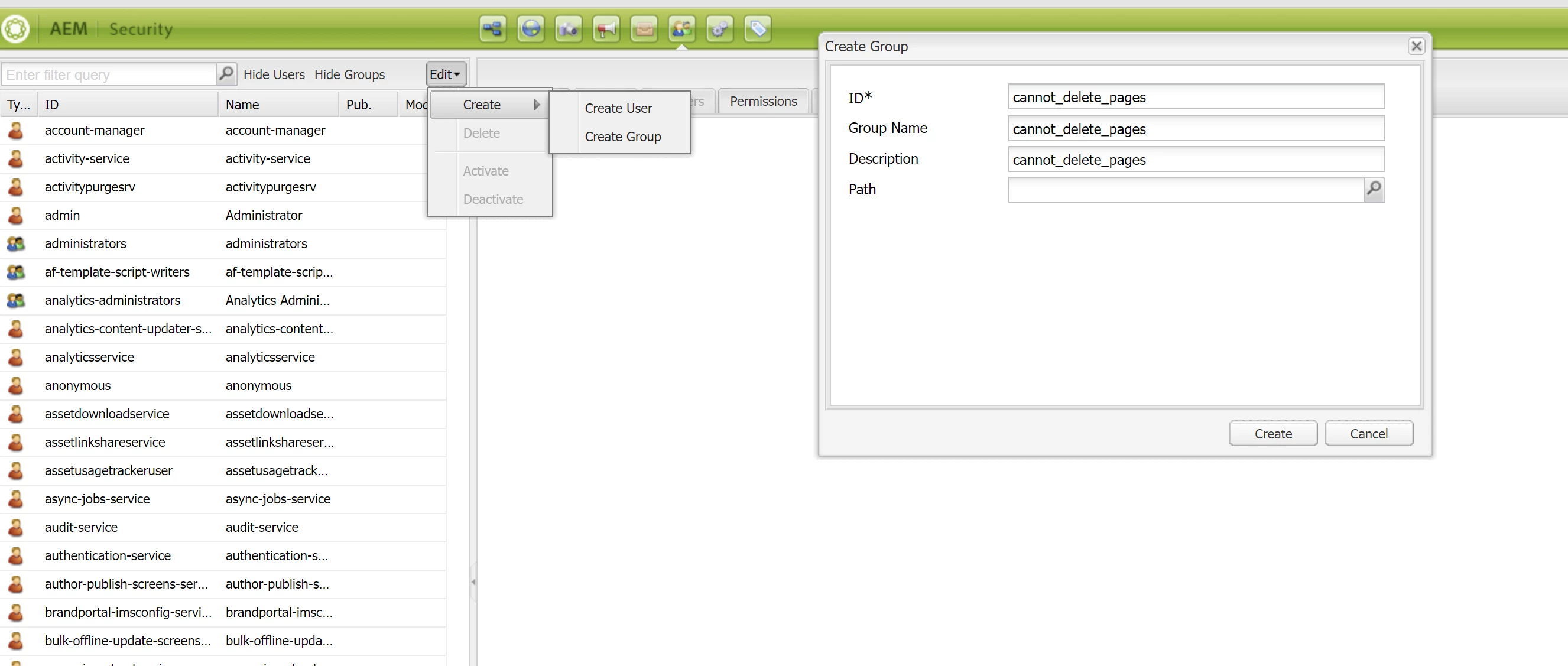
2. Create new user group, "cannot_delete_pages".

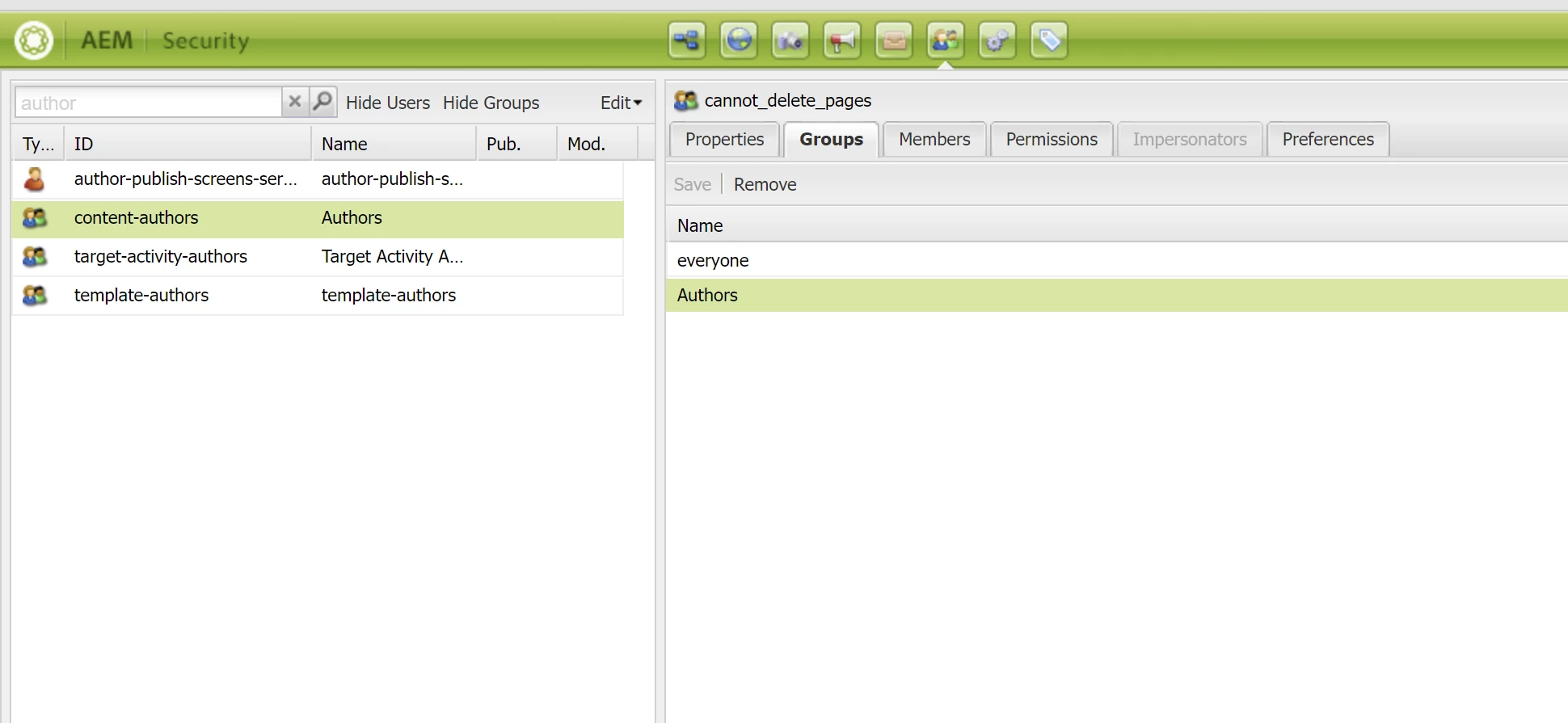
3. add the group "authors" into this group.


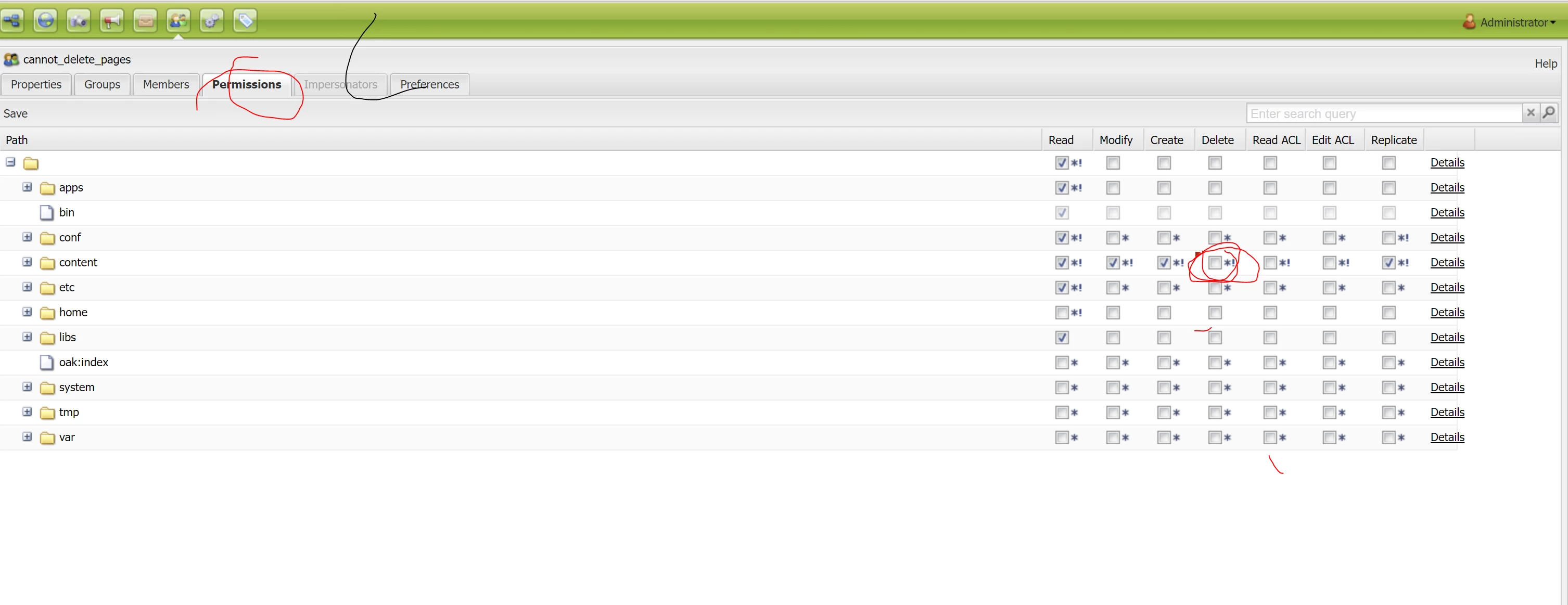
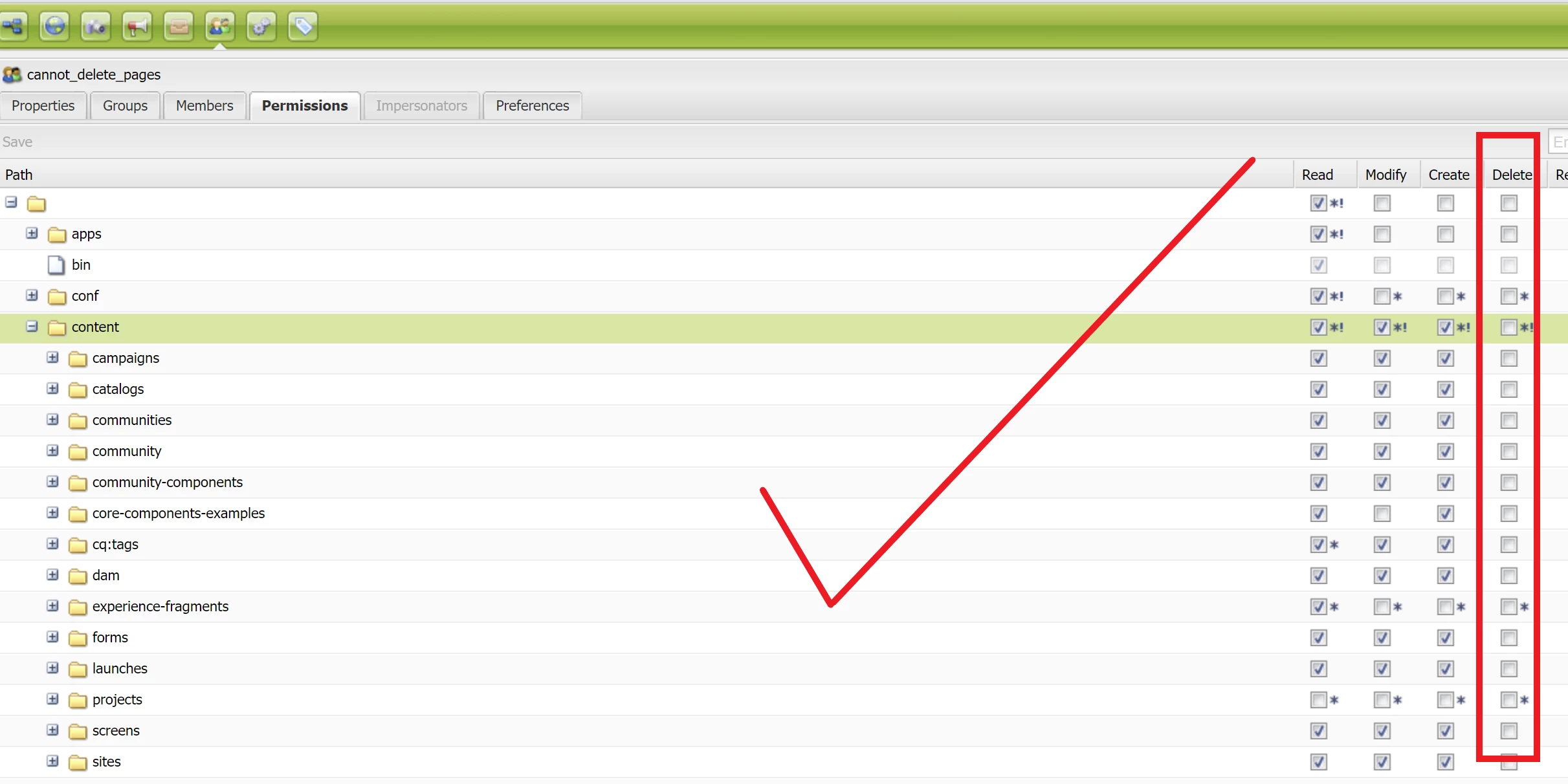
4. edit the user group, cannot_delete_pages, to "disallow page deletion on /content

5. press save.

6. find the user group, and validate changes

7. assign the group to a user, and test!

1 reply

BrianKasingli
Community Advisor and Adobe Champion
BrianKasingliCommunity Advisor and Adobe ChampionAccepted solution
Community Advisor and Adobe Champion
January 21, 2022


1. visit the useradmin portal, http://localhost:4502/useradmin

2. Create new user group, "cannot_delete_pages".

3. add the group "authors" into this group.


4. edit the user group, cannot_delete_pages, to "disallow page deletion on /content

5. press save.

6. find the user group, and validate changes

7. assign the group to a user, and test!