How can I programatically create a new version of an asset with new content? | Community
Skip to main content
peter-g
Level 2
October 5, 2020
Solved

How can I programatically create a new version of an asset with new content?

  • October 5, 2020
  • 2 replies
  • 1953 views

I have 2 assets in the dam, lets call them A and B.

How can I programatically make a new version of A, and use the content of B as that new version?


AssetManager. createRevision makes a new version of A just fine, and I tried AssetManager.createAsset on the path of A using the stream I grabbed from asset B, but it doesnt go through.


A new version gets created but I'm having trouble adding B's content. It doesn't matter what happens to B as it will be deleted afterwards.


Thanks

This post is no longer active and is closed to new replies. Need help? Start a new post to ask your question.
Best answer by Manjunath_K

Hi @peter-g 


Yes, as you mentioned we need to use assetManager.createRevision() to create initial version of asset before replacing content of Asset A by Asset B. please check below code which will create version & replace content as expected.


try (ResourceResolver resourceResolver = request.getResourceResolver()){
AssetManager assetManager = resourceResolver.adaptTo(AssetManager.class);
Resource resourceAssetA = resourceResolver.getResource("/content/dam/test/jane_doe.jpg");
Resource resourceAssetB = resourceResolver.getResource("/content/dam/test/larry_spiller.jpg");

if(resourceAssetA!= null && resourceAssetB!= null) {
Asset assetA = resourceAssetA.adaptTo(Asset.class);
Asset assetB = resourceAssetB.adaptTo(Asset.class);
assetManager.createRevision(assetA, "message to create initial version of asset", assetA.getName());
Rendition renditionAssetB = assetB.getOriginal();
assetManager.createAsset(assetA.getPath(), renditionAssetB.getStream(), renditionAssetB.getMimeType(), false);
}

if(resourceResolver.hasChanges()){
resourceResolver.commit();
}
} catch (Exception e) {
e.printStackTrace();
}


Before creating version & replacing asset content :



After creating version & replacing asset content :
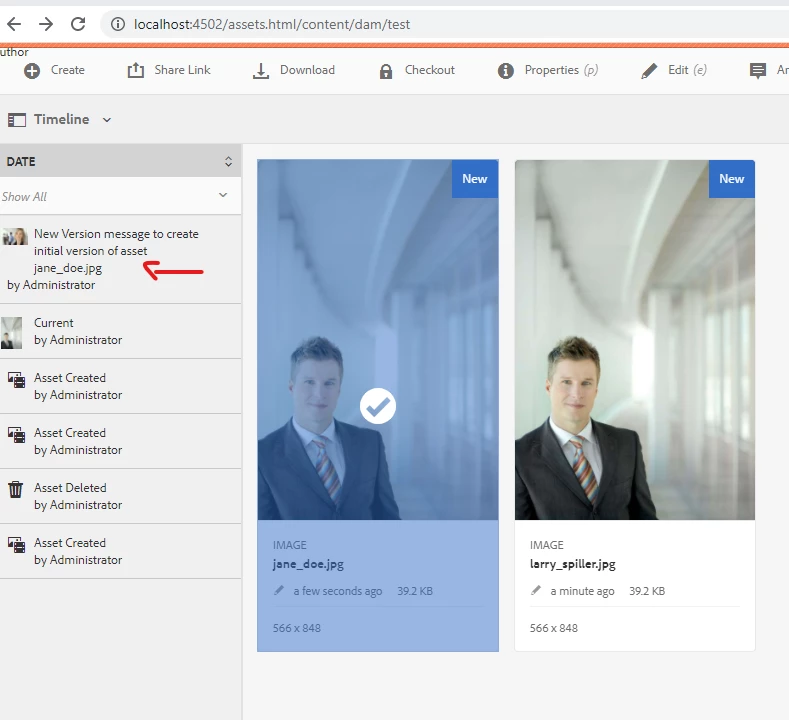


After deleting original asset(Asset B) from which content is copied from , it will not affect to asset(Asset A) which has copied content.
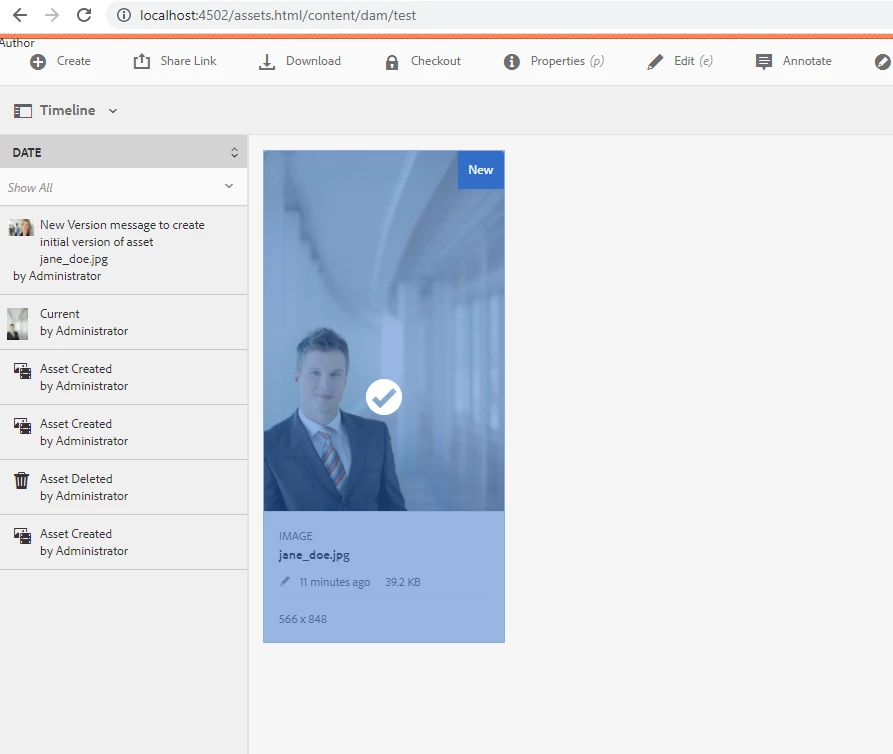


-Manjunath


2 replies

Manjunath_K
Manjunath_KAccepted solution
Level 7
October 5, 2020

Hi @peter-g 


Yes, as you mentioned we need to use assetManager.createRevision() to create initial version of asset before replacing content of Asset A by Asset B. please check below code which will create version & replace content as expected.


try (ResourceResolver resourceResolver = request.getResourceResolver()){
AssetManager assetManager = resourceResolver.adaptTo(AssetManager.class);
Resource resourceAssetA = resourceResolver.getResource("/content/dam/test/jane_doe.jpg");
Resource resourceAssetB = resourceResolver.getResource("/content/dam/test/larry_spiller.jpg");

if(resourceAssetA!= null && resourceAssetB!= null) {
Asset assetA = resourceAssetA.adaptTo(Asset.class);
Asset assetB = resourceAssetB.adaptTo(Asset.class);
assetManager.createRevision(assetA, "message to create initial version of asset", assetA.getName());
Rendition renditionAssetB = assetB.getOriginal();
assetManager.createAsset(assetA.getPath(), renditionAssetB.getStream(), renditionAssetB.getMimeType(), false);
}

if(resourceResolver.hasChanges()){
resourceResolver.commit();
}
} catch (Exception e) {
e.printStackTrace();
}


Before creating version & replacing asset content :


After creating version & replacing asset content :


After deleting original asset(Asset B) from which content is copied from , it will not affect to asset(Asset A) which has copied content.


-Manjunath



peter-g
peter-gAuthor
Level 2
October 5, 2020
Hi Manjunath, I'm not sure why, but when I try the same steps, the content is still not copied over to the asset. The revision is created, but it has no new content. Do you know what might be the issue? Thanks
vanegi
Adobe Employee
Adobe Employee
October 6, 2020

Each time a page/asset is modified cq creates a version of the same. This modified resource modification time is set in jcr:lastModified property of the page/asset. Manipulation of this property can be done to save future date and activate page on that date though its not preferred way. You can store the future date as a property in the page/asset. Then you could write a workflow or a scheduled job which activates pages/assets with a future date.
