Solved
How can I add the SV language to the tag language selector?
I am a beginner in AEM. I want to add a new SV language to the tag language selector. Could you please let me know here?
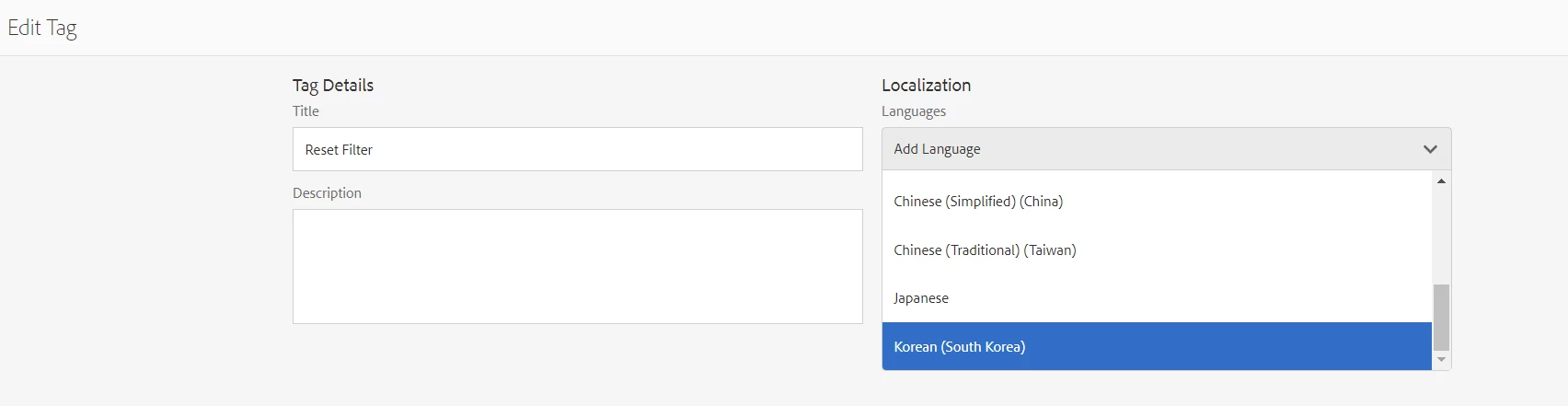
I am a beginner in AEM. I want to add a new SV language to the tag language selector. Could you please let me know here?
@singshi90 : First you will have to add a language (if not already available, you need to specify the language code and locale etc for eg:- sv_SE) to Edit tag Dialog.
In CRXDE, edit the multi-value property languages of the node /content/cq:tags.
Please refer the documentation here: https://experienceleague.adobe.com/docs/experience-manager-65/content/implementing/developing/platform/tagging/building.html?lang=en#adding-a-new-language-to-the-edit-tag-dialog
After, you have added the language, it will start appearing in the Tag Editor dialog now and you can specify the Localized tag value for that language. Please refer AEM documentation: https://experienceleague.adobe.com/docs/experience-manager-65/content/sites/administering/contentmanagement/tags.html?lang=en#managing-tags-in-different-languages
Some of the already accepted references: https://stackoverflow.com/questions/77045781/how-to-add-new-languages-to-aem-tags-for-localisation
thanks.
Enter your E-mail address. We'll send you an e-mail with instructions to reset your password.