Solved
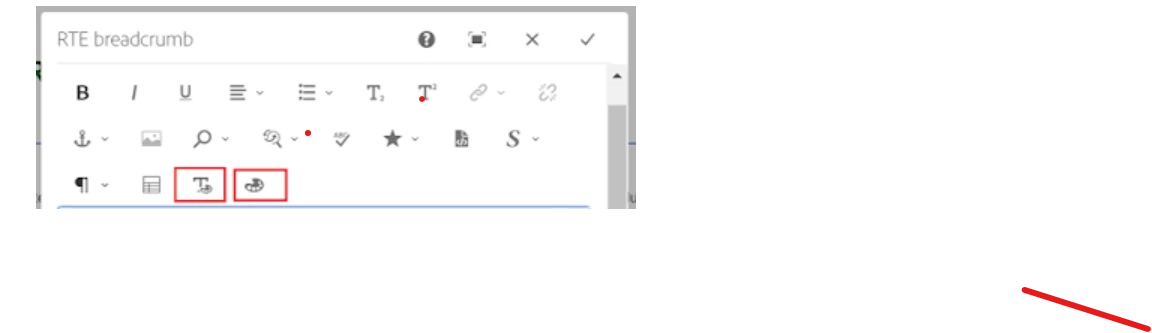
How can create custom button on RTE toolbar
Hi Team,
I am trying to create a custom button on RTE toolbar but facing issue.
For this, I have added a custom client lib for author instance and added my logic there, I see, my client lib load correctly and function are also trigger as expected but I am not able to create/append my custom button in rte toolbar.
I found few old blogs which one of them for length validation, I customize that and write my logic there.
https://sourcedcode.com/blog/aem/touch-ui/aem-richtext-max-characters-length-validation
Sample code:
(function ($, $document) {
    "use strict";
    $(document).on("dialog-ready", function () {
        var mycustombutton = `<button is="coral-button" variant="quietaction" class="rte-toolbar-item disabled _coral-ActionButton _coral-ActionButton--quiet" type="button" title="Unlink" icon="linkOff" data-action="links#unlink" tabindex="-1" size="M" aria-checked="false" role="checkbox">
        <coral-icon size="S" class="_coral-Icon--sizeS _coral-Icon" role="mycustomrole" icon="useAnyicone"></coral-icon>
        <coral-button-label class="_coral-ActionButton-label">custom button</coral-button-label></button>`

        //find all the RTE and append the custom button

        $('.rich-custom-dataBids').each(function () {
            //First I tried to append a button by appendButton() method
           //  like: author.EditorFrame.editableToolbar.appendButton(editable, name, action);
            // but I am not sure how I can pass a button into appendButton() method since it have 2 parmamete


            // var customButton = {
            //     icon: 'mycustomrole',
            //     text: 'custom button',
            //     handler: function (editable, param, target) {
            //
            //     },
            //     condition: function (editable) {
            //         //show this button only for component type if needed
            //         return editable
            //     },
            //     isNonMulti: true
            // };
            // $document.on('cq-layer-activated', function (ev) {
            //     if (ev.layer === 'Edit') {
            //         author.EditorFrame.editableToolbar.registerAction('custom button', customButton);
            //     }
            // });


            //seems this is not right way to do this
            $(this).parent().find(".rte-toolbar")[0].append(mycustombutton);
        });

        //custom click event for custom opration
        $('.rich-custom-dataBids').click(function (e) {
            var $target = $(e.target);
            // do something
        });

    });


})($, $(document));
using append(mycustombutton) I can able to add my button but I want to register or append it in correct way. Can some suggest on this?
Thanks
Abhishek