How add custom font in in project | Adobe Higher Education
Skip to main content
Level 2
September 19, 2020
Répondu

How add custom font in in project

How to add font files  in project folder. I create fonts folder but not getting an option of copying font file or even file drag an drop option. 
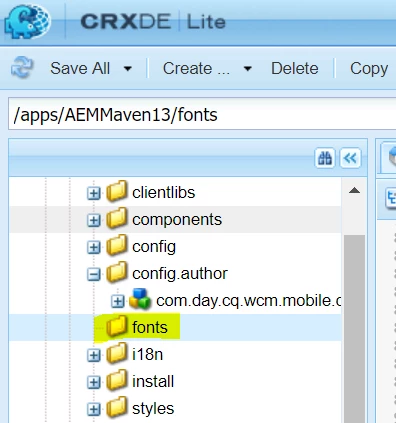


Please guide me how to add font files.

Ce sujet a été fermé aux réponses.
Meilleure réponse par raj_mandalapu

First, the location of the fonts folder which you placed needs to change, you need to place your fonts under the resources folder, the resource folder should be under clientlibs

You can refer weretail:
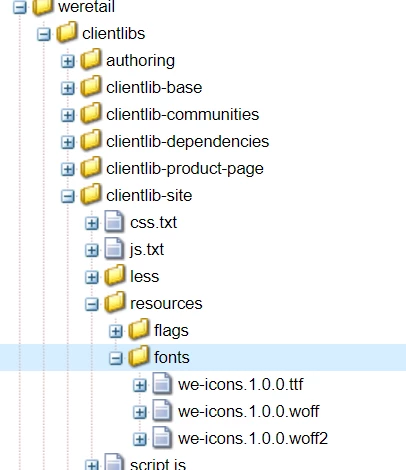


Sample code:

  font-family: SlatePro-Bk;

  src: url("../resources/fonts/we-icons.1.0.0.woff") format("woff");

}

you can either use the Maven project to import fonts files to AEM or a temporary solution is export clientlib as package and add font files then import it to AEM.


3 commentaires

Nikhil-Kumar
Community Advisor
Community Advisor
September 19, 2020

@sagrawal 

You can create a new file with specific extension or you can add it as part code maven build, which will deploy the code to AEM crx.

Thanks,
Nikhil

raj_mandalapu
Level 7
September 19, 2020

First, the location of the fonts folder which you placed needs to change, you need to place your fonts under the resources folder, the resource folder should be under clientlibs

You can refer weretail:


Sample code:

  font-family: SlatePro-Bk;

  src: url("../resources/fonts/we-icons.1.0.0.woff") format("woff");

}

you can either use the Maven project to import fonts files to AEM or a temporary solution is export clientlib as package and add font files then import it to AEM.


BrianKasingli
Community Advisor and Adobe Champion
September 23, 2020

@sagrawal,

You can create a resources folder within your client library so that you store static assets, your font files. Your font files can then be accessed via the client library proxy URL within your style sheet. For some code, samples check out this blog article here - https://sourcedcode.com/blog/aem/3-different-ways-to-embed-custom-fonts-in-aem-sites