High Availability Set up in AEM local instance. | Community
Skip to main content
manohar139535
January 7, 2019

High Availability Set up in AEM local instance.

  • January 7, 2019
  • 7 replies
  • 8466 views

Hi Team

I am trying to have demo of High Availability Set up in AEM local instance using TarMK cold StandBy. I have crated two folders.

1. aem-primary

2. aem-standby

Under path  aem-primary\aem-primary\crx-quickstart\install\install.primary I have created two config files as

Contents of SegmentNodeStoreService.config

org.apache.sling.installer.configuration.persist=B"false"

customBlobStore=B"true"

standby=B"false"

Contents of StandbyStoreService.config

org.apache.sling.installer.configuration.persist=B"false"

mode="primary"

port=I"8023"

Similarly I did for path aem-standby\crx-quickstart\install\install.standby

Contents of SegmentNodeStoreService.config

org.apache.sling.installer.configuration.persist=false

name="Oak-Tar"

service.ranking=I"100"

standby=B"true"

customBlobStore=B"true"

Contents of StandbyStoreService.config

org.apache.sling.installer.configuration.persist=B"false"

mode="standby"

primary.host="127.0.0.1"

port=I"8023"

secure=B"false"

interval=I"5"

but still I am unable set up the the same and once I am running the command as

java -jar cq-quickstart-6.3.0-standalone-quickstart.jar.jar -r primary,crx3,crx3tar

from aem-standby\crx-quickstart\app  I am getting error as
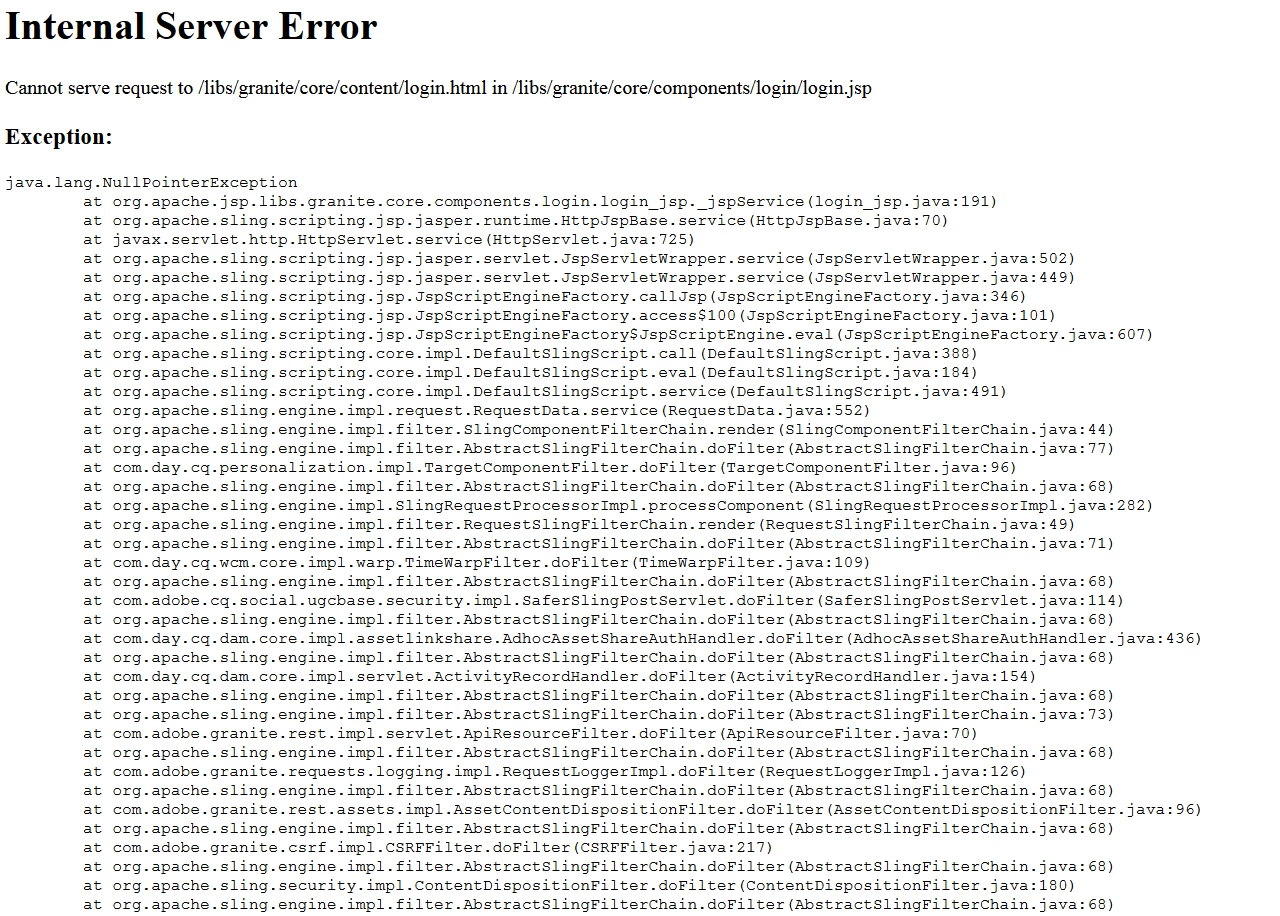
This post is no longer active and is closed to new replies. Need help? Start a new post to ask your question.

7 replies

edubey
January 7, 2019

is this for master instance or standby instance?

There could be multiple reason for this, Can you login to felix console and check the bundle status?

manohar139535
January 7, 2019

This is for AEM standby instance and none of the services/pages are getting rendered. It is simply giving above mentioned error.

Adobe Employee
January 7, 2019

Hi,

are you attempting to log into the Standby instance? You can't actually view any pages as the standby instance as it is only partially started. You should be able to log into the felix system console but not any pages or the other admin consoles.

Regards,

Opkar

manohar139535
January 7, 2019

Hi Opkar,

As per your suggestion I tried with http://localhost:4504/system/console/ ​ on standby instance but still I am getting same error also

I tried to execute http://localhost:4504/system/console/status-slingsettings  on primary instance but unable to get Run Modes as

primary. I have attached screen shot for your reference.

Note : sling.properties file partial content:-

gosh.args=--noshutdown --nointeractive

felix.webconsole.work.context=system

sling.run.mode.install.options=author,publish|crx3|crx3tar,crx3mongo,crx3rdb,crx3mpxtar,crx3tar-nofds|samplecontent,nosamplecontent,primary

felix.cm.dir=${sling.launchpad}/config

sling.context.default=default

Regards,

Manohar

Adobe Employee
January 7, 2019

Hi,

Based on the screenshot, the runmode is not getting picked up.

What version of AEM is this?

Which guide did you use to set this up. Did you check your error.log file to see if there is any errors in there?

Did you also configure the datastore?

Is this an existing instance or a brand new instance? If you haven't I'd try it with a new instance.

Regards,

Opkar

manohar139535
January 7, 2019

Hi,

As per your comment:

AEM version: Adobe Experience Manager (6.3.0).

Guide I followed: How to Run AEM with TarMK Cold Standby

No, I have not configured as I have no idea of it.

It is an existing instance. I will try with new instance as per your suggestion.

Regards,

Manohar.

manohar139535
January 8, 2019

Hi Team,

I tried with new instance but still I am facing issue with it.

Now I am able to get run.modes as primary but HA set up seems not successfully done.

Below are the error which I am receiving from tarmk-coldstandby.log

Regards,

Manohar