hide insight view in asset console for a particular user | Adobe Higher Education
Skip to main content
ajinkayk6258253
Level 3
May 28, 2020
Resuelto

hide insight view in asset console for a particular user

  • May 28, 2020
  • 3 respuestas
  • 4823 visualizaciones

Hi AlI have requirement to hide insight view in aem asset console. i have tried  so we  cant set rep:policy node on the designated node or i need to write custom code. is there ny other ootb way to achieve it?

 any help!!!

Este tema ha sido cerrado para respuestas.
Mejor respuesta de Theo_Pendle

Hi @ajinkayk6258253,

@raghavc gave you the right answer so you can approve it, but I thought I would a bit more information for context.

Here is the ACE (Access Control Entry) that you need to apply:
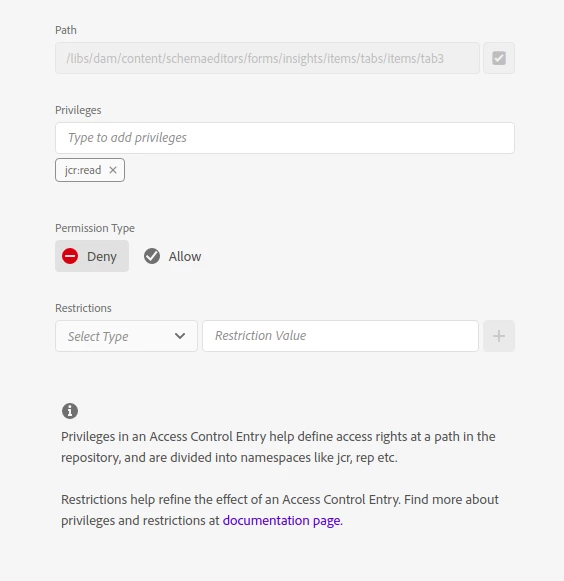
If you are unfamiliar with ACEs, you can find the user interface by going to Tools > Security > Permissions.

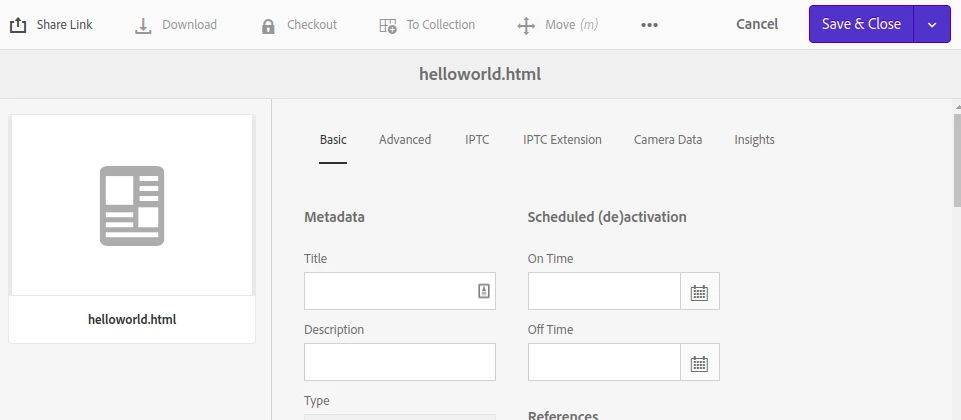
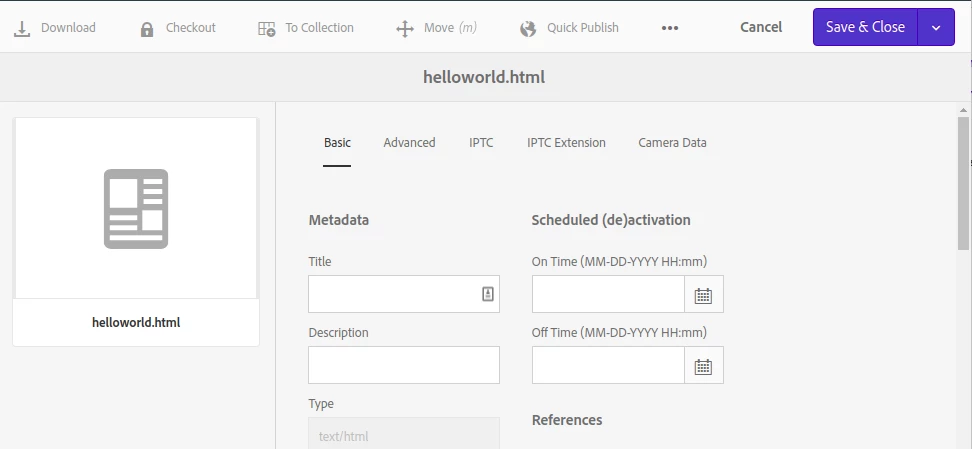
And here is the before and after:

BEFORE

AFTER  
One more thing: your question is about hiding the insights tab from a particular user but in general its is strongly recommended to use a user to identify a particular person or service, but a group to attach ACEs. You would then add users to groups based on which rights they need and what their role is within AEM. This is much cleaner, much more semantic and makes your configurations re-usable in the future 🙂


3 respuestas

raghavc
Level 4
May 28, 2020

You can remove read access to the below path, this should hide the insights tab for the user.

/libs/dam/content/schemaeditors/forms/insights/items


As the path is marked internal, adding a new rendercondition might not be an option.

Theo_Pendle
Theo_PendleRespuesta
Level 8
May 29, 2020

Hi @ajinkayk6258253,

@raghavc gave you the right answer so you can approve it, but I thought I would a bit more information for context.

Here is the ACE (Access Control Entry) that you need to apply:

If you are unfamiliar with ACEs, you can find the user interface by going to Tools > Security > Permissions.

And here is the before and after:

BEFORE


AFTER  

One more thing: your question is about hiding the insights tab from a particular user but in general its is strongly recommended to use a user to identify a particular person or service, but a group to attach ACEs. You would then add users to groups based on which rights they need and what their role is within AEM. This is much cleaner, much more semantic and makes your configurations re-usable in the future 🙂


Level 4
July 15, 2020
how do i hide it for all users including admin?
arunpatidar
Community Advisor
Community Advisor
May 29, 2020

You should not change anything inside /libs/

So /libs/dam/content/schemaeditors/forms/insights/items is not an option.


You should override in apps and handle through rendercondition with group renderer https://github.com/arunpatidar02/aem63app-repo/blob/master/jsp/grouprenderecondition.jsp


Arun Patidar
raghavc
Level 4
May 29, 2020
As the node is marked as internal, it is not a good practice to overlay or override from a sustainable upgrade point . Updating ACL is still allowed on these path(/libs) and can be done using ACL tool for better management of user group.