Granite Autocomplete Field Issue in Touch UI
Hi,
I am using Autocomplete as sling:resourceType and have added "datasource" which fetches the list of "Id" and "Title".The options and values nodes are also present and point to "granite/ui/components/coral/foundation/form/autocomplete/list" and "granite/ui/components/coral/foundation/form/autocomplete/tags" respectively.
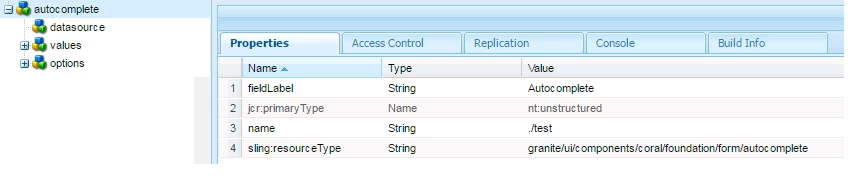
The Autocomplete is rendering the data but when I select the Title from the Autocomplete, after selection the Id gets displayed in the field.
I need to display the same selected text in the input field and need the Id to be stored as value in the property of the node.
For eg : List is as below :
id = 1, Title = Item 1
id =2 , Title = Item 2
id= 3 , Title = Item 3
On selecting Item 1 in the Autocomplete List, the input field should display Item 1 itself and not "1" and value "1" should be stored in "name" property.
Please let me know if there is a solution for same.
Thanks,
Anuradha



