Goto step not working | Workflow | Community
Skip to main content
Madhur-Madan
Community Advisor
Community Advisor
February 7, 2023
Solved

Goto step not working | Workflow

  • February 7, 2023
  • 1 reply
  • 695 views

Hi Team,

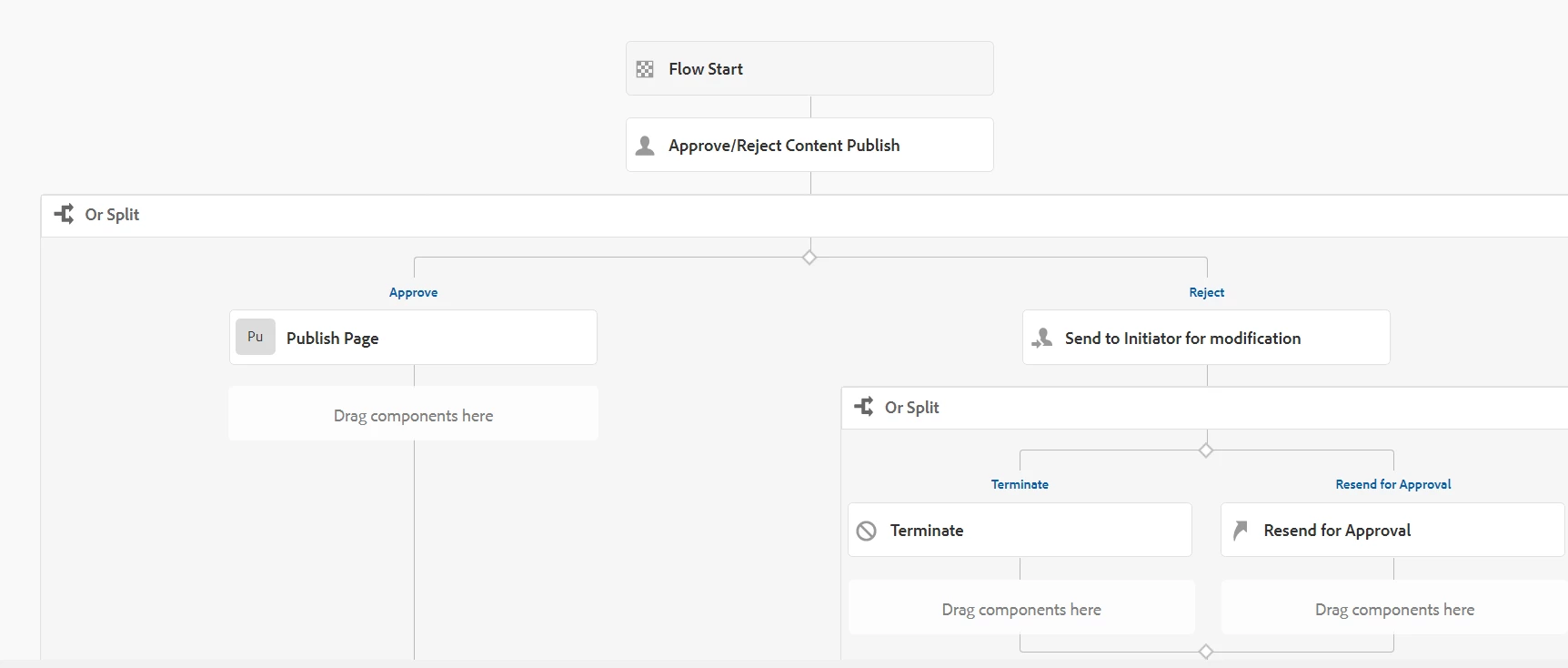
I am having a requirement where I have to send the request back to Reviewer Step (Approve/Reject Content Publish) from my current step in my workflow model. Currently I am seeing an option of Reviewer step (Approve/Reject Content Publish) in the OOB Goto Step (Resend for Approval) but even after selecting it the workflow seems to terminate instead of taking me to the Participant step (Reviewer) 
 

Best answer by ShaileshBassi

Hi @madhur-madan 

There could be 2 cases:

1. You can configured the workflow model correctly, but during the git build the workflow related details present in the /var/workflow/model is not updated and it is not having the conditional statement if you have already added it, otherwise
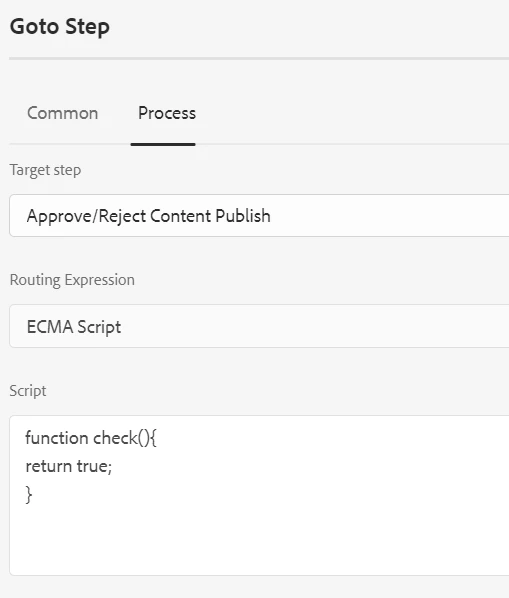
2. You check for the conditional statement added in the "Goto" step configured in your workflow model. You can select the "Routing Expression" and you can add the ecma script within it. 

e.g. 

This will make sure that you condition is always true and it will take you workflow transaction flow to the respective state and you will receive the notification as well.


Hope this helps!

Thanks.

1 reply

ShaileshBassi
Community Advisor
ShaileshBassiCommunity AdvisorAccepted solution
Community Advisor
February 7, 2023

Hi @madhur-madan 

There could be 2 cases:

1. You can configured the workflow model correctly, but during the git build the workflow related details present in the /var/workflow/model is not updated and it is not having the conditional statement if you have already added it, otherwise
2. You check for the conditional statement added in the "Goto" step configured in your workflow model. You can select the "Routing Expression" and you can add the ecma script within it. 

e.g. 

This will make sure that you condition is always true and it will take you workflow transaction flow to the respective state and you will receive the notification as well.


Hope this helps!

Thanks.