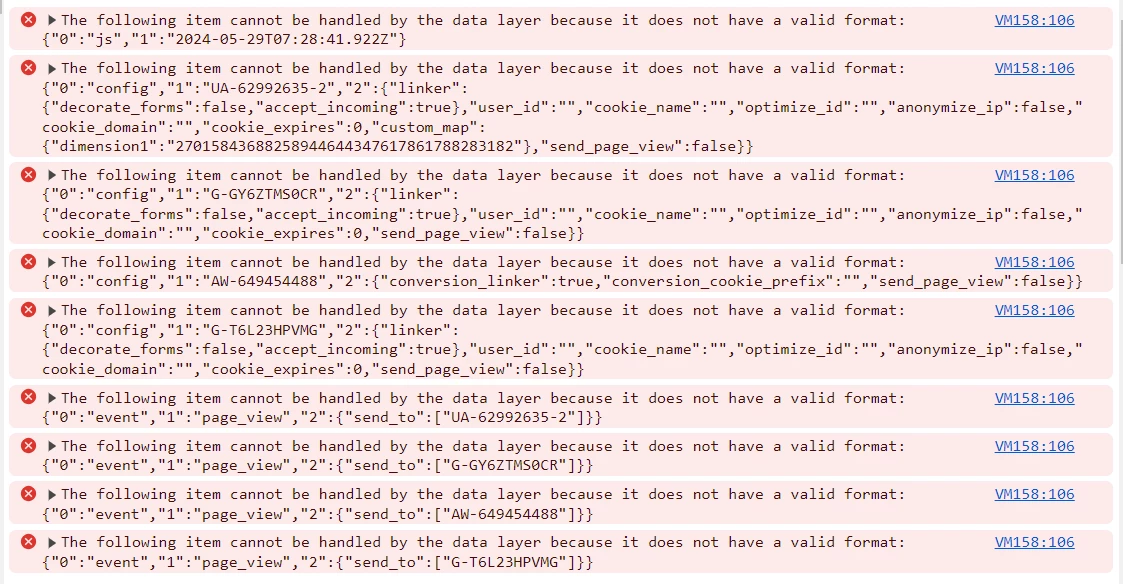
It looks like the latest AEMaaCS core components have got you too.
I've already mentioned this on another post, but heres it again, https://experienceleaguecommunities.adobe.com/t5/adobe-experience-manager/google-tag-manager-events-not-tracking-from-aem-as-cloud/td-p/673347
Keep reading the post as I have a temporary solution for this fix ->
================================
We just got out of this challenging problem as well. Jumped into a call with Adobe, and pinpointed the problem. The problem here is that the latest AEM Core Components introduced this bug.

Let's take a look at what I am pointing to here, so what was removed was the ability to have customers set window['adobeDataLayer'] or any other variable to capture AEM Core Component's dataLayer object... This is a configuration in the Context Aware Data Layer Configs. However, the latest code have introduced a bug where now where dataLayer is always going to be set for the AEM Core Component's dataLayer.
That being said, Google Tag Manager relies on window.dataLayer, and so since Adobe's introduction of the bug... if you are using Adobe Launch (or now known as AEP Data-Collection) to inject Google Scripts on the page, the /apps/core/wcm/components/page/v3/page/page.html will override the Adobe Launch's collection object (window.dataLayer). As an interim solution we have re-configured the GA configuration on Adobe Launch to from depending on window.dataLayer to window.googleDataLayer, and it all works.... but however if you do this, you must beware of custom code in your codebase that uses window.dataLayer... which this object was meant for GA itself.
If Adobe Launch updates is not an option, you can simply overlay the page.html, and reverse the changes you see here.

Adobe has confirmed to me that in 2 weeks a new version of the AEMaaCS platform will be rolled out, and this problem will be resolved.