Getting Sightly Exception after selecting and Clicking on page properties icon. | Community
Skip to main content
Level 2
January 31, 2022
Solved

Getting Sightly Exception after selecting and Clicking on page properties icon.

  • January 31, 2022
  • 2 replies
  • 1697 views

Getting Sightly Exception after selecting and Clicking on page properties icon. Attaching error screenshot below. Please help me out with this.
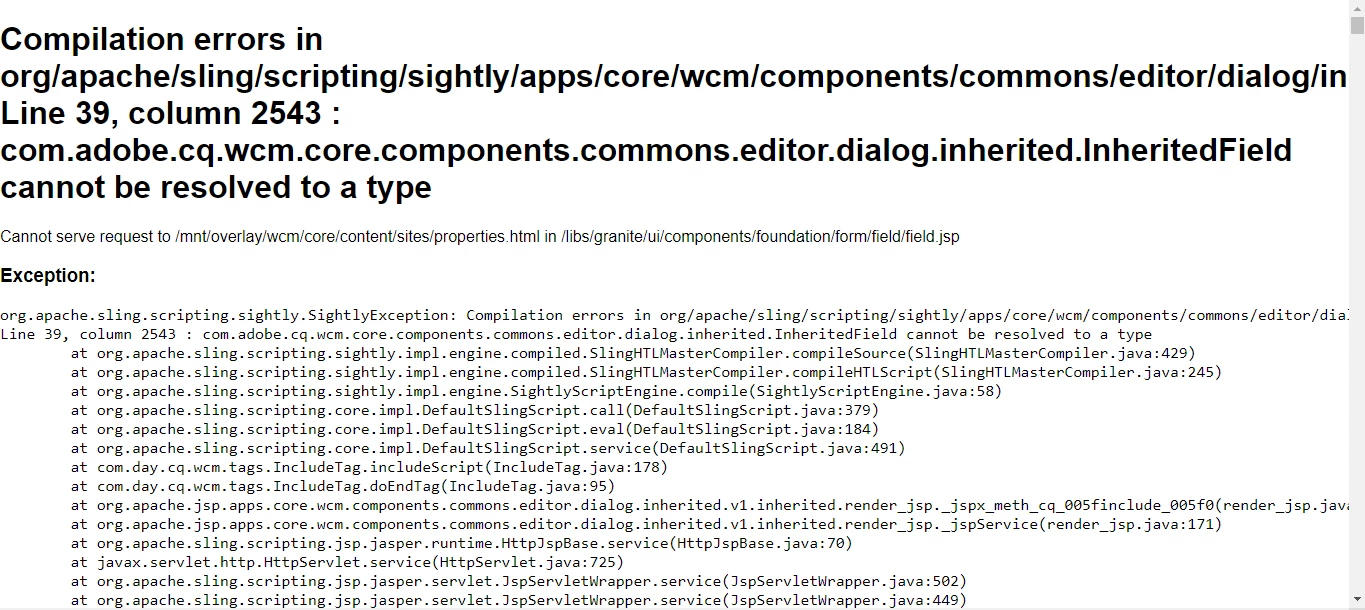
 

Thanks in advance

Ramesh

This post is no longer active and is closed to new replies. Need help? Start a new post to ask your question.
Best answer by DEBAL_DAS

Hi @debal_das 

Yes  I am able to see the above exact path in me crx repository.


Please install core component package https://github.com/adobe/aem-core-wcm-components/releases/tag/core.wcm.components.reactor-2.17.14 and check whether issue still exists or not.

2 replies

ibishika
Level 4
January 31, 2022

@rameshkumar306 Can you share the content.xml file for your dialog that you have used

Level 2
February 1, 2022

@ibishika I haven't written any custom page properties dialog. This error is coming from default page properties dialog. In any site's page(even on we-retail site) whenever I click on page properties then I got this kind of sightly exception. 

DEBAL_DAS
New Member
February 1, 2022

Could you please check below points -


1. Are you using core/wcm/components/commons/editor/dialog/inherited/v1/inherited as sling:resourceType at any field ?

2. /apps/core/wcm/components/commons/editor/dialog/inherited/v1/inherited/render.html is using com.adobe.cq.wcm.core.components.commons.editor.dialog.inherited.InheritedField sling model.

So, please check using /system/console/depfinder as shown below whether com.adobe.cq.wcm.core.components.commons.editor.dialog.inherited.InheritedField  is available or not -


Hope these will help to debug.

Debal Das, Senior AEM Consultant
Level 2
February 1, 2022

Hi @debal_das ,


1. I haven't used core/wcm/components/commons/editor/dialog/inherited/v1/inherited as sling:resourceType at any field.


2. /apps/core/wcm/components/commons/editor/dialog/inherited/v1/inherited/render.html is also using com.adobe.cq.wcm.core.components.commons.editor.dialog.inherited.InheritedField sling model.


3. As i can see com.adobe.cq.wcm.core.components.commons.editor.dialog.inherited.InheritedField bundle is not available at this /system/console/depfinder console. So, please tell me how I can add this dependency or can you share me the dependency or any site from where I can download it.


DEBAL_DAS
New Member
February 1, 2022

Earlier I have installed below package and com.adobe.cq.wcm.core.components.commons.editor.dialog.inherited.InheritedField is part of the below core components package.


I would like to know are you seeing /apps/wcm/components/commons/editor/dialog/inherited/v1/inherited in your AEM instance CRXDE -


Debal Das, Senior AEM Consultant